
The most overlooked measurement when setting up a standing desk is your elbow height. Many forget to adjust the desk so your elbows are at a 90-degree angle, with forearms parallel to the floor. This ensures your wrists stay straight and shoulders relaxed, preventing strain over time. Correctly matching your desk height can boost comfort and productivity. Keep going to discover how to measure and fine-tune your setup for all-day ease.
Key Takeaways
- The most overlooked measurement is elbow height, which ensures proper desk and keyboard positioning.
- Accurate standing desk height depends on measuring your elbow-to-floor distance while standing naturally.
- Proper setup requires adjusting the desk so your elbows are at a 90-degree angle for ergonomic comfort.
- Failing to measure elbow height can lead to improper wrist, shoulder, and back alignment.
- Using your elbow as a reference point helps achieve optimal desk height for long-term ergonomic health.
Why Standing Desk Height Matters for Comfort and Productivity
Choosing the right standing desk height is essential because it directly impacts your comfort and efficiency throughout the workday. When your desk is properly adjusted, you promote better posture correction, reducing strain on your neck, shoulders, and back. Proper foot positioning is also fundamental; your feet should be flat on the floor with your knees at a 90-degree angle. If your desk is too high or low, you’ll unconsciously adjust your posture, leading to discomfort and fatigue. An ideal height allows your elbows to be close to your body and your wrists straight while typing. This setup encourages better circulation and minimizes the risk of repetitive strain injuries, helping you stay focused and productive longer. Ergonomic principles suggest that correct desk height truly makes a difference in your daily comfort. Ensuring your desk height aligns with ergonomic standards can significantly reduce long-term health issues. Additionally, regularly adjusting your workstation helps maintain optimal ergonomic positioning throughout the day.
What Factors Affect Your Ideal Standing Desk Height?
Several factors influence your ideal standing desk height, and understanding them can help you customize your workspace for maximum comfort. First, your body dimensions, like arm length and posture, play a key role. Second, keyboard ergonomics matter; your keyboard should be positioned so your elbows stay close to your sides and wrists remain neutral. Third, the desk material can affect height adjustments—some materials may require different support or stability. Additionally, your footwear and standing habits influence best height, as comfortable footwear can raise your overall height and impact your posture. Moreover, ergonomic accessories like anti-fatigue mats or adjustable monitor arms can further enhance comfort during prolonged standing. Additionally, being aware of your metabolic health can help you optimize your overall workspace ergonomics to support better posture and reduce strain. Research suggests that ergonomic design principles can significantly improve standing desk effectiveness and user comfort. Understanding gold IRA markets and investment strategies can also inspire ergonomic adjustments that promote comfort during prolonged standing, especially for those managing long-term financial planning. Considering these factors ensures your desk height supports proper ergonomics, reduces strain, and enhances productivity. Tailoring your standing desk setup helps prevent discomfort and promotes better health during long work sessions.
The Most Important Measurement for Proper Desk Height
The key to a comfortable standing desk setup is making sure your height is just right for your elbows and wrists. When your elbows are bent at about 90 degrees, your arms stay relaxed and supported. Proper wrist alignment ensures you avoid strain and work comfortably all day, especially when you incorporate body ergonomics principles into your workspace. Using the right DIY tools can help you accurately measure and adjust your desk height for optimal ergonomic comfort. Additionally, understanding ergonomic principles can guide you in creating a healthier workspace that reduces fatigue and discomfort. Paying attention to proper posture habits is also essential to maintain long-term comfort and prevent musculoskeletal issues, especially when combined with adjustable accessories to fine-tune your setup.
Elbow Angle Optimization
Optimizing your elbow angle is essential for maintaining comfort and preventing strain while working at a standing desk. Proper arm ergonomics involves keeping your elbows at about a 90 to 110-degree angle, allowing for natural movement. To achieve this, consider these key points:
- Adjust desk height so your elbows rest comfortably at your sides.
- Keep your forearms parallel to the ground, avoiding excessive elevation or downward tilt.
- Ensure your elbows aren’t overly extended or too close to your body.
- Use ergonomic accessories if needed to fine-tune arm positioning.
- Being mindful of dynamic movement, such as shifting your weight or taking brief breaks, can also help reduce fatigue and maintain proper posture throughout your work session. Incorporating posture awareness practices encourages consistent ergonomic alignment and helps prevent discomfort during prolonged standing periods. Recognizing the importance of spiritual alignment can also promote overall well-being and mental clarity during work routines. Additionally, understanding how body mechanics influence your posture can lead to better ergonomic choices and long-term comfort. Being aware of muscle engagement can further optimize your ergonomic setup and support sustained comfort during standing work.
Wrist Comfort Alignment
Wrist comfort alignment is the most critical factor in setting your standing desk height because it directly impacts your ability to work comfortably and avoid strain. Proper wrist alignment ensures your hands rest naturally, reducing the risk of repetitive strain injuries. When adjusting your desk, focus on your hand positioning: your wrists should stay straight and not bend upward or downward. Keep your keyboard and mouse at a height where your wrists are in a neutral position, aligned with your forearms. If your wrists bend, it can cause discomfort and long-term issues. Take the time to fine-tune your desk height so that your wrists maintain a comfortable, straight line during use. Additionally, ergonomic accessories like wrist rests can further support wrist health and improve comfort during long work sessions. Incorporating ergonomic principles into your workspace setup can also help prevent discomfort and promote better posture. Being mindful of proper workspace setup can significantly enhance overall comfort and productivity. Recognizing the importance of correct posture can further prevent musculoskeletal problems and enhance your ergonomic setup. Paying attention to desk ergonomics can make a noticeable difference in your daily comfort and efficiency. This simple adjustment can considerably improve your comfort and productivity.
How to Measure Your Perfect Standing Desk Height

To find your ideal standing desk height, start by checking your arm position—your elbows should be bent at about 90 degrees with your hands comfortably resting on the desk. Adjust the height so your forearms are parallel to the floor, ensuring ergonomic support. Remember, a proper desk height reduces strain and keeps you comfortable throughout the day. Incorporating ergonomic principles into your setup can further enhance comfort and prevent injury. Additionally, understanding proper desk dimensions can help you customize your workspace for optimal productivity.
Ergonomic Arm Position
Finding the right standing desk height starts with understanding your arm position. Your goal is to keep your elbows at a 90-degree angle, ensuring your keyboard posture remains neutral and relaxed. Proper arm support prevents strain and promotes comfort during long work sessions.
To fine-tune your ergonomic arm position, consider these points:
- Adjust your desk so your forearms are parallel to the ground when typing.
- Ensure your shoulders stay relaxed and not hunched.
- Keep wrists straight, avoiding bending while typing or using the mouse.
- Use arm supports or padding if needed to reduce pressure and maintain a natural arm alignment.
Proper Desk Height Adjustments
Adjusting your standing desk to the right height is key to maintaining proper arm and body alignment. Start by setting the desk so your keyboard is at elbow level, allowing your arms to stay relaxed and close to your sides. Proper keyboard placement helps prevent strain and encourages good posture. Pay attention to foot positioning—your feet should be flat on the floor with your weight evenly distributed. Avoid locking your knees or standing with your feet too close together. Your desk height should enable your wrists to remain straight while typing, reducing wrist strain. Make small adjustments until your elbows form roughly a 90-degree angle and your shoulders stay relaxed. Correct desk height ensures comfort, minimizes fatigue, and supports long-term ergonomic health.
Common Mistakes When Setting Your Standing Desk Height: and How to Avoid Them
Many people make the mistake of setting their standing desk height based solely on eye level or guesswork, which can lead to discomfort and strain. Improper desk height affects your desk posture, especially when switching between sitting vs standing positions. To avoid this, consider these common pitfalls:
- Ignoring elbow angle—keep your elbows at a 90-110 degree bend for comfort.
- Raising the desk too high—causing shoulder tension and neck strain.
- Setting the height without considering foot placement—feet should be flat on the ground.
- Overlooking monitor height—ensure the top of the screen is at eye level to prevent neck strain.
Adjusting your desk with these points in mind helps maintain a healthy desk posture and reduces fatigue when standing or sitting.
How Adjustable Standing Desks Help You Find the Right Fit
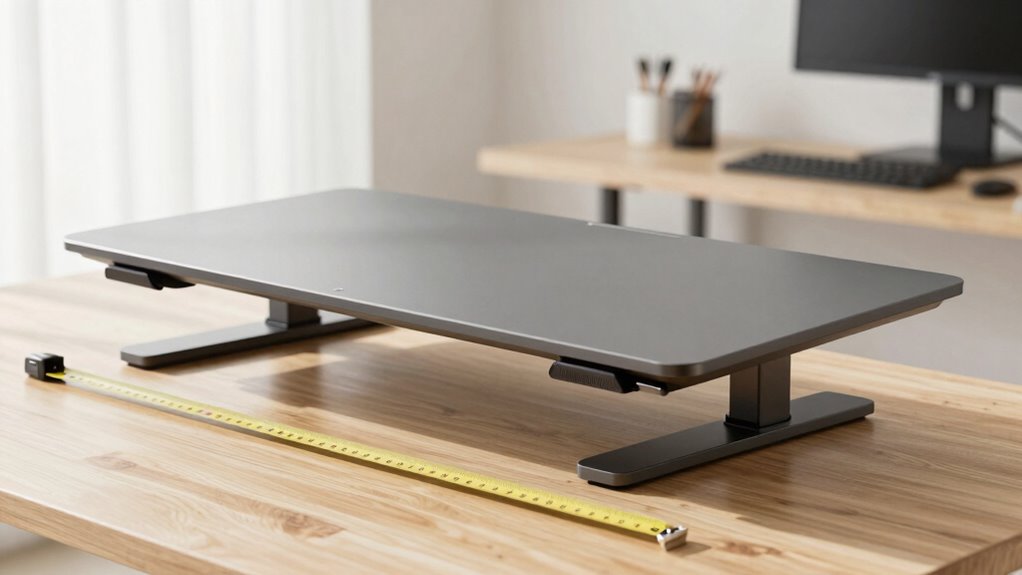
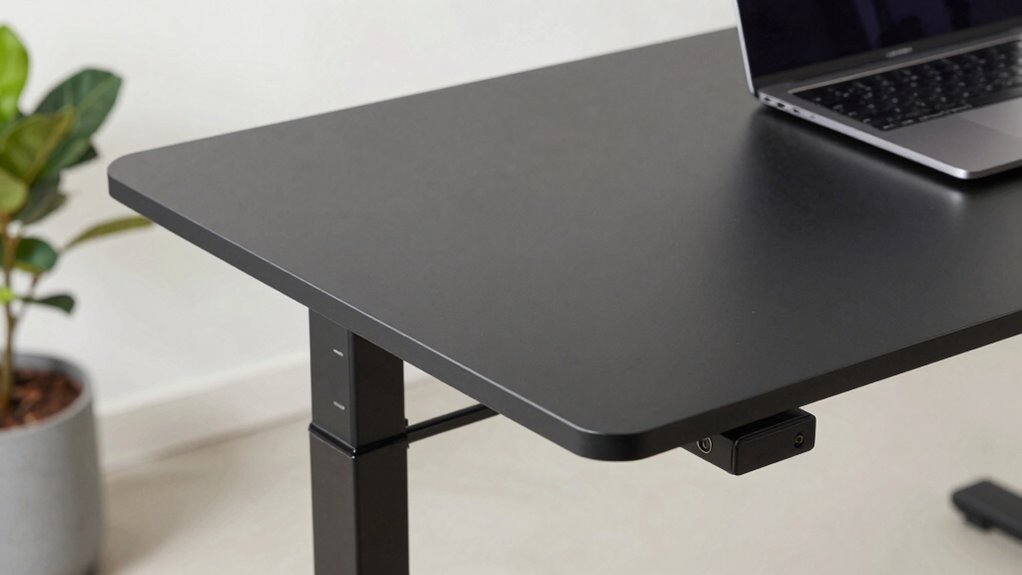
Because everyone’s body is different, adjustable standing desks are vital for achieving the perfect fit. They let you customize height, guaranteeing proper ergonomics and reducing strain. Good desk stability is essential; it prevents wobbling when typing or adjusting. Material selection also matters—sturdy metals or high-quality wood provide durability and stability. To help you choose, consider this comparison:
| Feature | Benefits |
|---|---|
| Desk stability | Prevents wobbling, supports comfort |
| Material selection | Ensures durability and a sturdy feel |
| Adjustment range | Fits a variety of heights and postures |
| Ease of adjustment | Quickly and smoothly changes height |
| Overall build quality | Promotes long-term use and safety |
With the right adjustable desk, you find a fit that promotes comfort and productivity.
Tips for Fine-Tuning Your Standing Desk Setup for All-Day Comfort

Once you’ve set your adjustable standing desk to the right height, fine-tuning your setup can make all-day comfort more achievable. Start by incorporating ergonomic accessories like keyboard trays and monitor stands to promote proper posture. Next, pay attention to desk mat placement; position your mat so your feet rest comfortably and reduce fatigue. Adjust your monitor so the top line is eye-level, preventing neck strain. Finally, guarantee your keyboard and mouse are within easy reach, keeping your wrists straight. This careful setup minimizes discomfort and boosts productivity. Remember, small adjustments can have a big impact on your comfort. Regularly reassess your setup throughout the day to maintain ideal ergonomic alignment and prevent strain.
Frequently Asked Questions
How Often Should I Adjust My Standing Desk Height During the Day?
You should adjust your standing desk height every 30 to 60 minutes to maintain ergonomic comfort. Regular adjustments help prevent strain and promote user customization, especially when using ergonomic accessories like anti-fatigue mats or footrests. Listening to your body is key; if you feel discomfort or fatigue, change your position. Frequent movement keeps your muscles active and reduces the risk of stiffness, ensuring a healthier, more productive workday.
Does Desk Material Affect the Comfortable Height Setting?
Think of your desk surface like a good pair of shoes—comfort depends on material durability and fit. The desk material can influence the comfortable height setting; softer surfaces might require a slightly higher setting for ergonomic comfort, while harder surfaces provide stable support at lower heights. So, choose a material that’s sturdy and durable, ensuring your setup remains comfortable and consistent throughout the day.
Can Standing Desk Height Influence Posture or Back Pain?
Yes, the height of your standing desk can markedly influence your posture and back pain. When set correctly, it supports ergonomic benefits and helps maintain proper alignment, reducing strain. If your desk is too high or low, you might slouch or hunch, causing discomfort and poor posture correction. Adjust your desk to elbow height, ensuring your wrists stay straight and shoulders relaxed for ideal health and comfort.
What Accessories Can Enhance Ergonomic Standing Desk Use?
Imagine transforming your desk into a command center. You can enhance ergonomic use by adding a keyboard tray, which keeps your wrists neutral, and a monitor arm, allowing you to position your screen at eye level. These accessories act like the steering wheel and seat adjustments in a car, giving you control and comfort. Together, they help prevent strain and boost your productivity during long work hours.
How Do I Accommodate Different Users With One Adjustable Desk?
To accommodate different users with one adjustable desk, focus on ergonomic chair compatibility and desk stability. Make sure the desk easily adjusts to various heights for comfort and supports ergonomic chairs that suit each user. Double-check that the desk remains stable at all heights to prevent wobbling. By prioritizing these factors, you create a versatile workspace that suits everyone’s needs without sacrificing safety or comfort.
Conclusion
Remember, finding the right standing desk height is like tuning a musical instrument—you need just the right note for harmony and comfort. Don’t overlook that one key measurement; it’s the secret sauce to all-day productivity and ease. With a little patience and fine-tuning, your workspace can become a symphony of comfort, turning your daily routine into a smooth, effortless melody. Keep adjusting until it feels just right—your body will thank you.