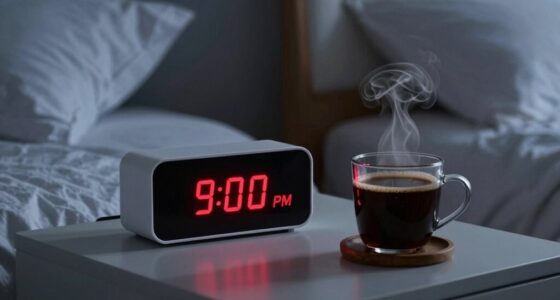
For tracking bedroom temperature for sleep, my best overall pick is the TempPro TP50 because it pairs a clear indoor temperature reading with humidity monitoring. The Govee H5075 is a stronger fit if you want Bluetooth tracking, while the DREO Tower Fan offers active airflow for sleepers who need help cooling a room. These products serve different jobs: a thermometer measures conditions, a hygrometer adds humidity context, and a fan changes how the room feels without showing its exact temperature. Read on for the full breakdown of which option fits your room, routine, and monitoring needs.

Get health and wellness essentials delivered free with Prime
- Fast, free delivery on millions of items
- Prime Video, Amazon Music and more included
- Member-only deals all year
Key Takeaways
- TempPro TP50 is my best overall monitoring pick: it combines temperature and humidity readings in a straightforward standalone device.
- Govee H5075 stands apart for connected tracking: Bluetooth access adds convenience, though it depends on using an app rather than simply glancing at a display.
- The two tower fans solve a different problem: DREO and Levoit can move air, but airflow does not tell you whether the room temperature itself is changing.
- Antonki’s two-pack favors room-to-room comparison: placing sensors in different spots can reveal temperature differences that a single reading misses.
- Clock and nursery picks prioritize specialized displays: SMARTRO, DreamSky, and LittleHippo bring timekeeping or child-focused cues, with less emphasis on simple temperature tracking alone.
| TempPro TP50 Digital Hygrometer Indoor Thermometer |  | Best Overall for Tracking Bedroom Conditions | Model: TP50 | Temperature accuracy: ±1°F | Humidity accuracy: ±2–3% RH | VIEW ON AMAZON | See Our Full Breakdown |
| SMARTRO SC91 Projection Alarm Clock with Weather Station |  | Best for Ceiling Viewing and Bedroom Weather | Projection: Time and temperature, soft red | Projection adjustment: 180-degree reversal and adjustable angles | Display: 4.5-inch LCD with adjustable dimmer | VIEW ON AMAZON | See Our Full Breakdown |
| Antonki 2-Pack Indoor Thermometer and Hygrometer |  | Best for Comparing Two Bedroom Locations | Quantity: 2 devices | Temperature range: −58°F to 158°F (−50°C to 70°C) | Humidity range: 10% to 99% RH | VIEW ON AMAZON | See Our Full Breakdown |
| DREO Tower Fan for Bedroom, 28ft/s Velocity, Ultra Quiet, 8 Speeds |  | Best for Moving Air Quietly | Motor: Brushless DC | Speeds and modes: 8 speeds; Normal, Natural, Sleep, Auto | Maximum airflow velocity: 28 ft/s | VIEW ON AMAZON | See Our Full Breakdown |
| DreamSky Alarm Clock with Battery Backup and Auto Set |  | Best Alarm Clock with Room Readings | Display: 5 inches; time, date, temperature, humidity, and moon phases | Time zones: 8 | Brightness: 6 levels plus auto dim | VIEW ON AMAZON | See Our Full Breakdown |
| DreamSky Alarm Clock Radio for Bedrooms with Battery Backup |  | Best Clock-Temperature Combo | Display: 4-inch LCD, fully adjustable brightness | Temperature Display: ℃ or ℉ | FM Radio: Yes, with 10–120 minute sleep timer | VIEW ON AMAZON | See Our Full Breakdown |
| Levoit Tower Fan for Bedroom |  | Best Smart Cooling Fan | Max Airflow: 28 ft/s | Noise Level: 28dB on low | Fan Speeds: 5 | VIEW ON AMAZON | See Our Full Breakdown |
| LittleHippo Kelvin Color Changing Night Light, Room Thermometer and Hygrometer |  | Best for Nurseries | Color Indicators: Red (hot), Amber (just right), Blue (cold) | Functions: Temperature monitoring, humidity monitoring, night light | Safety Certifications: Multiple child-safety approvals | VIEW ON AMAZON | See Our Full Breakdown |
| Govee Indoor Hygrometer Thermometer H5075 with Bluetooth App Control |  | Best for Data Lovers | Sensor Accuracy: ±0.54°F temperature, ±3%RH humidity (Swiss-made) | Refresh Rate: Up to 2 seconds | Display: 3-inch bright LCD with comfort indicators | VIEW ON AMAZON | See Our Full Breakdown |
| Digital Indoor Room Thermometer and Hygrometer |  | Best Budget Pick | Temperature Range: -58°F to 158°F (±1.8°F accuracy) | Humidity Range: 10%–99% RH (±5%RH accuracy) | Refresh Interval: 5 seconds | VIEW ON AMAZON | See Our Full Breakdown |
| bedroom temperature for sleep | Display | Power |
|---|---|---|
| TempPro TP50 Digital Hygromete | Temperature, humidity, DRY/COMFORT/WET icon, high/low records | 1 AAA battery, included |
| SMARTRO SC91 Projection Alarm | 4.5-inch LCD with adjustable dimmer | DC adapter |
| Antonki 2-Pack Indoor Thermome | Large LCD | — |
| DREO Tower Fan for Bedroom | — | 36 watts; corded electric |
| DreamSky Alarm Clock with Batt | 5 inches; time, date, temperature, humidity, and moon phases | — |
| DreamSky Alarm Clock Radio for | 4-inch LCD, fully adjustable brightness | AC adapter with 3 AAA battery backup (batteries not included) |
| Levoit Tower Fan for Bedroom | — | — |
| LittleHippo Kelvin Color Chang | — | — |
| Govee Indoor Hygrometer Thermo | 3-inch bright LCD with comfort indicators | — |
| Digital Indoor Room Thermomete | — | 1 AAA battery (included) |
More Details on Our Top Picks
TempPro TP50 Digital Hygrometer Indoor Thermometer
The TempPro TP50 earns the lead spot because it pairs bedroom temperature with humidity, two readings that help explain why a room can feel uncomfortable even when the thermostat setting seems reasonable. Its 10-second refresh and high/low records make it easier to spot swings overnight than a basic display, while the DRY/COMFORT/WET icon gives a quick humidity cue. Compared with the Antonki 2-Pack, the TP50 lists tighter stated accuracy and refresh timing, though the Antonki set lets you monitor two locations at once. The TP50’s main limitation is that high and low values must be checked manually; it does not provide continuous logs or app history. I’d choose it for a clear, compact bedside reference, not for automated climate tracking.
Pros:- Displays both temperature and humidity with stated accuracy of ±1°F and ±2–3% RH
- Refreshes readings every 10 seconds
- High/low records help reveal overnight room swings
- Stand and magnetic back offer flexible placement
Cons:- High and low records require manual checking
- Does not provide continuous logging or remote monitoring
Best for: Sleepers who want one accurate bedside readout of room temperature and humidity, plus a simple way to check overnight extremes
Not ideal for: People who want app alerts, downloadable history, or simultaneous readings from multiple rooms
- Model:TP50
- Temperature accuracy:±1°F
- Humidity accuracy:±2–3% RH
- Refresh rate:Every 10 seconds
- Display:Temperature, humidity, DRY/COMFORT/WET icon, high/low records
- Power:1 AAA battery, included
- Mounting:Tabletop stand and magnetic back
- Temperature units:°F/°C selectable
Our verdict“Choose the TP50 if you want a straightforward, relatively precise bedside check of temperature and humidity without app features.”
SMARTRO SC91 Projection Alarm Clock with Weather Station
The SMARTRO SC91 suits sleepers who want to check room conditions without turning toward a bedside display: it projects time and temperature in soft red onto a wall or ceiling. It also shows indoor and outdoor temperature and humidity, giving it broader context than the TempPro TP50, which monitors only the room where it sits. That extra information comes with a busier setup: the SC91 includes one wireless sensor and supports up to three, so monitoring more locations requires additional sensors. Its weather forecast and dual alarms add useful bedside functions, but make it more involved than a dedicated thermometer. Projection angle and brightness may need adjustment, and the supplied details list DC power without battery backup. I’d pick it when visibility in the dark and weather data matter as much as temperature tracking.
Pros:- Projects time and temperature for viewing from bed
- Measures indoor and outdoor temperature and humidity
- Supports up to three wireless sensors
- Adjustable display brightness and dual alarms with snooze
Cons:- Only one remote sensor is included
- Projection angle may take adjustment to suit the room
- Requires a DC adapter, with no battery backup listed
Best for: People who want projected temperature and time, indoor/outdoor readings, and dual alarms in one bedside device
Not ideal for: Sleepers who want a simple room-only monitor, battery-powered placement, or multiple remote readings without buying extra sensors
- Projection:Time and temperature, soft red
- Projection adjustment:180-degree reversal and adjustable angles
- Display:4.5-inch LCD with adjustable dimmer
- Weather forecast:Next 12 hours, barometric pressure, and temperature trends
- Monitoring:Indoor/outdoor temperature and humidity
- Wireless sensors:Supports up to 3; 1 included
- Sensor range:Up to 200 ft / 60 m
- Alarms:Dual alarms with snooze and customizable repeat days
- Power:DC adapter
Our verdict“Choose the SC91 if you want projected bedside readings and weather context, and are comfortable with a more feature-packed clock.”
Antonki 2-Pack Indoor Thermometer and Hygrometer
The Antonki 2-Pack is the practical choice when a single bedside reading cannot tell you whether temperature differs across the room. Place one unit near the bed and the other elsewhere to compare readings, an advantage the TempPro TP50 cannot offer on its own. Each compact device measures temperature and humidity and can sit on a surface, attach magnetically, or hang on a wall. The tradeoff is less precise stated accuracy: ±2°F and ±5% RH, compared with the TP50’s ±1°F and ±2–3% RH. Readings can also fluctuate for three to five minutes after startup, so give each unit time to settle before comparing them. This set makes sense for spotting room-to-room differences, but not for close tracking or remote logging.
Pros:- Two units allow readings from separate locations
- Measures both temperature and relative humidity
- Stand, magnetic backing, and hanging hole support flexible placement
- Batteries are included
Cons:- Stated accuracy is ±2°F and ±5% RH
- Readings may fluctuate for three to five minutes after startup
Best for: Sleepers comparing temperature and humidity near the bed and at another point in the bedroom or home
Not ideal for: People who need tighter stated accuracy, app-based history, or immediate stable readings after powering on
- Quantity:2 devices
- Temperature range:−58°F to 158°F (−50°C to 70°C)
- Humidity range:10% to 99% RH
- Temperature accuracy:±2°F (±1°C)
- Humidity accuracy:±5% RH
- Display:Large LCD
- Mounting:Tabletop stand, magnetic back, or hanging hole
- Battery:CR2032, included
- Dimensions and weight:2.3 × 2.76 in; 1.5 oz each
Our verdict“Choose the Antonki set if comparing two spots matters more than having the tighter stated accuracy of the TP50.”
DREO Tower Fan for Bedroom, 28ft/s Velocity, Ultra Quiet, 8 Speeds
The DREO Tower Fan does not measure bedroom temperature; it changes how air moves, which can make it a useful companion to a thermometer when a room feels warm at bedtime. Its eight speeds, four modes, and 90° oscillation give more control over airflow than the SMARTRO SC91’s monitoring-focused approach. A listed 25 dB noise level and dedicated Sleep mode are aimed at nighttime use, while the removable rear grille supports cleaning. Air movement may improve comfort, but this fan does not lower the room’s measured temperature or reveal humidity, so pairing it with a device such as the TempPro TP50 makes its role clearer. The cord limits placement, and the plastic build may feel less substantial. I’d choose it for adjustable airflow, not as a substitute for temperature monitoring.
Pros:- Eight speeds and four modes, including Sleep and Auto
- 90° oscillation spreads airflow across a wider area
- Listed noise level is 25 dB
- Removable rear grille makes cleaning easier
Cons:- Corded power limits placement
- Moves air but does not measure or lower room temperature
- Plastic construction may feel less premium
Best for: Hot sleepers who want adjustable, oscillating airflow at night and can place a corded fan near the bed
Not ideal for: People seeking a thermometer, humidity monitor, or a cooling option that lowers the room’s measured temperature
- Motor:Brushless DC
- Speeds and modes:8 speeds; Normal, Natural, Sleep, Auto
- Maximum airflow velocity:28 ft/s
- Airflow projection:34 ft
- Airflow capacity:1158 CFM
- Noise level:25 dB
- Oscillation:90°
- Power:36 watts; corded electric
- Controls and certification:Remote and touch controls; ETL certified
Our verdict“Choose the DREO if airflow is your main nighttime comfort need and you already have a separate way to monitor room conditions.”
DreamSky Alarm Clock with Battery Backup and Auto Set
The DreamSky Alarm Clock folds temperature and humidity into a bedside display built primarily around timekeeping. That makes it a convenient glanceable option for sleepers who also want an alarm, brightness controls, and a USB charging port. Compared with the SMARTRO SC91, it skips projected readings, outdoor sensors, and a weather forecast, but it adds battery backup for the alarm and automatic time adjustments. The product data does not state temperature or humidity accuracy, so I would treat its readings as a general room reference rather than a precision instrument like the TempPro TP50. Its added moon-phase display may be extraneous if climate is the only concern, and the alarm’s gentle sound may not suit heavy sleepers. This is best when the clock itself is the priority.
Pros:- Displays temperature and humidity alongside time and date
- Automatic time setting and daylight saving adjustment
- Six brightness levels plus auto dim
- Battery backup supports alarm operation during power outages
Cons:- Temperature and humidity accuracy are not specified
- Requires three AAA backup batteries, which are not included
- Gentle alarm sound may not wake every sleeper
Best for: People replacing a bedside alarm clock who also want quick temperature and humidity readings on the same display
Not ideal for: Sleepers who need stated measurement accuracy, projected visibility, or a dedicated device focused on room climate
- Display:5 inches; time, date, temperature, humidity, and moon phases
- Time zones:8
- Brightness:6 levels plus auto dim
- Alarm:Ascending beep for 2 minutes; snooze
- Battery backup:3 AAA batteries, not included
- Additional feature:USB charging port
- Time setting:Automatic setting and daylight saving adjustment
Our verdict“Choose the DreamSky if you need an alarm clock first and want temperature and humidity as convenient extras.”
DreamSky Alarm Clock Radio for Bedrooms with Battery Backup
Most thermometers in this roundup do one job, but this option stands out for folding temperature display into a full bedside hub. The 4-inch adjustable-brightness LCD means you can glance at the room’s temperature without grabbing your phone at 2 a.m., and the dimming range is generous enough for blackout-sleep purists. Compared with the Govee H5075, it gives up precision and app alerts, but gains an FM radio with a 10–120 minute sleep timer, a USB charging port, and an 8-minute snooze. The battery backup keeps the clock honest through outages — just know that you supply the three AAA batteries yourself. This pick makes the most sense for sleepers who want temperature awareness as a bonus, not a hobby.
Pros:- Large, dimmable 4-inch display readable from across the room without waking you
- FM radio sleep timer doubles as a white-noise alternative
- USB charging port clears a cluttered nightstand
- Battery backup keeps time and alarms alive during outages
Cons:- Temperature display is basic — no logging, alerts, or humidity
- Batteries for backup are not included
- FM-only radio with no nature sounds or streaming
Best for: Bedside-focused sleepers who want temperature, time, radio, and charging in one device
Not ideal for: Data-driven users who need precise readings and logging — the Govee H5075 is far more accurate
- Display:4-inch LCD, fully adjustable brightness
- Temperature Display:℃ or ℉
- FM Radio:Yes, with 10–120 minute sleep timer
- Alarm Sound:Buzzer or radio, 8-minute snooze
- USB Charging Port:Yes
- Power:AC adapter with 3 AAA battery backup (batteries not included)
- Time Format:12 or 24-hour switchable
Our verdict“Choose this if you want a capable alarm clock that happens to show temperature, not a serious climate monitor.”
Levoit Tower Fan for Bedroom
This is the roundup’s only fan that reacts to bedroom temperature rather than just blowing at a fixed speed. Auto Mode reads a built-in sensor and ramps the five speeds up or down as the room warms or cools overnight — effectively a hands-off thermostat-lite for summer sleepers. Compared with the DREO tower fan, the Levoit trades some raw high-end airflow for a Sleep Mode tuned to near-silent 28dB operation, which matters more at 3 a.m. than peak velocity. The remote control means you never leave the covers to adjust it, and the 12-hour timer covers a full night. The honest tradeoff: on Turbo it is louder than the spec sheet implies, and 28 ft/s won’t outmuscle a larger tower in a big room.
Pros:- Auto Mode adjusts fan speed automatically as room temperature changes
- Near-silent 28dB low setting suits light sleepers, babies, and pets
- Remote control allows adjustments without leaving bed
- Removable back grille makes dust cleaning simple
Cons:- 28 ft/s max airflow trails larger tower fans on high settings
- Turbo mode is noticeably louder than the advertised 28dB
Best for: Light sleepers who wake up hot and want overnight cooling that adjusts itself
Not ideal for: Large bedrooms or hot climates needing maximum airflow — a bigger fan like the DREO moves more air
- Max Airflow:28 ft/s
- Noise Level:28dB on low
- Fan Speeds:5
- Modes:Normal, Turbo, Sleep, Auto
- Auto Mode:Adjusts speed via built-in temperature sensor
- Timer:12 hours
- Remote Control:Included
- Oscillation:Wide angle
Our verdict“The best pick if you want a fan that actively manages bedroom temperature through the night instead of running at one speed.”
LittleHippo Kelvin Color Changing Night Light, Room Thermometer and Hygrometer
For a parent stumbling into a nursery half-asleep, a glance at a color — red for hot, amber for just right, blue for cold — beats squinting at digits. That is this device’s whole genius: it converts bedroom temperature monitoring into something a tired brain processes instantly, and it doubles as a soothing night light. Compared with the Antonki 2-Pack or the compact digital hygrometer, the Kelvin is less about numbers and more about go / no-go signals tuned to safe infant sleep ranges. The hygrometer function adds humidity awareness most nursery gadgets skip, and the child-safe construction matters when toddlers get curious. The tradeoff is precision: if you want exact readings or logging, the Govee H5075 outclasses it on data.
Pros:- Color-coded system communicates temperature status at a glance
- Doubles as a gentle night light for bedtime routines
- Monitors humidity alongside temperature
- Child-safe, durable build for nurseries and toddler rooms
Cons:- Color indicators are too coarse for precise temperature tuning
- Requires a power source, which limits where you can place it
- Sparse published specs on measurement ranges and accuracy
Best for: Parents of infants and toddlers who need instant, glanceable reassurance that the room is in a safe sleep range
Not ideal for: Anyone wanting exact readings or data history — the color zones are approximate by design
- Color Indicators:Red (hot), Amber (just right), Blue (cold)
- Functions:Temperature monitoring, humidity monitoring, night light
- Safety Certifications:Multiple child-safety approvals
- Material:Child-friendly construction
- Ideal Use:Nurseries and children’s bedrooms
Our verdict“The nursery pick: parents get instant color cues plus a night light, while data-driven users should look elsewhere.”
Govee Indoor Hygrometer Thermometer H5075 with Bluetooth App Control
If fine-tuning your bedroom temperature for sleep is a project rather than a chore, this is the most capable monitor in the lineup. The Swiss-made sensor rated at ±0.54°F and ±3%RH is in a different accuracy class than the compact digital hygrometer’s ±1.8°F / ±5%RH — that difference is exactly what lets you trust small adjustments like nudging the thermostat one degree. The 2-second refresh rate and 3-inch LCD keep live conditions visible, while the app adds preset range alerts and 20-day graphs with a 2-year CSV export for spotting overnight patterns. The catch is the 164-foot Bluetooth ceiling: unlike a Wi-Fi unit, you can’t check readings from work, and the smart features vanish without the app.
Pros:- Swiss-made sensor with ±0.54°F accuracy — the most precise in this lineup
- App alerts notify you when the bedroom leaves your ideal sleep range
- 3-inch LCD with comfort indicators and max/min records works without the phone
- 20-day graph history and 2-year CSV export reveal overnight patterns
Cons:- Bluetooth-only — no Wi-Fi, so no true remote access away from home
- Best features depend on the companion app
Best for: Sleep optimizers and home-climate tinkerers who want precise readings, alerts, and long-term data
Not ideal for: Users who just want a glanceable standalone display — the TempPro TP50 does that with zero setup
- Sensor Accuracy:±0.54°F temperature, ±3%RH humidity (Swiss-made)
- Refresh Rate:Up to 2 seconds
- Display:3-inch bright LCD with comfort indicators
- Connectivity:Bluetooth, up to 164 ft
- Data Storage:20-day graph history; 2-year CSV export
- Alerts:Preset range alerts via app
Our verdict“The most accurate and data-rich option here — ideal if you treat bedroom climate as something to measure and improve, overkill if you don’t.”
Digital Indoor Room Thermometer and Hygrometer
Sometimes you just need to know if the bedroom is in a decent sleep range, and this 2.1 × 2.6-inch unit answers that for pocket change. The large digits and WET/OK/DRY icons give you an instant comfort verdict, and the one-hour trend arrow — a feature even pricier basics like the TempPro TP50 lack — tells you whether the room is warming or cooling as you settle in. It arrives with its AAA battery installed and calibrates itself in three minutes at startup, so it works out of the box. The honest tradeoff is accuracy: at ±1.8°F and ±5%RH it trails the Govee H5075 considerably, so treat it as a rough gauge rather than a calibration tool.
Pros:- One-hour trend arrow shows which way the room is heading before bed
- Large digits and WET/OK/DRY icons readable at a glance
- Compact size with included stand for nightstands or shelves
- Ships ready to use with AAA battery included
Cons:- ±1.8°F temperature accuracy is the loosest in this lineup
- ±5%RH humidity accuracy leaves wide uncertainty on dryness
Best for: Budget-minded sleepers and multi-room buyers who want simple, glanceable temperature and humidity checks
Not ideal for: Precision-focused users — the ±1.8°F accuracy can’t support fine thermostat tuning
- Temperature Range:-58°F to 158°F (±1.8°F accuracy)
- Humidity Range:10%–99% RH (±5%RH accuracy)
- Refresh Interval:5 seconds
- Display Features:WET/OK/DRY icons, one-hour trend, °F/°C switch
- Dimensions:2.1 × 2.6 inches
- Power:1 AAA battery (included)
Our verdict“A fuss-free, low-cost way to confirm your bedroom is roughly in the right sleep range — just don’t expect lab-grade numbers.”

How We Picked
I compared these ten products by how directly they help someone understand or manage bedroom conditions for sleep. Temperature and humidity visibility, readability at night, ease of setup, monitoring convenience, and usefulness beyond a single bedroom all shaped the evaluation. Products that directly display room conditions rank ahead of clocks whose weather features may not represent the bedroom and fans that change airflow without measuring temperature.
The ranking also reflects distinct buyer needs rather than treating every device as interchangeable. TempPro leads as a simple all-around monitor; Govee earns its place for app-connected tracking, and Antonki offers flexibility across rooms. Fans rank as active comfort tools, while the clock and nursery options make more sense when their extra display or child-focused functions matter to the buyer. Each choice has limits, so the best fit depends on whether the priority is measurement, cooling, timekeeping, or a specialized room setup.
Factors to Consider When Choosing Bedroom Temperature For Sleep
Choosing a bedroom temperature tool starts with deciding what you need it to do: show conditions, help change how the room feels, or combine monitoring with another bedside function. These broader factors can help narrow the field before comparing individual models.
Separate measurement from comfort
A thermometer reports the air near its sensor; it does not cool the room or guarantee comfortable sleep. A fan moves air across the body, which can make a room feel cooler while leaving the measured temperature nearly unchanged. Buyers often expect one device to both diagnose and fix a warm room, so decide whether you need a reading, airflow, or both. If the room feels stuffy but the thermostat reading seems reasonable, airflow may be the immediate priority. If conditions swing through the night, monitoring can help identify when the change happens. Pairing a fan with a separate room monitor gives you both pieces of information.
Place the sensor where you sleep
A sensor on a sunny windowsill or beside a heater can report a different temperature from the air around your bed. Keep the device away from direct sunlight, vents, exterior doors, and electronics that give off heat. Height matters too: readings near the floor may differ from those at pillow level. If you are unsure whether one corner represents the whole room, compare readings from two locations before changing your routine. Multi-room packs can also help identify differences between bedrooms. Avoid moving the sensor repeatedly during a short measurement period, since the readings may need time to settle.
Use humidity as context
Temperature alone does not explain every comfort problem. High humidity can make warm air feel heavier, while very dry air may feel uncomfortable even when the room is cool. A combined thermometer and hygrometer can help separate these conditions, though it does not control either one. Treat its humidity reading as context rather than a direct measure of sleep quality. If readings vary sharply between devices, check that they are positioned similarly and allow them to stabilize. Buyers who only need a basic temperature check may not benefit from extra humidity data, while people troubleshooting persistent stuffiness may find it useful.
Choose the display you will actually use
A large, always-visible screen is useful when you want a quick glance, but bright digits can bother light-sensitive sleepers. Projection clocks and color-changing night lights make information visible from across a room, yet their added display features can be distracting at bedtime. App-connected monitors suit people who prefer to check readings on a phone or review changes over time. That convenience comes with setup and phone dependence, so it is a poor fit if you want a device that works at a glance with no app. Before buying, think about whether the monitor will sit on a dresser, bedside table, or shelf across the room. Readability and placement often matter more than an extensive feature list.
Decide whether you need one reading or a pattern
A single reading answers what the room is like at that moment, while repeated observations can show whether it warms after sunset or cools before morning. If you are adjusting ventilation or fan timing, a pattern may be more useful than a highly featured display. Bluetooth monitoring can make checking less disruptive, but it requires a compatible phone and regular app use. A simple standalone unit is easier for occasional checks and does not add another connected device to manage. Think about how often you will review the information before choosing a monitoring style. Do not pay for tracking features you are unlikely to use.
Match the device to the room and household
A shared adult bedroom, a child’s room, and a guest room can call for different priorities. A nursery-oriented night light may make status cues easier to notice, while a basic monitor may be less visually stimulating for a dark bedroom. Battery backup matters more when the device also serves as an alarm clock, since losing power can affect its timekeeping function. For multiple bedrooms, placing separate monitors can reveal room-to-room variation that a hallway thermostat cannot show. Consider who needs to read the display and whether nighttime light or sound is welcome. Extra functions earn their place only when they fit the room’s routine.
Frequently Asked Questions
Should I buy a thermometer or a fan if my bedroom feels too warm?
Choose a thermometer if you do not know whether the room is actually warm or when it heats up. Choose a fan if you already know that moving air helps you feel more comfortable. A fan can improve perceived comfort without lowering the room’s measured temperature, so it cannot confirm that the room has cooled. If you are unsure, a basic monitor paired with an existing fan can help you learn whether the issue is room heat, airflow, or both. The DREO and Levoit options are active airflow products; the TempPro and Govee are monitoring choices.
Is a Bluetooth thermometer useful if I only check the bedroom before bed?
It may be more device than you need if you only want a quick bedtime reading. A standalone display is simpler to glance at and does not require opening an app. Bluetooth becomes more useful when you want to check readings from elsewhere or compare changes over time. Consider whether reviewing those patterns would change what you do, such as adjusting airflow or ventilation. If not, the Govee’s connected function may add setup without much practical benefit for your routine.
Will a weather station clock show the temperature in my bedroom?
Not necessarily: a weather display can refer to outdoor or forecast conditions rather than the air beside your bed. Check the product’s stated sensor function and where its reading comes from before relying on it for bedroom monitoring. A device with an indoor temperature sensor is more relevant to this task than a clock showing weather information alone. Placement also affects the result, especially near windows, vents, or heat sources. If local room conditions are your main concern, choose a clearly specified indoor thermometer and use the clock as a secondary feature.
Do I need humidity monitoring as well as temperature?
Humidity monitoring can help explain why a room feels uncomfortable even when its temperature reading seems acceptable. It is useful if you are troubleshooting stuffiness or dryness, but it does not replace temperature measurement or control the room. A combined unit such as the TempPro or Govee provides both readings in one device. If you only want to know whether the bedroom warms overnight, a temperature-only readout may be enough. Focus on the reading you will act on rather than adding data for its own sake.
Is one bedroom sensor enough, or should I get a two-pack?
One sensor is usually enough when your bedroom has a consistent temperature and you only need a general reading. A second sensor can help if the room has distinct warm and cool areas, or if you want to compare bedrooms. Place them away from direct sun and vents, and allow them to settle before drawing conclusions from small differences. The Antonki two-pack is suited to this kind of side-by-side checking. Keep in mind that two devices are most useful when the comparison will guide a real change in placement or room setup.
Conclusion
For the best overall bedroom monitor, I recommend the TempPro TP50 for its direct temperature and humidity readout. The Antonki two-pack is my best value-style choice for checking more than one location, while the Govee H5075 is the premium fit for buyers who want Bluetooth access. Beginners who want an uncomplicated display can start with the TempPro, and sleepers focused on airflow should compare the DREO and Levoit tower fans. For specialized needs, the LittleHippo Kelvin suits a child’s room, while SMARTRO and DreamSky make more sense when an alarm clock is part of the brief. Choose based on whether you need to measure conditions, move air, or combine temperature awareness with another bedside function.
Halloween Picks

Max Fun 10-Foot Halloween Dragon and Pumpkin Inflatable Archway with LED Lights

8.5 Foot Halloween Inflatable Haunted House Castle with Skeleton, Ghost & Skulls

Gemmy Bluey Family Halloween Inflatable Scene, 5.5 ft Lighted Yard Decoration
As an affiliate, we earn on qualifying purchases.