
To stay secure, review your privacy settings on all platforms you use at least once a year. Check who can see your posts, limit access to your data, and update your password and security features like two-factor authentication. Don’t forget to review app permissions and connected devices. Keeping these settings current helps prevent data leaks and unauthorized access. Keep exploring to learn precise steps and tips for a thorough privacy refresh.
Key Takeaways
- Review and update your platform privacy settings, including who can see your profile and posts.
- Check app permissions for connected third-party apps and revoke unnecessary access.
- Enable two-factor authentication and update passwords to enhance account security.
- Audit data sharing policies and adjust settings to limit third-party data access.
- Regularly review privacy policies and disclosures for changes affecting your data privacy.
Why Reviewing Your Privacy Settings Annually Matters
Regularly reviewing your privacy settings is essential because your online environment and the platforms you use are constantly changing. This habit helps prevent data breaches by ensuring your personal information isn’t overly exposed. One key aspect is managing third-party app permissions, which can sometimes grant apps more access than necessary, increasing vulnerability. Over time, apps and platforms update their privacy policies or add new features, potentially altering how your data is shared. By checking your settings annually, you stay in control, limit unnecessary data sharing, and reduce risks associated with data breaches. It’s a proactive way to safeguard your privacy and maintain control over who can access your information, keeping your online presence secure in an ever-evolving digital landscape.
How to Find and Access Privacy Settings on Popular Platforms
Finding and accessing privacy settings on popular platforms may seem tricky at first, but most services have straightforward processes. Typically, you’ll find privacy options in the account or settings menu, often labeled as “Privacy,” “Security,” or “Account Settings.” Once there, you can review data encryption measures, which protect your information during transmission. For password management, look for options like “Change Password” or “Two-Factor Authentication” to strengthen security. Many platforms also offer privacy dashboards that compile your settings in one place, making adjustments easier. Regularly reviewing these settings helps ensure your data stays private. Just remember, updating your password and enabling data encryption features are key steps in maintaining your privacy on any platform. Additionally, be aware of cookie categories and manage your preferences accordingly to control third-party data collection. To stay ahead, consider privacy best practices and stay informed about platform updates that may affect your online security. Taking a proactive approach can help prevent privacy breaches and safeguard your personal information effectively. For example, understanding how data encryption works can significantly enhance your online privacy.
Top Privacy Settings to Check on Social Media (Facebook, Instagram, Twitter)
Are you aware of the key privacy settings on Facebook, Instagram, and Twitter that can help protect your personal information? Start by reviewing your privacy permissions, ensuring only trusted friends or followers can see your posts and profile details. Check how your data sharing is configured—limit what information these platforms collect and share with third parties. On Facebook, adjust settings to restrict who can view your timeline and disable unnecessary data sharing. On Instagram, tighten your account privacy and control who can send you messages or follow you. Twitter allows you to manage who can see your tweets and who can send you direct messages. Regularly updating these privacy permissions reduces exposure and keeps your personal data safer from unwanted access. Additionally, understanding affiliate disclosures and how your data may be used for advertising can help you make more informed privacy choices. Being aware of the privacy policies of each platform and periodically reviewing them ensures you stay up-to-date with any changes that could affect your data security. It’s also helpful to review security settings periodically to enable two-factor authentication and other protective measures. To further enhance your privacy, consider reviewing your cookie preferences and managing cookie categories to control data collection and sharing. Moreover, staying informed about data collection practices can help you better understand how your information is being used across platforms.
Securing Your Email and Messaging Apps (Gmail, WhatsApp, Messenger)
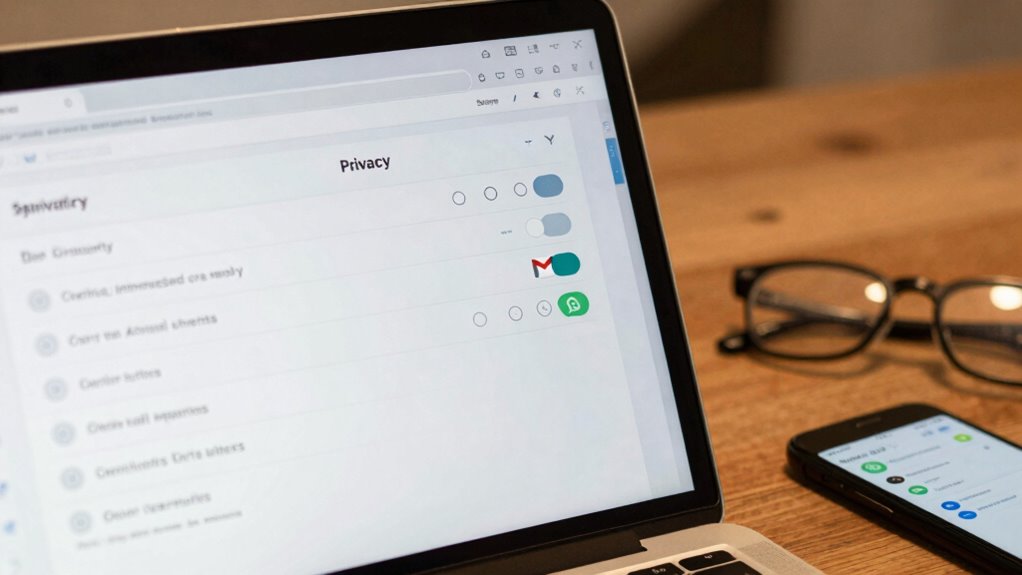
Since your email and messaging apps are primary ways to communicate, securing them is essential to protect your personal information. Start by enabling encryption practices, which guarantee your messages are readable only by intended recipients. Use strong, unique passwords and manage them with a trusted password manager to prevent unauthorized access. Regularly review security settings like two-factor authentication for Gmail, WhatsApp, and Messenger. Here’s a quick overview:
| App | Encryption Practice | Password Management |
|---|---|---|
| Gmail | End-to-end encryption | Use a password manager |
| End-to-end encryption | Enable two-factor auth | |
| Messenger | Encryption varies (Meta) | Change passwords periodically |
Additionally, periodically checking your privacy settings helps ensure your data remains protected from potential vulnerabilities. Maintaining awareness of digital security practices can further enhance your overall privacy. Being aware of encryption standards can help you understand the level of security provided by each app. Understanding potential vulnerabilities in your apps allows you to better protect your information from threats. Regular updates and software patches are also crucial in safeguarding your communication channels.
Tips for Ongoing Privacy Maintenance and Data Safety
To maintain your privacy and keep your data safe over time, it’s essential to stay proactive with regular updates and vigilant monitoring. Conduct periodic privacy audits to identify and fix vulnerabilities, ensuring your settings remain current. Use data encryption for sensitive information, both at rest and in transit, to prevent unauthorized access. Regularly review app permissions and connected devices to limit data sharing and exposure. Keep your software up to date to patch security flaws promptly. Consider setting reminders to reassess your privacy practices annually. Staying informed about new privacy features and risks helps you adapt your strategies effectively. Understanding privacy fundamentals can empower you to make better decisions about your digital security. Being aware of security best practices such as strong passwords and multi-factor authentication further enhances your protection. Making these small but consistent efforts guarantees your personal data stays protected over the long term and highlights the importance of ongoing privacy maintenance in today’s digital environment. Incorporating regular filter checks can also help safeguard the integrity of your privacy settings by ensuring your security tools are functioning properly. Additionally, staying informed about emerging privacy threats enables you to respond quickly to new risks as they develop.
Frequently Asked Questions
How Often Should I Update My Privacy Settings?
You should update your privacy settings at least once a year to stay protected. Regularly review your data encryption options and social media permissions to prevent unauthorized access. As technology evolves, new threats emerge, so staying proactive helps safeguard your personal information. Make it a habit to check these settings annually, ensuring your privacy preferences align with current security standards and that your data remains secure from potential breaches.
Can Privacy Settings Prevent All Forms of Data Tracking?
Did you know over 80% of people believe they have full control over their data? Privacy settings can’t prevent all data tracking, but they substantially reduce it. By enabling data encryption and managing consent preferences, you limit how much info is collected. Regularly updating these settings ensures you stay protected, making it harder for trackers to access your data. Stay proactive to keep your online privacy intact.
Are There Tools to Automate Privacy Setting Checks?
Yes, you can find tools that automate privacy setting checks through privacy automation software. These tools regularly scan your accounts, identify privacy risks, and adjust settings automatically. To stay consistent, set reminders to review these automations periodically. This way, you won’t forget to keep your privacy in check, ensuring your data remains protected without needing to manually monitor every setting constantly.
What Are Common Privacy Mistakes People Overlook?
You often overlook how social media apps automatically share your location, risking your privacy. Many forget to review app permissions, leaving location sharing enabled even when unnecessary. Additionally, you might not realize that public profile settings expose personal info. Regularly checking your social media privacy settings helps prevent strangers from accessing your data, especially your location. Stay vigilant and customize your privacy options to protect yourself from common oversights.
How Do Privacy Settings Differ Between Devices and Browsers?
Imagine your devices as a connected web, each with its own privacy shield. Browser settings often focus on cookies and tracking, while device privacy settings include permissions like location and camera. Device synchronization links your devices, so privacy choices impact cross-platform privacy. You need to customize settings on each device and browser, ensuring your privacy remains consistent and protected across all platforms, guarding your digital world like a fortress.
Conclusion
By reviewing your privacy settings yearly, you stay in control of your digital life—just like how changing your locks keeps your home safe. It’s a simple habit that can prevent surprises and protect what matters most. Sometimes, a small check can reveal hidden vulnerabilities, reminding you that your privacy isn’t a one-time effort but an ongoing journey. Stay vigilant, stay secure, and let your awareness be your greatest safeguard.