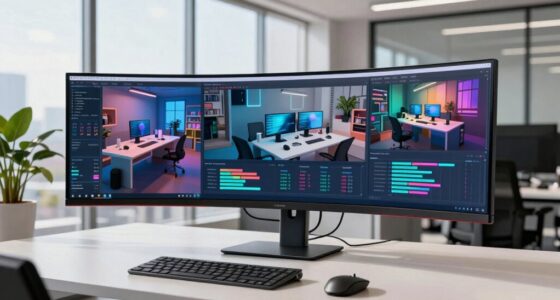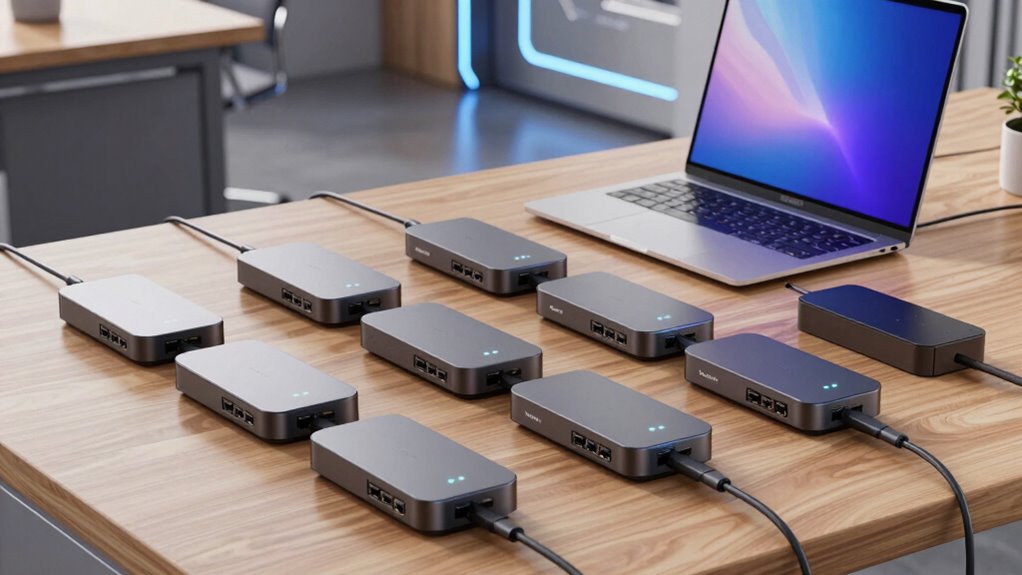

If you’re seeking a Thunderbolt docking station that truly elevates your laptop setup, the choices can be overwhelming. For power users who need to connect multiple 4K displays, the Dell Pro Thunderbolt 4 Smart Dock SD25TB4 offers robust multi-monitor support and fast charging. Meanwhile, creatives and professionals requiring ultra-high resolution output should consider the Anker Prime TB5 Docking Station with its 8K support and extensive port options. For those seeking a reliable, versatile solution that balances performance and compatibility, the Dell WD19TBS Thunderbolt Dock provides a solid middle ground. Lastly, budget-conscious users or those with HP devices might find the HP Thunderbolt Dock 120W G2 appealing, especially if they prefer refurbished gear. Each option presents tradeoffs in complexity, price, and compatibility, which I will clarify below.

Get health and wellness essentials delivered free — and shop member deals
- Fast, free delivery on millions of items
- Access to Prime Big Deal Days deals on October 6–7
- Prime Video, Amazon Music and more included
Key Takeaways
- The Dell Pro Thunderbolt 4 Smart Dock excels in multi-monitor setups and eco-friendly design, but may be complex for non-technical users.
- Anker Prime TB5 offers the highest resolution support with 8K output and extensive ports, yet it requires a Thunderbolt 5 compatible system and ample desk space.
- Dell WD19TBS strikes a balance with support for multiple displays and high power output, though it is bulkier and requires Windows 10 or later.
- HP Thunderbolt Dock 120W G2 is a cost-effective, reliable choice for HP users, but it limits compatibility and has a larger footprint.
- Plugable‘s Thunderbolt 4 Dock provides versatile dual 4K/8K support with a broad port selection, though display capabilities depend on the system and connection types.
| Dell Pro Thunderbolt 4 Smart Dock SD25TB4 |  | Best Overall for Versatile Multi-Display and Power | Power Delivery: 130W | Display Support: Up to 4 4K monitors | Video Ports: 2x DisplayPort 1.4, HDMI 2.1, 2x Thunderbolt 4 | VIEW ON AMAZON | See Our Full Breakdown |
| Anker Prime TB5 Docking Station, 14-in-1 Thunderbolt 5 Dock for Laptops |  | Best for Ultra-High-Resolution and Extensive Connectivity | Hardware Interface: Thunderbolt | Compatible Devices: MacBook with M4, M1/M2/M3 Pro/Max; Thunderbolt 5/4 Windows Laptops | Total USB Ports: 8 | VIEW ON AMAZON | See Our Full Breakdown |
| Dell WD19TBS Thunderbolt Dock Bundle |  | Best for Multiple Display Support and Compatibility | Hardware Interface: DisplayPort, Ethernet, HDMI, Thunderbolt, USB | Compatible Devices: Dell Latitude 7370, HP, Laptop, Notebooks/Tablet PC | Total USB Ports: 6 | VIEW ON AMAZON | See Our Full Breakdown |
| HP Thunderbolt Dock 120W G2 (Renewed) |  | Best Budget Refurbished Dock for HP Devices | Ports: USB-C, Powered USB 3.0, Thunderbolt, DisplayPort, VGA, Audio Jack, Ethernet | Compatibility: HP EliteBook, ProBook, ZBook | Dimensions: 3.9 x 3.9 x 4 inches | VIEW ON AMAZON | See Our Full Breakdown |
| Plugable Thunderbolt 4 Dock, 100W Charging, Dual HDMI |  | Best for Versatile Performance and Compatibility | Power Delivery: 100W (96W certified) | Display Support: Dual 4K 60Hz or single 8K | Ports: 13 total including HDMI, USB, Ethernet, SD card | VIEW ON AMAZON | See Our Full Breakdown |
| docking station for laptop thunderbolt | Wattage |
|---|---|
| Dell Pro Thunderbolt 4 Smart D | — |
| Anker Prime TB5 Docking Statio | 140W |
| Dell WD19TBS Thunderbolt Dock | 180W |
| HP Thunderbolt Dock 120W G2 | 120W |
| Plugable Thunderbolt 4 Dock | — |
More Details on Our Top Picks
Dell Pro Thunderbolt 4 Smart Dock SD25TB4
The Dell Pro Thunderbolt 4 Smart Dock SD25TB4 stands out for supporting up to four 4K monitors, making it ideal for professionals who need extensive multitasking. Its dual Thunderbolt 4 ports allow fast data transfer and daisy-chaining peripherals, while the 130W power delivery covers most high-performance laptops. Compared to other options, it offers a more eco-conscious design with recycled plastics, which appeals to environmentally conscious buyers. Setting it up might be challenging for non-technical users due to its array of ports, and its premium price reflects its advanced feature set. Nonetheless, if you need a flexible, high-power dock with multiple displays, this model wins for its combination of performance and sustainability.
Pros:- Supports up to 4 4K monitors for extensive multitasking
- Fast 130W charging for compatible devices
- Versatile connectivity with Thunderbolt 4, HDMI, DisplayPort, Ethernet, and Wi-Fi
- Eco-friendly design using recycled materials
Cons:- Complex setup for non-technical users
- Premium price point may be high for some
Best for: Power users seeking multiple 4K displays and high charging power
Not ideal for: Casual users or those with limited desk space who prefer simple setups
- Power Delivery:130W
- Display Support:Up to 4 4K monitors
- Video Ports:2x DisplayPort 1.4, HDMI 2.1, 2x Thunderbolt 4
- Ethernet:2.5GbE
- Wi-Fi:Yes
- Sustainable Design:65% recycled plastic, 100% recycled packaging
Our verdict“A top-tier choice for professionals demanding maximum display support and power, with eco-conscious features to match.”
Anker Prime TB5 Docking Station, 14-in-1 Thunderbolt 5 Dock for Laptops
The Anker Prime TB5 Docking Station offers an impressive suite of 14 ports, including Thunderbolt 5 and support for 8K video output, making it the best pick for creative professionals and power users needing top-tier resolution and data throughput. Its 140W charging capacity means it can handle multiple high-performance devices simultaneously. However, its large size and the requirement for Thunderbolt 5 compatibility mean it’s best suited for users with spacious desks and the latest laptops. The premium price reflects its cutting-edge technology, which may be overkill for casual or budget-conscious users. Still, for those who need the highest possible performance in a single dock, this model delivers.
Pros:- Supports up to 8K video output and dual displays
- Fast data transfer with Thunderbolt 5 ports
- Powerful 140W charging for multiple devices
- Multiple connectivity options including Ethernet, SD/TF card readers, and USB ports
Cons:- Large footprint requires ample desk space
- Premium price may be prohibitive for some
- Requires compatible Thunderbolt 5 or 4 laptops for full features
Best for: Creative professionals and tech enthusiasts with Thunderbolt 5 or 4 systems
Not ideal for: Users with limited space or older laptops lacking Thunderbolt 4/5 support
- Hardware Interface:Thunderbolt
- Compatible Devices:MacBook with M4, M1/M2/M3 Pro/Max; Thunderbolt 5/4 Windows Laptops
- Total USB Ports:8
- Number of Ports:14
- HDMI Ports:1
- Wattage:140W
- Minimum OS:Mac OS 15 Sequoia
Our verdict“A powerhouse dock perfect for users pushing high-resolution output and extensive device connectivity, provided they have Thunderbolt 5 compatible gear.”
Dell WD19TBS Thunderbolt Dock Bundle
The Dell WD19TBS Thunderbolt Dock offers reliable performance for users needing support for up to three displays, including 4K and 5K resolutions. Its high 180W power output simplifies charging multiple devices simultaneously, making it a solid choice for professional settings. Compared to the other options, its compatibility with various Dell and non-Dell laptops broadens its appeal, and firmware updates ensure ongoing performance improvements. However, its bulkier design and requirement for Windows 10 or later might deter users with limited space or those on older systems. It’s an excellent choice for users seeking a sturdy, versatile dock with broad compatibility.
Pros:- Supports up to three displays, including 4K and 5K
- High power output with 180W adapter
- Universal compatibility with various laptops and notebooks
- Easy firmware updates without rebooting
Cons:- Requires Windows 10 or later
- Bulkier design may need dedicated space
- Setup can be complex for some users
Best for: Users needing multi-display support on Windows devices with high power requirements
Not ideal for: Mac users or those with older operating systems, or those wanting a more compact setup
- Hardware Interface:DisplayPort, Ethernet, HDMI, Thunderbolt, USB
- Compatible Devices:Dell Latitude 7370, HP, Laptop, Notebooks/Tablet PC
- Total USB Ports:6
- Number of HDMI Ports:1
- Wattage:180W
- Minimum OS:Windows 10
Our verdict“A reliable, high-capacity dock suited for demanding multitaskers on Windows platforms, with broad display support and easy firmware management.”
HP Thunderbolt Dock 120W G2 (Renewed)
The HP Thunderbolt Dock 120W G2 offers solid connectivity for HP laptops, supporting USB-C, DisplayPort, VGA, Ethernet, and audio options. Its refurbished status makes it an attractive budget choice, providing reliable performance when inspected and tested thoroughly. Its 120W power delivery is sufficient for most HP business laptops and workstations, but it might fall short for more power-hungry devices. The bulkier design and lack of included lock might be inconvenient for some, but it remains a dependable option for HP users seeking a lower-cost, refurbished dock with decent versatility.
Pros:- Multiple connectivity options including Thunderbolt, USB-C, DisplayPort, and Ethernet
- Refurbished and inspected to look and work like new
- Compatible with a wide range of HP laptops and workstations
Cons:- Limited to HP devices for optimal compatibility
- Bulkier design, taking up desk space
- Kensington Lock sold separately
Best for: HP device users seeking an affordable, reliable dock, especially in refurbished condition
Not ideal for: Non-HP systems or those needing the latest features and minimal footprint
- Ports:USB-C, Powered USB 3.0, Thunderbolt, DisplayPort, VGA, Audio Jack, Ethernet
- Compatibility:HP EliteBook, ProBook, ZBook
- Dimensions:3.9 x 3.9 x 4 inches
- Weight:2.4 lbs
- Wattage:120W
Our verdict“An affordable, dependable choice for HP users on a budget, especially suitable if buying refurbished is acceptable.”
Plugable Thunderbolt 4 Dock, 100W Charging, Dual HDMI
The Plugable Thunderbolt 4 Dock combines high-speed 40Gbps data transfer with support for dual 4K displays or a single 8K, making it a flexible choice for creative and professional workflows. Its 13 ports include HDMI, Ethernet, SD card reader, and audio, offering a comprehensive workstation setup. The 100W power delivery is generally sufficient for most laptops, though some high-power models might need additional charging solutions. Compatibility extends across Thunderbolt 4, Thunderbolt 5, and USB4 systems, broadening its appeal. The main tradeoff is that display support can vary depending on the system and connection type, so users need to verify their device compatibility.
Pros:- High-performance 40Gbps Thunderbolt 4 speeds
- Supports dual 4K 60Hz or single 8K displays
- 13 ports including Ethernet, SD card reader, and audio
- Power delivery up to 100W
Cons:- Display support may vary with system and connection type
- Requires Thunderbolt 4, Thunderbolt 5, or USB4 for full features
- Some configurations only support single display
Best for: Home or office users needing flexible display and port options with high data speeds
Not ideal for: Users with older systems lacking Thunderbolt 4 or 5 support, or those with minimal desk space
- Power Delivery:100W (96W certified)
- Display Support:Dual 4K 60Hz or single 8K
- Ports:13 total including HDMI, USB, Ethernet, SD card
- Connectivity:Thunderbolt 4, Thunderbolt 5, USB4
- Performance:40Gbps Thunderbolt 4 speeds
Our verdict“A versatile, high-performance dock suited for demanding workflows, provided users check compatibility for display support.”
How We Picked
To curate this list, I prioritized docks that leverage Thunderbolt technology to maximize performance, display support, and power delivery. I examined the compatibility with popular laptop brands and operating systems, ensuring a range suitable for professionals, creatives, and home office users. Performance specs, number and variety of ports, and eco-friendly features also influenced my choices. I balanced these technical factors with real-world considerations like size, setup complexity, and price. Since user needs vary widely, I aimed to present options that serve different priorities—whether multi-monitor support, ultra-high resolution, or affordability—so every buyer can find a suitable match.
Factors to Consider When Choosing Docking Station For Laptop Thunderbolt
Choosing the right Thunderbolt docking station depends on your specific needs, device compatibility, and workspace setup. Understanding key features like display support, power delivery, port variety, and system compatibility will help you select a dock that enhances your productivity without unnecessary complexity or cost.Display Support
Consider how many monitors you need and their resolutions. If you require multiple 4K displays, look for docks like the Dell SD25TB4 or Dell WD19TBS. For ultra-high-resolution setups, the Anker TB5 supports 8K output, but ensure your system supports such resolutions. The capability to daisy-chain displays or support multiple monitors simultaneously will influence your choice.
Power Delivery
Power delivery ensures your laptop charges while connected. If you use a high-performance laptop or multiple peripherals, opt for docks offering 100W or more, like the Plugable or Dell SD25TB4. Keep in mind that some docks may fall short if your device requires more wattage, leading to slower charging or no charging at all.
Connectivity and Ports
A versatile dock should have a good mix of USB ports, Ethernet, SD card readers, and audio jacks. Think about your peripheral needs—if you connect external drives, cameras, or audio equipment, prioritize docks with ample USB and SD support. Compatibility with Thunderbolt 4, 5, or USB4 is essential for maximizing data transfer speeds and future-proofing your setup.
Compatibility and Size
Ensure the dock supports your laptop’s system and operating system. Some docks, like the Dell WD19TBS, are primarily Windows-focused, whereas others like the Anker TB5 are compatible with Mac and Windows. Also, consider desk space—larger docks like the Anker TB5 may require more room, whereas more compact options like the HP refurbished model save space but might have fewer features.
Frequently Asked Questions
Can I connect multiple 4K monitors to a Thunderbolt dock?
Yes, many Thunderbolt docks support multiple 4K monitors simultaneously. For example, the Dell SD25TB4 can support up to four 4K displays, making it ideal for multitasking professionals. However, the actual number of supported monitors depends on your system’s graphics capabilities and the specific ports used. Always verify your laptop’s compatibility and the dock’s specifications before setting up multiple high-resolution displays.
Is Thunderbolt 4 enough for 8K video output?
Thunderbolt 4 can support 8K video output, but only if your system and the dock explicitly support this resolution. The Anker TB5, with Thunderbolt 5, is designed for 8K output and is better suited for such high-resolution needs. Keep in mind that not all laptops with Thunderbolt 4 can drive 8K displays, so check your device’s specifications to ensure compatibility.
What is the main advantage of Thunderbolt docks over regular USB-C docks?
Thunderbolt docks offer significantly faster data transfer speeds—up to 40Gbps with Thunderbolt 4 and 5—compared to standard USB-C. They also support higher resolutions and multiple high-resolution displays simultaneously, and provide more robust power delivery. This makes Thunderbolt docks a better choice for demanding workflows like video editing, large file transfers, and complex multitasking setups.
Are refurbished Thunderbolt docks reliable?
Refurbished Thunderbolt docks, like the HP Thunderbolt 120W G2, can be quite reliable if thoroughly inspected and tested before resale. They typically undergo rigorous refurbishing processes to meet original standards, providing a cost-effective option for budget-conscious buyers. However, they may lack the latest features or warranty coverage of new models, so buying from reputable sources is advisable.
Do all Thunderbolt docks work with MacBooks?
Most Thunderbolt docks are compatible with MacBooks that support Thunderbolt 3, 4, or 5, but always check the dock’s specifications. Docks like the Anker TB5 and Plugable models explicitly support Mac systems, ensuring seamless operation. Some docks may require driver updates or firmware adjustments to work perfectly with macOS, so verify compatibility and read user reviews for confirmation.
Conclusion
For professional users who need maximum display support and high power, the Dell Pro Thunderbolt 4 Smart Dock stands out as the best overall. Creatives and tech enthusiasts who prioritize ultra-high-resolution output should lean toward the Anker Prime TB5. Those seeking a balanced, reliable solution with broad compatibility might prefer the Dell WD19TBS. Budget-conscious buyers or HP users will find the refurbished HP Thunderbolt Dock a practical choice. Each option caters to different needs, making it easier to choose based on your specific setup and usage priorities.
Cold & flu season Picks
humidifiers
As an affiliate, we earn on qualifying purchases.