
A document scanner with duplex capability lets you scan both sides of a page in a single pass, saving time and effort, while OCR technology converts images of text into editable digital files, making your documents searchable and easy to organize. PPM, or pages per minute, measures how quickly your scanner processes documents—higher PPM means faster workflow. Understanding these features helps you pick the right device, and if you want details on making the best choice, keep exploring.
Key Takeaways
- Duplex scanners can scan both sides of a document simultaneously, saving time and improving workflow efficiency.
- OCR technology converts scanned images into searchable, editable digital text, enhancing document accessibility.
- “PPM” stands for pages per minute, indicating how many pages a scanner can process quickly, impacting productivity.
- Higher PPM usually correlates with faster scanning speeds, especially important for high-volume document digitization.
- Features like OCR, duplex scanning, and high PPM collectively determine a scanner’s suitability for different workflows.
What Are Document Scanners and Why Do You Need One?
A document scanner is a device that converts physical papers into digital files, making it easy to store, share, and organize your documents. It streamlines your document management by eliminating paper clutter and creating searchable digital copies. With a scanner, you can quickly digitize invoices, contracts, or receipts, ensuring they’re safely archived in digital formats. This process supports digital archiving, so you can access important files anytime without rummaging through stacks of paper. Whether you’re managing a busy office or organizing personal records, a scanner helps you stay efficient and clutter-free. By digitizing your documents, you also improve collaboration, reduce physical storage needs, and protect important information from damage or loss. A good scanner is essential for modern document handling. Understanding digital concepts can help users make informed decisions about scanner features and capabilities, including the importance of color accuracy in digital images.
How Do Flatbed and Sheetfed Scanners Differ? Which One Is Best for You?
Ever wondered how flatbed and sheetfed scanners differ in handling your documents? Flatbed scanners are ideal for paper preservation and digital archiving of delicate or valuable items, as they gently scan one page at a time with careful detail. They’re perfect for scanning fragile documents, books, or artwork, ensuring quality and reducing damage. Sheetfed scanners, on the other hand, excel at high-volume tasks—quickly feeding multiple pages for efficient scanning. They’re suitable if you need to digitize large stacks of standard documents regularly. Your choice depends on your needs: if you prioritize preserving fragile papers or detailed images, a flatbed is best. If speed and volume are more important, a sheetfed scanner will serve you better. Consider your workflow to pick the right scanner for your digital archiving and paper preservation goals. Additionally, understanding the scanning resolution and how it impacts image quality can help you select the most appropriate device for your projects.
What Is Duplex Scanning and How Can It Save You Time?
Duplex scanning allows you to digitize both sides of a document in a single pass, saving you time and effort. With double sided scanning, you don’t need to flip pages manually, which speeds up the scanning process considerably. This feature is especially useful when dealing with large volumes of documents, as it reduces the total scanning time and workflow bottlenecks. By utilizing duplex scanning, you implement efficient time-saving techniques that streamline your document management. It also minimizes the risk of errors or missed pages caused by manual intervention. Overall, duplex scanning is a smart investment that can enhance productivity, cut down on repetitive tasks, and ensure quicker access to both sides of your important documents. Additionally, understanding ppm (pages per minute) helps you evaluate the scanner’s speed and efficiency for your specific needs. Recognizing the technological advancements in scanner features can further optimize your workflow and ensure you select equipment suited to your requirements.
How Does OCR Technology Help Digitize Text?

OCR technology enhances your ability to convert images of text into accurate digital files quickly. It offers high recognition accuracy and supports multiple languages, making it versatile for various documents. With searchable digital files, you can find and manage your information more efficiently. Incorporating sound vibrations into your workflow can also promote focus and mental clarity during digitization tasks. Additionally, understanding power consumption insights helps ensure your scanning equipment operates safely and efficiently. Being aware of website performance metrics can further assist in optimizing your scanning setup for better results. Recognizing regional flavors and pairings can also inspire you to explore diverse document styles and formats.
Text Recognition Accuracy
Text recognition accuracy is crucial for ensuring that scanned documents are converted into precise digital formats. High accuracy means your OCR system correctly interprets both printed and handwritten text, reducing errors. Handwriting recognition has improved considerably, allowing for more reliable digitization of notes and forms. Font accuracy ensures that different typefaces are accurately captured, preserving the original document’s integrity. These improvements mean less manual correction and faster processing times. Modern OCR engines use advanced algorithms to distinguish subtle differences in characters, even in difficult conditions like poor lighting or low contrast. Additionally, ongoing advancements in machine learning continue to enhance text recognition capabilities, making digital conversion more efficient and dependable. Incorporating natural language processing techniques helps improve contextual understanding, leading to even higher accuracy rates. Furthermore, the use of training datasets plays a vital role in refining OCR performance across diverse document types. Staying updated with latest OCR developments can provide significant benefits in achieving optimal digitization results. As technology advances, error correction methods are also becoming more sophisticated, further increasing the reliability of OCR outputs. Ultimately, better text recognition accuracy guarantees your digitized documents are trustworthy, searchable, and ready for editing or archiving without extra effort.
Language Versatility Features
Because language diversity can be a challenge in digitizing documents, modern OCR technology incorporates multilingual support to make the process seamless. This feature allows the scanner to recognize and convert text in multiple languages within a single document, saving you time and effort. Advanced OCR systems use sophisticated language detection algorithms to identify the language of each text segment accurately. Once detected, they apply the appropriate recognition models, ensuring high accuracy regardless of language complexity. Multilingual support also enables OCR to handle documents with mixed languages, making it ideal for international or multicultural content. Understanding that some documents may contain rare or unconventional fonts, these systems are designed to adapt and maintain recognition quality. Additionally, language detection algorithms further enhance the system’s ability to accurately identify and process diverse languages and scripts. multilingual recognition capabilities help ensure comprehensive and reliable digitization of complex documents. Furthermore, ongoing developments in recognition accuracy continue to improve the reliability of OCR in various challenging scenarios. For example, incorporating adaptive learning techniques allows OCR systems to improve their performance over time by learning from new font styles and layouts. By integrating these features, your scanner can efficiently digitize diverse texts while maintaining clarity and precision. This ensures your digital files are both accessible and reliable across different languages.
Searchable Digital Files
Have you ever wondered how scanned documents become easily searchable? Optical Character Recognition (OCR) technology plays a pivotal role in this process. Once you scan a document, OCR analyzes the image, recognizing text characters and converting them into editable, searchable data. This transformation allows you to quickly find specific words or phrases without manually flipping through pages. With the rise of cloud storage, you can store these searchable digital files securely and access them from anywhere. OCR also enhances digital archiving by creating organized, indexable records, making long-term document management more efficient. Additionally, passive voice detection tools can help improve the clarity of your documents by making your writing more active and direct. Proper file organization further streamlines your ability to locate important documents quickly. Incorporating Digital document management systems can further optimize this process by integrating OCR with other organizational tools for seamless workflow. In particular, the use of advanced OCR technology ensures higher accuracy and better recognition of complex layouts.
What Does PPM Mean in Scanners, and Why Is It Important?
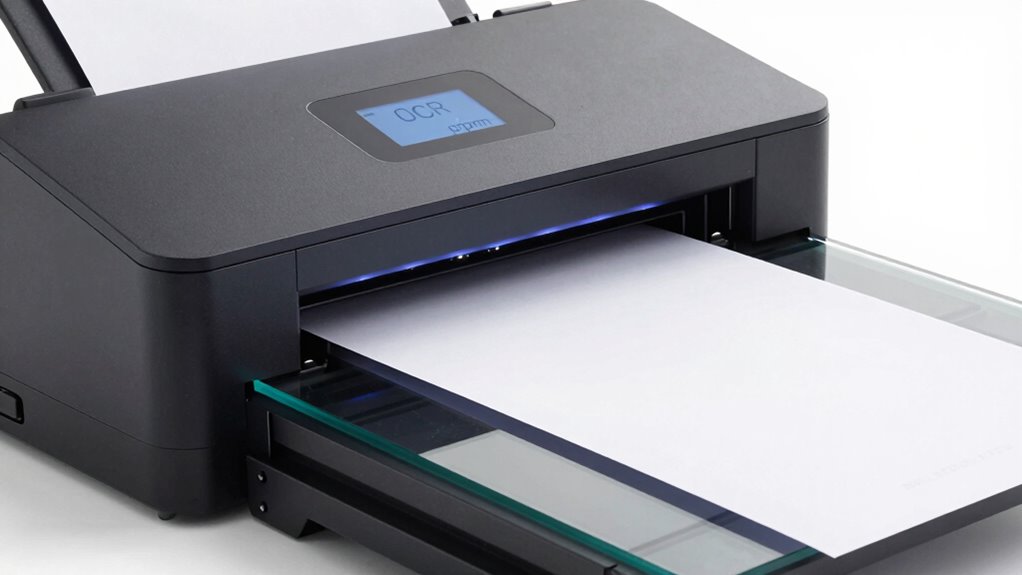
Ever wondered what PPM means when choosing a scanner? PPM, or pages per minute, measures how quickly your scanner can process documents. This number directly impacts your workflow, especially if you handle large volumes. Keep in mind:
- Higher PPM means faster scanning speed, saving you time.
- Faster scanners often maintain good image clarity, ensuring quality isn’t sacrificed for speed.
- Understanding PPM helps you match a scanner’s performance to your needs, whether for quick document processing or detailed, high-quality scans.
- Additionally, considering features like duplex scanning can further optimize your efficiency by allowing double-sided document processing without extra effort.
While PPM is a key indicator of efficiency, don’t forget to contemplate other features like resolution and duplex options. Ultimately, a good PPM rating ensures you get quick, clear scans without frustration or delays.
Which Key Features Should You Look for in a Document Scanner? (Resolution, Connectivity, Compatibility)
When choosing a document scanner, you should consider its resolution to guarantee clear, detailed scans. It’s also important to look at connectivity options so you can easily link it to your devices. Additionally, compatibility with your existing hardware and software makes setup and use much smoother.
Resolution Quality Standards
Choosing a document scanner with the right resolution is essential for guaranteeing clear, legible scans. Meeting resolution standards assures your documents maintain sharpness and detail, especially for OCR accuracy and color accuracy. When evaluating resolution quality, consider these key points:
- Look for a minimum of 300 dpi for standard documents and 600 dpi or higher for detailed or color-sensitive scans.
- Higher resolution enhances color accuracy, making images and text appear more true to life.
- Ensure the scanner supports your specific resolution needs to avoid compromising scan quality or efficiency.
- Understanding resolution standards can help you select a device that meets both your quality and health considerations, such as reducing the need for rescanning due to poor clarity.
Connection Options Available
Selecting the right connection options for your document scanner guarantees seamless integration with your devices and workflow. Wireless connectivity, like Wi-Fi or Bluetooth, allows you to scan directly to your computer, tablet, or mobile device without cumbersome cables. This flexibility enhances efficiency, especially in busy environments. Look for scanners that support cloud integration, so you can easily upload and access your files from services like Dropbox or Google Drive. These options reduce the need for manual transfers, saving time and minimizing errors. Confirm the scanner offers straightforward setup and reliable connections to avoid disruptions. By prioritizing wireless connectivity and cloud integration, you’ll streamline your scanning process and keep your digital files accessible across all your devices.
Compatibility With Devices
To guarantee your document scanner works seamlessly with your devices, focus on key compatibility features like resolution, connectivity options, and device support. Confirming proper device compatibility and smooth software integration prevents frustration and streamlines workflows. Consider these essential aspects:
- Compatibility with your operating system (Windows, macOS, Linux)
- Support for your preferred scanning software or apps
- Connectivity options such as USB, Wi-Fi, or Ethernet for versatile integration
Verifying these features helps avoid issues with drivers or software conflicts. A scanner with broad device compatibility and reliable software integration simplifies setup and daily use. By paying attention to these factors, you ensure your scanner effortlessly fits into your existing tech ecosystem, maximizing efficiency and ease of use.
How Can You Use OCR and Duplex Scanning Effectively? Tips and Best Practices

Using OCR and duplex scanning effectively can substantially streamline your document management process. To maximize OCR implementation, ensure your scanner’s software is up to date and properly calibrated for accurate text recognition. When it comes to duplex scanning, familiarize yourself with the duplex scanning tips to prevent misfeeds and ensure consistent double-sided captures. Always organize your documents before scanning—remove staples, straighten pages, and avoid overloading the feeder. Use high-resolution settings for clearer OCR results, especially with complex or handwritten text. Regularly clean scanner rollers to prevent jams and maintain quality. Combining these practices helps you achieve faster processing, reduces errors, and keeps your digital archives reliable. Mastering OCR and duplex scanning techniques saves you time and improves overall document workflow.
Common Mistakes to Avoid When Buying and Operating a Document Scanner

One common mistake people make when buying a document scanner is focusing solely on price rather than features and quality. This can hinder your digital archiving efforts and limit paper reduction. To avoid this, consider these points:
Focusing only on price can hinder your document digitization and paper-saving goals.
- Ignore specs like optical resolution—focus on actual image quality for clear digital archives.
- Overlook the importance of duplex scanning—saving time and reducing paper use.
- Neglect compatibility with your existing workflow—ensure it integrates smoothly to prevent operational issues.
Choosing a scanner with the right features helps you efficiently digitize documents, streamline digital archiving, and cut down on paper. Operating a poorly suited scanner often leads to frustration, wasted time, and incomplete scans. Always prioritize quality and functionality over cost to achieve ideal results.
How to Choose the Right Scanner for Your Workflow and Budget
How do you choose a scanner that fits both your workflow and budget? First, assess your scanning needs—if you’re doing digital archiving of large volumes, prioritize high-speed, duplex scanners with OCR capabilities. For occasional use or small offices, a more affordable, single-pass model might suffice. Consider your space and whether you need portability. Think about features that support paper reduction, like automatic document feeders and reliable image quality, to streamline your process. Balance upfront costs with long-term efficiency gains, ensuring the scanner can handle your workload without unnecessary upgrades. By aligning your scanner’s features with your workflow demands and budget constraints, you’ll improve productivity, reduce clutter, and make digital archiving easier and more cost-effective.
Frequently Asked Questions
Can Document Scanners Handle Irregularly Shaped or Fragile Documents?
You can’t rely on most document scanners to handle irregular shapes or fragile documents effectively. They’re typically designed for standard, flat sheets, so trying to scan irregular shapes or fragile items might lead to damage or poor quality images. If you need to digitize delicate or oddly shaped documents, look for specialized scanners with gentle handling features or portable options that are built to accommodate fragile or irregularly shaped materials safely.
How Secure Is the Data When Scanning Sensitive Documents?
Your data security depends on the scanner’s features. Most modern scanners use data encryption to protect sensitive information during transfer and storage. Additionally, user authentication ensures only authorized personnel access scanned documents. To keep your sensitive data safe, choose a scanner with robust security measures, enable encryption settings, and implement strong user authentication protocols. This way, you minimize risks and maintain confidentiality when handling sensitive documents.
What Maintenance Is Required to Keep a Scanner in Optimal Condition?
To keep your scanner in ideal condition, you should regularly perform cleaning routines to remove dust and smudges from the glass and rollers. Additionally, follow calibration procedures as recommended by the manufacturer to maintain accurate scanning quality. Regular maintenance also includes checking and replacing worn parts, updating firmware, and ensuring proper alignment. These steps help prevent jams, improve image quality, and extend your scanner’s lifespan.
Are There Specific Scanners Suitable for High-Volume Commercial Use?
Yes, you should look for high-volume commercial scanners designed for your business model. These models often feature faster ppm rates, duplex scanning, and robust build quality to handle market trends like digital transformation. They’re ideal for managing large-scale document workflows efficiently. By choosing a scanner suited to your specific needs, you guarantee smooth operations, increased productivity, and alignment with evolving industry standards.
How Does Software Compatibility Affect Scanner Functionality?
Software compatibility is like a puzzle piece fitting perfectly; it directly impacts your scanner’s performance. When your software is up-to-date, it guarantees smooth communication through compatible drivers and recent updates. If updates or drivers are outdated, your scanner might not function properly, causing delays or errors. Always keep your software current and verify driver compatibility to maximize your scanner’s efficiency and avoid frustrating hiccups during high-volume tasks.
Conclusion
Choosing the right document scanner is like finding a trusted partner that keeps your workflow sailing smoothly. By understanding features like duplex, OCR, and PPM, you can avoid sinking your productivity in unnecessary hassle. Keep your eye on key specs and best practices, and your scanner will become a reliable workhorse, turning mountains of paper into digital gold. With the right tools, you’ll be unstoppable in conquering your document management goals.