To separate guest devices securely, create a dedicated guest network on your router, which isolates visitors from your main devices and data. Enable WPA3 encryption and set a strong, unique password for the guest network. Disable remote management features to prevent unauthorized access. Regularly monitor connected devices and remove unfamiliar ones. Keeping these steps in mind can help protect your home. Explore more tips to strengthen your network’s security and keep your information safe.
Key Takeaways
- Enable a dedicated guest Wi-Fi network on your router for visitors’ devices.
- Use strong, unique passwords and WPA3 encryption for both main and guest networks.
- Disable remote management to prevent unauthorized access to your router settings.
- Keep router firmware updated to patch vulnerabilities and improve security.
- Regularly monitor connected devices and remove any unfamiliar or suspicious entries.
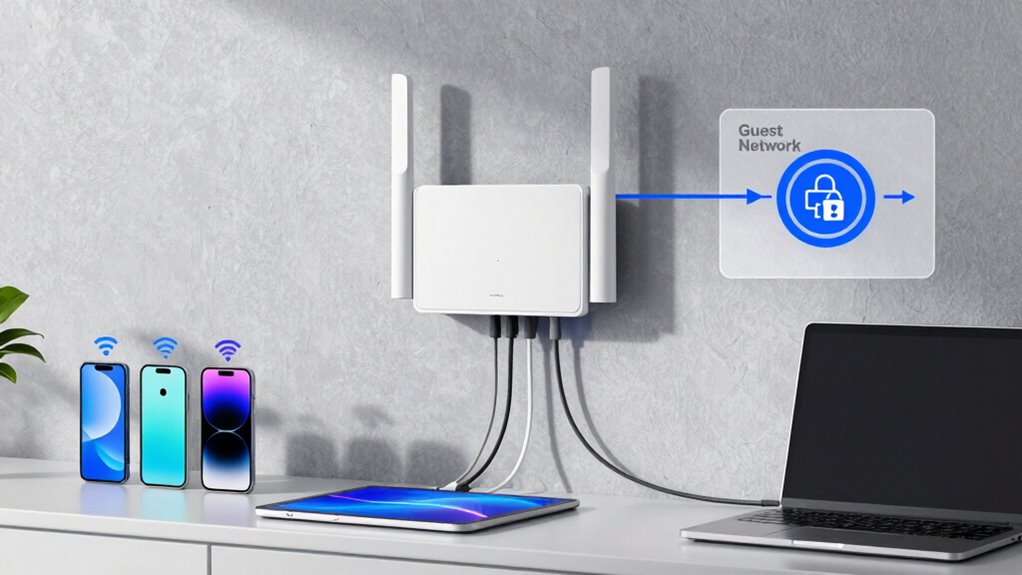
Have you ever wondered how your devices connect seamlessly at home? It’s thanks to your home network, which acts as a central hub that manages all your gadgets, from smartphones to smart TVs. But with so many devices sharing the same space, security becomes a top concern. That’s where wireless security and device segmentation come into play, helping you keep your network safe and organized.
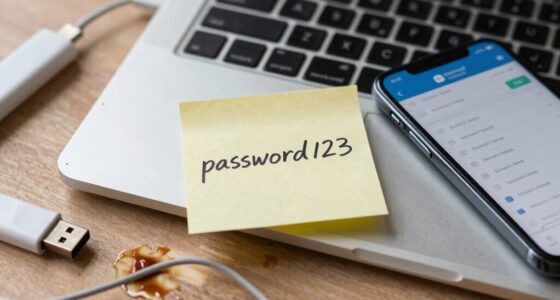
Wireless security is essential because it protects your network from unauthorized access. Without proper safeguards, hackers could tap into your Wi-Fi, steal personal information, or even control your devices. To prevent this, you should start by setting a strong, unique password for your Wi-Fi network. Avoid common passwords like “password” or “123456,” and consider enabling WPA3 encryption if your router supports it. This ensures that the data transmitted between your devices and the router stays encrypted, making it much harder for outsiders to intercept or decipher. Additionally, regularly updating your router’s firmware patches security vulnerabilities and keeps your network protected against new threats. Turning on network firewalls and disabling remote management features can add extra layers of defense, minimizing the chances of unauthorized access. Implementing security protocols is also vital, as they establish standards for protecting your data and preventing breaches.
Protect your network with strong passwords, WPA3 encryption, and regular firmware updates to prevent unauthorized access.
Device segmentation is another crucial step in maintaining a secure home network. It involves creating separate network segments or virtual LANs (VLANs) for different types of devices. For example, you can dedicate one segment for your personal devices and another for guest devices. This way, even if a guest device gets infected with malware, it won’t have direct access to your personal data or smart home systems. Many modern routers offer the ability to create a separate guest network, which isolates visitors from your main devices. This is especially useful when friends or neighbors want to connect to your Wi-Fi without risking your private information. By segmenting devices, you limit the potential damage caused by compromised devices and enhance overall security.
Implementing these practices doesn’t require advanced technical skills. Most routers have user-friendly interfaces that let you set up wireless security protocols and guest networks with just a few clicks. Regularly review your network’s device list to identify unfamiliar connections and remove any suspicious ones. Keep your devices updated with the latest security patches, and consider using network monitoring tools to stay aware of what’s connected. By taking these simple steps, you create a safer environment for your digital life, ensuring that your home network remains private and protected from threats. With good wireless security and smart device segmentation, you can enjoy your connected home without worries.
Frequently Asked Questions
Can I Set up a Guest Network on My Smartphone Hotspot?
You can’t set up a dedicated guest network on your smartphone hotspot directly, as most mobile hotspots lack this feature. However, you can improve security by creating a strong password and avoiding sharing your hotspot with unknown devices. If you need a separate guest network, consider using a dedicated Wi-Fi router with a guest network setup, then connect your mobile hotspot to that router for added security and better device management.
How Often Should I Update My Router’s Firmware?
Imagine your router as a vigilant gatekeeper, constantly guarding your digital castle. You should update your firmware regularly—ideally, once a month or whenever the manufacturer releases new firmware updates. These updates enhance security and improve network segmentation, preventing intruders from sneaking through weak spots. Staying current with firmware guarantees your network remains robust, keeping your devices safe and your connection stable amidst evolving cyber threats.
Is It Safe to Share My Wi-Fi Password With Visitors?
Sharing your Wi-Fi password with visitors isn’t entirely safe because of Wi-Fi password risks, which can expose your network to threats. Instead, take advantage of guest network benefits by creating a separate network for guests. This keeps your main network secure while allowing visitors access. Always update your router’s firmware regularly to enhance security. So, sharing your guest network details is safer than handing out your main Wi-Fi password.
What Security Steps Prevent Guest Devices From Accessing My Main Network?
Imagine your home network as a bustling city. To keep your main district safe, you set up network segmentation, creating a separate guest zone. Access controls act as gates, ensuring visitors can enjoy the sights without entering private neighborhoods. By configuring these security steps, you prevent guest devices from accessing your main network, safeguarding your personal data while still offering internet access. This layered approach keeps your digital city secure and welcoming.
Can I Limit Bandwidth for Guest Devices?
Yes, you can limit bandwidth for guest devices by using bandwidth throttling features on your router. This helps control how much data each device consumes. Additionally, network segmentation allows you to create a separate guest network, ensuring these devices don’t impact your main network’s performance. By combining bandwidth throttling with network segmentation, you guarantee a smoother experience for all your devices and maintain security.
Conclusion
By separating your guest devices from your main network, you create a sturdy wall of protection around your digital home. Imagine your network as a cozy house, where each room stays secure behind locked doors. With proper segmentation, unwanted guests can’t wander into your private spaces or access sensitive information. It’s like building a fortress around your digital life—giving you peace of mind as your devices dance smoothly, each in its own safe, well-guarded room.