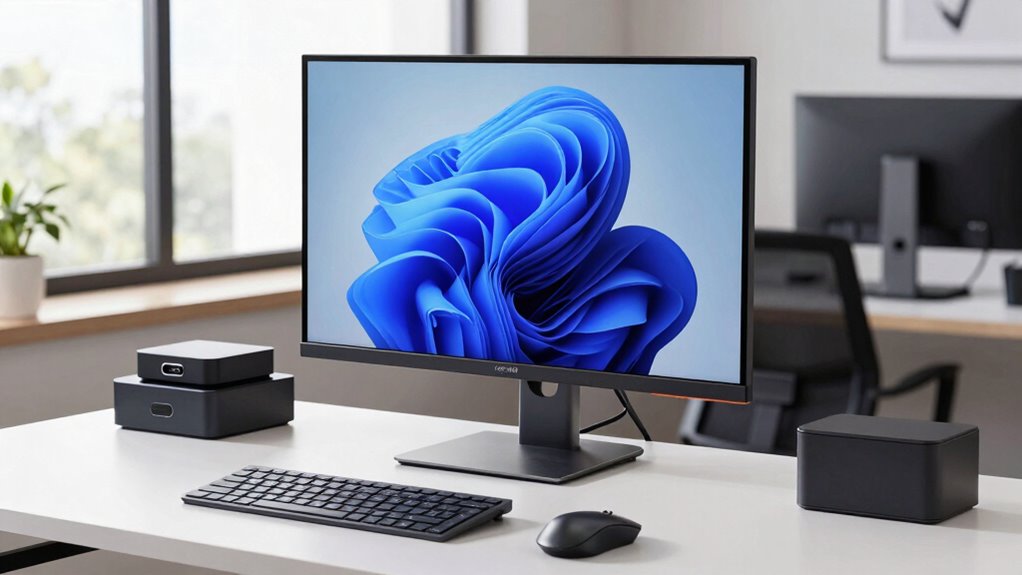

Choosing a 32 inch 4k monitor for work involves balancing screen real estate, image quality, connectivity, and ergonomics. The Samsung 32-Inch Flat Computer Monitor stands out as the best overall choice thanks to its reliable performance and good value. For those seeking enhanced color accuracy, the Samsung 32″ ViewFinity S7 (S70H) offers superior image quality. Meanwhile, budget-conscious buyers might prefer the Sceptre 32-inch 4K UHD Monitor with its competitive price, albeit with some compromises on features. These options highlight the main tradeoffs: price versus feature set, color fidelity versus affordability, and ergonomic flexibility versus simplicity. Continue reading to find the perfect fit for your work setup.

Get health and wellness essentials delivered free with Prime
- Fast, free delivery on millions of items
- Prime Video, Amazon Music and more included
- Member-only deals all year
Key Takeaways
- High-resolution 4k clarity significantly improves multitasking and detailed work, making larger screens like 32 inches more valuable.
- Color accuracy and HDR support are crucial for creative professionals but may add to the cost, so evaluate your specific needs.
- Connectivity options such as USB-C, HDMI, and DisplayPort vary widely; choosing the right ports can streamline your workflow.
- Ergonomics, including height adjustment, tilt, and VESA compatibility, greatly enhance comfort during long work sessions.
- Many budget models sacrifice some features like color fidelity or refresh rate, so prioritize what matters most for your work.
| Samsung 32-Inch Flat Computer Monitor |  | Best Overall for Multi-Tasking and Sleek Design | Size: 32 inches | Display Type: Flat | Border: Three-sided borderless | VIEW ON AMAZON | See Our Full Breakdown |
| LG 32UR550K-B 32-inch 4K UHD HDR Computer Monitor |  | Best for Vivid Visuals and Color Accuracy | Display Size: 32 inches | Resolution: 3840 x 2160 (4K UHD) | HDR: HDR10 | VIEW ON AMAZON | See Our Full Breakdown |
| Samsung 32″ ViewFinity S7 (S70H) High-Resolution Monitor |  | Best for Detailed Visuals and Wide Viewing Angles | Size: 32 inches | Resolution: 3840×2160 (4K UHD) | HDR: HDR10 | VIEW ON AMAZON | See Our Full Breakdown |
| ASUS VP327Q 32-Inch 4K UHD Computer Monitor with HDMI, DisplayPort, Speakers |  | Best for Versatile Content Creation and Entertainment | Size: 32 inches | Resolution: 4K UHD | Color Gamut: 99% sRGB | VIEW ON AMAZON | See Our Full Breakdown |
| 32 Inch 4K UHD Monitor with IPS Panel, 60Hz, AMD FreeSync, HDMI & DisplayPort, VESA Mount, Tilt Adjustable – Black |  | Best for Flexible Viewing and Color with Ergonomic Tuning | Size: 32 inches | Resolution: 3840×2160 (4K UHD) | Panel Type: IPS | VIEW ON AMAZON | See Our Full Breakdown |
| LG 32U701SB-B 32-inch 4K UHD Smart Monitor with webOS |  | Best All-in-One Entertainment and Productivity Monitor | Display Size: 32 inches | Resolution: 3840×2160 (4K UHD) | Refresh Rate: 60Hz | VIEW ON AMAZON | See Our Full Breakdown |
| 32 Inch 4K UHD Monitor with IPS Panel and AMD FreeSync |  | Best Versatile Work and Media Monitor with Adaptive Sync | Display Size: 32 inches | Resolution: 3840×2160 (4K UHD) | Contrast Ratio: 4000:1 | VIEW ON AMAZON | See Our Full Breakdown |
| LG 32U700B-B 32-inch 4K UHD Computer Monitor |  | Best for Creative Work and Flexible Viewing | Display Size: 32 inches | Resolution: 3840×2160 (4K UHD) | Refresh Rate: 60Hz | VIEW ON AMAZON | See Our Full Breakdown |
| KTC 32 Inch 4K UHD Monitor, 3840 x 2160, 60Hz, HDR, Adjustable Stand, VESA Wall Mount, White |  | Best Budget-Friendly 4K Monitor with Versatile Features | Display Size: 32 inches | Resolution: 3840×2160 (4K UHD) | HDR: HDR10 | VIEW ON AMAZON | See Our Full Breakdown |
| ViewSonic VX3276-4K-MHD 32 Inch 4K UHD Monitor with HDR10 and HDMI |  | Best for Color Fidelity and Eye Comfort in Work | Size: 32 inches | Resolution: 3840×2160 (4K UHD) | HDR: HDR10 | VIEW ON AMAZON | See Our Full Breakdown |
| Samsung 32-Inch ViewFinity S7 (S71H) 4K UHD IPS HDR10 Monitor |  | Best Overall for Professional Creatives | Screen Size: 32 inches | Resolution: 3840 x 2160 (4K UHD) | Panel Type: IPS | VIEW ON AMAZON | See Our Full Breakdown |
| LG 32UR500K-B 32-inch 4K UHD HDR Monitor with Built-in Speakers |  | Best for Entertainment and Multimedia | Display Size: 32 inches | Resolution: 3840 x 2160 (4K UHD) | Color Gamut: 90% DCI-P3 | VIEW ON AMAZON | See Our Full Breakdown |
| Sceptre 32-inch 4K UHD Monitor with 70Hz Refresh Rate, Built-in Speakers, and Multiple Ports |  | Best Budget-Friendly 4K for Light Work | Screen Size: 32 inches | Resolution: 3840 x 2160 (4K UHD) | Refresh Rate: 70Hz | VIEW ON AMAZON | See Our Full Breakdown |
| Dell 32 Monitor S3225QS 4K UHD VA, 120Hz, FreeSync Premium, Eye Comfort |  | Best for Smooth Visuals and Eye Comfort | Screen Size: 32 inches | Resolution: 3840 x 2160 (4K UHD) | Refresh Rate: 120Hz | VIEW ON AMAZON | See Our Full Breakdown |
| LG 32UP83AK-W 32-inch 4K UHD IPS Computer Monitor with HDR10, USB Type-C, Adjustable Stand |  | Best for Versatile Work and Multimedia | Display Size: 32 inches | Resolution: 3840 x 2160 (4K UHD) | Panel Type: IPS | VIEW ON AMAZON | See Our Full Breakdown |
| inch 4k monitor for work | Resolution | HDR |
|---|---|---|
| Samsung 32-Inch Flat Computer | — | — |
| LG 32UR550K-B 32-inch 4K UHD H | 3840 x 2160 (4K UHD) | HDR10 |
| Samsung 32" ViewFinity S7 | 3840×2160 (4K UHD) | HDR10 |
| ASUS VP327Q 32-Inch 4K UHD Com | 4K UHD | — |
| 32 Inch 4K UHD Monitor with IP | 3840×2160 (4K UHD) | — |
| LG 32U701SB-B 32-inch 4K UHD S | 3840×2160 (4K UHD) | HDR10 |
| 32 Inch 4K UHD Monitor with IP | 3840×2160 (4K UHD) | — |
| LG 32U700B-B 32-inch 4K UHD Co | 3840×2160 (4K UHD) | Yes |
| KTC 32 Inch 4K UHD Monitor | 3840×2160 (4K UHD) | HDR10 |
| ViewSonic VX3276-4K-MHD 32 Inc | 3840×2160 (4K UHD) | HDR10 |
| Samsung 32-Inch ViewFinity S7 | 3840 x 2160 (4K UHD) | HDR10 |
| LG 32UR500K-B 32-inch 4K UHD H | 3840 x 2160 (4K UHD) | HDR10 |
| Sceptre 32-inch 4K UHD Monitor | 3840 x 2160 (4K UHD) | — |
| Dell 32 Monitor S3225QS 4K UHD | 3840 x 2160 (4K UHD) | Yes |
| LG 32UP83AK-W 32-inch 4K UHD I | 3840 x 2160 (4K UHD) | HDR10 |
More Details on Our Top Picks
Samsung 32-Inch Flat Computer Monitor
This Samsung monitor stands out for its modern, borderless aesthetic, making it ideal for users who want a clean, professional setup. Its 75Hz refresh rate and AMD FreeSync deliver smooth visuals, though it falls short for high-end gaming due to its limited 75Hz. Compared with the LG 32UR550K-B, it offers a more stylish appearance but lacks HDR support. The eye care technology helps reduce fatigue during long work sessions, but it doesn’t include built-in speakers or USB ports, which might be a drawback for some users.
Pros:- Modern borderless design enhances workspace aesthetics
- Smooth visuals with 75Hz and FreeSync for basic multimedia
- Eye care technology reduces eye strain
Cons:- Limited to 75Hz, not suitable for serious gaming
- No built-in speakers or USB ports
Best for: Professionals who prioritize a sleek, multi-monitor setup and smooth visuals for productivity.
Not ideal for: Gamers seeking high refresh rates or users needing integrated audio and extensive connectivity.
- Size:32 inches
- Display Type:Flat
- Border:Three-sided borderless
- Refresh Rate:75Hz
- Adaptive Sync:AMD FreeSync
- Eye Care Technology:Flicker Free, Eye Saver Mode
Our verdict“This monitor is best suited for professionals who want a sleek, multi-monitor compatible display for everyday work tasks.”
LG 32UR550K-B 32-inch 4K UHD HDR Computer Monitor
The LG 32UR550K-B excels with a vibrant 4K UHD HDR display, making it ideal for creative professionals and streamers who need accurate, lively visuals. Its adjustable stand allows personalized positioning, and features like Dynamic Action Sync and Black Stabilizer enhance gaming experiences, although the 60Hz refresh rate limits high-end gaming performance. Compared with the Samsung 32-Inch Flat, it offers superior color and HDR support but at a slightly higher price point. Its lack of built-in speakers and USB-C connectivity might be inconvenient for those seeking an all-in-one solution.
Pros:- Vivid 4K HDR display with rich, accurate colors
- Adjustable stand for ergonomic comfort
- Gaming enhancements like Dynamic Action Sync
Cons:- Limited to 60Hz, not ideal for fast-paced gaming
- No built-in speakers or USB-C port
Best for: Creative professionals and streamers who need color precision and high-quality visuals.
Not ideal for: Competitive gamers who require higher refresh rates or users needing integrated audio for convenience.
- Display Size:32 inches
- Resolution:3840 x 2160 (4K UHD)
- HDR:HDR10
- Refresh Rate:60Hz
- Connectivity:HDMI, DisplayPort
- Stand Adjustments:Tilt, Height, Pivot
Our verdict“This monitor provides excellent color fidelity and HDR performance for creative work, but falls short for fast-paced gaming or multimedia with sound needs.”
Samsung 32″ ViewFinity S7 (S70H) High-Resolution Monitor
The Samsung ViewFinity S7 (S70H) is tailored for users demanding high detail and precise color, thanks to its 4K UHD resolution and HDR10 support. Its wide 178° viewing angle ensures consistent image quality across multiple positions, making it suitable for collaborative work. It offers extensive connectivity options, including HDMI and DisplayPort, and incorporates eye comfort technology to reduce fatigue. Compared with the LG 32UR550K-B, it emphasizes color accuracy and viewing angles but comes with a potentially higher price. The absence of built-in speakers means additional audio equipment is necessary.
Pros:- High-resolution 4K UHD display with detailed visuals
- Wide 178° viewing angle maintains image consistency
- Multiple connectivity options including HDMI and DisplayPort
Cons:- No built-in speakers, requiring external audio solutions
- Potentially higher cost due to advanced features
Best for: Designers and content creators who value high resolution, color accuracy, and wide viewing angles.
Not ideal for: Casual users or gamers who prioritize higher refresh rates or integrated audio features.
- Size:32 inches
- Resolution:3840×2160 (4K UHD)
- HDR:HDR10
- Viewing Angle:178°
- Connectivity:HDMI, DisplayPort
- Eye Comfort Technology:Yes
Our verdict“Ideal for professionals needing precise visuals and consistent image quality across wide angles, with a focus on creative tasks.”
ASUS VP327Q 32-Inch 4K UHD Computer Monitor with HDMI, DisplayPort, Speakers
The ASUS VP327Q offers a bright, vibrant 4K display with 99% sRGB coverage, making it well-suited for content creators and multimedia enthusiasts. Its built-in speakers add convenience, and the inclusion of HDR-10 supports richer color rendering. While it provides VESA mounting and a three-year warranty, the lack of specific ergonomic features like height adjustment limits customization. Compared with the LG 32UR550K-B, it provides integrated audio and broader color coverage but may face limitations in long-term ergonomics for prolonged use.
Pros:- Vivid 4K UHD with 99% sRGB coverage
- Built-in speakers for multimedia convenience
- VESA mount compatibility for flexible setup
Cons:- No adjustable stand or ergonomic features
- Price not specified, possibly higher due to integrated speakers
Best for: Content creators and casual users who want color accuracy along with integrated audio and flexible mounting options.
Not ideal for: Competitive gamers or users requiring extensive ergonomic adjustments or higher refresh rates.
- Size:32 inches
- Resolution:4K UHD
- Color Gamut:99% sRGB
- Viewing Angle:178°
- Connectivity:HDMI, DisplayPort
- Speakers:Yes
Our verdict“A versatile choice for creative work and casual entertainment, especially where integrated audio is valued.”
32 Inch 4K UHD Monitor with IPS Panel, 60Hz, AMD FreeSync, HDMI & DisplayPort, VESA Mount, Tilt Adjustable – Black
This monitor emphasizes versatility with an IPS panel that delivers vibrant colors and a wide 120% sRGB gamut, comparable to the ASUS VP327Q but with a slightly lower refresh rate of 60Hz. Its tilt adjustment and VESA compatibility make it adaptable for different workspaces, making it suitable for users who want a customizable setup. Unlike the Samsung S70H, it offers tilt but lacks extensive ergonomic features or high refresh rates, limiting its appeal for fast-paced gaming. It’s a solid choice for general productivity and color-critical tasks, though it doesn’t include built-in speakers.
Pros:- Vibrant 4K resolution with 120% sRGB coverage
- Tilt adjustment and VESA mount for ergonomic flexibility
- Multiple ports including HDMI and DisplayPort
Cons:- No built-in speakers, external audio needed
- Limited to 60Hz refresh rate, not suited for high-end gaming
Best for: Creative professionals and office users seeking a customizable, color-rich display with ergonomic options.
Not ideal for: Gamers or multimedia users needing high refresh rates or integrated audio features.
- Size:32 inches
- Resolution:3840×2160 (4K UHD)
- Panel Type:IPS
- Refresh Rate:60Hz
- Color Gamut:120% sRGB
- Adjustability:Tilt -15° to 15°
Our verdict“A flexible, color-accurate monitor ideal for productivity and creative work where ergonomic adjustability matters.”
LG 32U701SB-B 32-inch 4K UHD Smart Monitor with webOS
The LG 32U701SB-B stands out for integrating smart TV features directly into a work monitor, offering access to streaming, apps, and even cloud gaming via webOS. Compared to the ViewSonic VX3276-4K-MHD, which focuses purely on display quality, this model adds multimedia versatility, but at the cost of a slightly higher complexity and reliance on internet connectivity. Its 60Hz refresh rate isn’t suited for fast-paced gaming, yet it excels for media consumption and multitasking. The AI-enhanced picture and sound elevate the experience, making it a compelling choice for users who want an all-in-one device. However, lacking built-in speakers and a higher refresh rate limits its appeal for gaming or audio-focused tasks.
Pros:- Vivid 4K UHD display with wide DCI-P3 color coverage
- Built-in webOS for streaming, apps, and cloud gaming
- AI-powered picture and sound enhancements
Cons:- Limited to 60Hz refresh rate, not suitable for fast gaming
- No integrated speakers or audio output options
- Dependent on internet connection for full smart features
Best for: Creative professionals and remote workers who want a 4K display with integrated entertainment features without needing a separate smart device.
Not ideal for: Gamers seeking high-refresh-rate performance or users who prefer dedicated monitors with superior audio capabilities.
- Display Size:32 inches
- Resolution:3840×2160 (4K UHD)
- Refresh Rate:60Hz
- HDR:HDR10
- Color Gamut:up to 90% DCI-P3
- Operating System:webOS
Our verdict“This monitor is ideal for users who prioritize integrated multimedia and productivity in a single device without requiring high refresh rates.”
32 Inch 4K UHD Monitor with IPS Panel and AMD FreeSync
The 32 Inch 4K UHD Monitor with IPS Panel and AMD FreeSync offers a sharp, vibrant display with excellent color reproduction, making it ideal for editing, multimedia, and even light gaming. Unlike the LG 32U700B-B, which emphasizes sleek design and adjustable stand, this model prioritizes adaptive sync technology, reducing tearing during gaming or fast-paced video editing. Its multiple connectivity options and VESA mount make it flexible for various setups, but it’s limited in tilt adjustment and lacks built-in speakers. The 60Hz refresh rate is standard for productivity but less appealing for competitive gaming, though the IPS panel ensures consistent color and viewing angles across tasks.
Pros:- High-resolution 4K display with true IPS panel for excellent color and viewing angles
- Supports AMD FreeSync for smoother visuals during gaming
- Multiple connectivity options including HDMI and DisplayPort
Cons:- Limited tilt adjustment (±15°), which may affect ergonomic comfort
- No built-in speakers for audio output
- Requires compatible graphics card for AMD FreeSync support
Best for: Creative professionals and multimedia enthusiasts who need vibrant visuals and flexible connectivity for diverse workflows.
Not ideal for: Gamers requiring high refresh rates or those seeking built-in audio for an all-in-one setup.
- Display Size:32 inches
- Resolution:3840×2160 (4K UHD)
- Contrast Ratio:4000:1
- Panel Type:IPS
- Response Time:Fast with MPRT
- Connectivity:HDMI 2.0, DisplayPort 1.4, VESA
Our verdict“This monitor suits users who want vibrant visuals with adaptive sync for work and casual gaming, but it’s less ideal for high-intensity gaming setups.”
LG 32U700B-B 32-inch 4K UHD Computer Monitor
The LG 32U700B-B emphasizes a sleek, virtually borderless design combined with versatile connectivity, making it a strong pick for multitasking and creative tasks. Unlike the ViewSonic VX3276-4K-MHD, which focuses on HDR and eye care, this model offers an adjustable stand and a slightly higher color coverage at up to 99% sRGB, ideal for color-sensitive work. The 60Hz refresh rate is standard and sufficient for most productivity needs, but it won’t satisfy gamers or those seeking high-refresh gaming performance. Its slim profile and adjustable features make it a practical choice for those working long hours but lack built-in speakers or high-end gaming features.
Pros:- Virtually borderless display maximizes screen real estate
- Adjustable stand with height and tilt for ergonomic comfort
- High color accuracy with up to 99% sRGB coverage
Cons:- Limited to 60Hz refresh rate, not suitable for competitive gaming
- No built-in speakers for audio needs
- Requires VESA mount for wall installation
Best for: Creative professionals and remote workers who prioritize aesthetics, color accuracy, and ergonomic flexibility.
Not ideal for: High-end gamers or users needing built-in audio and ultra-high refresh rates for fast-paced gaming.
- Display Size:32 inches
- Resolution:3840×2160 (4K UHD)
- Refresh Rate:60Hz
- HDR:Yes
- Design:Virtually borderless
- Stand Adjustments:Height and tilt
Our verdict“This monitor is well-suited for creative professionals who value aesthetics and color accuracy over gaming performance.”
KTC 32 Inch 4K UHD Monitor, 3840 x 2160, 60Hz, HDR, Adjustable Stand, VESA Wall Mount, White
The KTC 32 Inch 4K UHD Monitor offers a compelling set of features at an affordable price, including HDR10 support, an adjustable stand, and VESA compatibility. Compared with the LG 32U701SB-B, which emphasizes smart features, this model leans more into traditional display performance and ergonomic flexibility. Its 60Hz refresh rate is standard for work and multimedia, but it’s not suited for fast gaming. The high contrast ratio and 125% sRGB coverage make it good for color-accurate work, while the adjustable stand improves comfort during long sessions. Its lower price point makes it attractive, but it lacks advanced features like high refresh rates or built-in speakers.
Pros:- Affordable 4K UHD resolution with HDR10 support
- Adjustable stand for ergonomic comfort
- VESA wall-mount compatible for flexible setup
Cons:- Limited to 60Hz, unsuitable for high-speed gaming
- No built-in speakers for audio output
- Requires VESA mount for wall installation
Best for: Budget-conscious professionals and hobbyists needing a 4K display with adjustable ergonomics and VESA mounting.
Not ideal for: High-end gamers or users wanting built-in audio or ultra-high refresh rates for competitive gaming.
- Display Size:32 inches
- Resolution:3840×2160 (4K UHD)
- HDR:HDR10
- Stand Adjustments:Height, tilt, swivel
- VESA Compatibility:Yes
- Response Time:Not specified
Our verdict“This monitor fits budget-conscious users seeking a versatile 4K display with ergonomic options and VESA compatibility.”
ViewSonic VX3276-4K-MHD 32 Inch 4K UHD Monitor with HDR10 and HDMI
The ViewSonic VX3276-4K-MHD delivers vibrant visuals with HDR10 support and eye care technology, making it suitable for extended work sessions requiring color accuracy and comfort. Compared to the LG 32U700B-B, which offers a near-borderless design, this monitor emphasizes color depth and eye health, with flicker-free technology and blue light filters. Its multiple ViewMode presets optimize performance for different tasks, but it lacks adjustable stand features and built-in speakers. The 60Hz refresh rate keeps it within typical productivity standards, though it won’t satisfy high-refresh gaming needs.
Pros:- Vibrant 4K resolution with HDR10 support
- Eye care features including flicker-free and blue light filter
- Multiple ViewMode presets for task-specific performance
Cons:- Lacks adjustable stand features
- No built-in speakers for audio needs
- Potentially high power consumption due to 4K resolution
Best for: Designers, photographers, and office workers who prioritize color accuracy and eye comfort during long hours.
Not ideal for: Gamers or users needing adjustable stands for ergonomic setups or built-in audio features.
- Size:32 inches
- Resolution:3840×2160 (4K UHD)
- HDR:HDR10
- Connectivity:HDMI, DisplayPort
- Eye Care Technology:Flicker-Free, Blue Light Filter
Our verdict“This monitor is ideal for users who need precise color fidelity and eye comfort for professional or extended use, but it’s less suited for gaming or multimedia with audio requirements.”
Samsung 32-Inch ViewFinity S7 (S71H) 4K UHD IPS HDR10 Monitor
The Samsung ViewFinity S7 (S71H) stands out for its stunning 4K UHD resolution and exceptionally accurate color reproduction thanks to its IPS panel, making it ideal for detailed work like photo editing or design. Compared to the LG 32UP83AK-W, it offers more precise color accuracy and a wider viewing angle, though it lacks a built-in USB-C port, which might be a drawback for those seeking a more streamlined setup. Its HDR10 support enhances contrast for multimedia tasks, while eye comfort technology reduces fatigue during long work sessions. The monitor’s connectivity options include HDMI and DisplayPort, but the stand’s limited adjustability could be a concern for users prioritizing ergonomic flexibility. Best suited for professional creatives who need color accuracy and wide viewing angles, but not for gamers or casual users.
Pros:- High-resolution 4K display with accurate color reproduction
- Wide 178° viewing angles with IPS technology
- Eye comfort features reduce eye strain during extended use
- Multiple connectivity options for versatile workspace setup
Cons:- Primarily designed for professional use, not gaming
- Potentially high price for casual buyers
- Limited stand adjustability may affect ergonomic comfort
Best for: Professional designers, photographers, and video editors requiring color fidelity and wide viewing angles.
Not ideal for: Casual users or gamers who need high refresh rates or built-in speakers, as this model is optimized for color accuracy over gaming performance.
- Screen Size:32 inches
- Resolution:3840 x 2160 (4K UHD)
- Panel Type:IPS
- HDR:HDR10
- Viewing Angle:178°
- Ports:HDMI, DisplayPort
Our verdict“This monitor is perfect for creative professionals who prioritize color precision and display quality over gaming features.”
LG 32UR500K-B 32-inch 4K UHD HDR Monitor with Built-in Speakers
The LG 32UR500K-B offers vibrant visuals with a wide DCI-P3 color gamut and HDR10 support, making it well-suited for multimedia consumption and light creative work. Unlike the Sceptre 32-inch 4K UHD, it provides a more color-accurate image with broader color spectrum, enhancing movie and photo viewing. Its built-in stereo speakers add convenience for multimedia tasks, although the absence of height adjustment limits ergonomic flexibility. The ergonomic tilt stand helps find a comfortable viewing angle, but the lack of height or pivot adjustments could be limiting for prolonged use. This monitor is best for users who prioritize vibrant visuals and integrated audio over advanced gaming features or extensive ergonomic options.
Pros:- Vivid 4K display with wide DCI-P3 color coverage
- Built-in stereo speakers for convenience
- Ergonomic tilt adjustment for comfortable viewing
- Supports HDR10 for enhanced contrast
Cons:- No height adjustment or pivot feature
- Limited connectivity options (no USB-C)
- Higher price might be a barrier for some users
Best for: Multimedia enthusiasts and light creative professionals seeking vibrant visuals with integrated audio.
Not ideal for: Gamers or users needing extensive ergonomic adjustments, since it lacks height or pivot flexibility.
- Display Size:32 inches
- Resolution:3840 x 2160 (4K UHD)
- Color Gamut:90% DCI-P3
- HDR:HDR10
- Stand:Ergonomic tilt
- Speakers:Built-in stereo
Our verdict“This monitor excels for multimedia and casual creative tasks where vibrant visuals and integrated sound matter most.”
Sceptre 32-inch 4K UHD Monitor with 70Hz Refresh Rate, Built-in Speakers, and Multiple Ports
The Sceptre 32-inch 4K UHD provides crisp visuals with a 70Hz refresh rate and full HDR support, making it suitable for general productivity and light media tasks. Compared to the Dell S3225QS, its refresh rate is lower, which limits its appeal for fast-paced gaming, but it remains a solid choice for viewing detailed work or casual browsing. Its multiple ports, including HDMI and DisplayPort, enhance connectivity, and built-in speakers add convenience for basic audio needs. However, the design may be too large for smaller desks, and the 70Hz refresh rate might be noticeable in fast-moving visuals or gaming. This model makes sense for budget-conscious buyers who want 4K clarity without high-end gaming or professional color accuracy.
Pros:- Crisp 4K visuals with detailed resolution
- Multiple connectivity options including HDMI and DisplayPort
- Built-in speakers for simple audio playback
- VESA compatibility for flexible mounting
Cons:- Limited to 70Hz, not suitable for competitive gaming
- No USB-C port for streamlined connectivity
- Size may be too large for small desks
Best for: Budget-conscious users seeking a large 4K display for general productivity and light multimedia use.
Not ideal for: High-end gamers or professionals needing color accuracy and high refresh rates, due to its 70Hz limit and basic features.
- Screen Size:32 inches
- Resolution:3840 x 2160 (4K UHD)
- Refresh Rate:70Hz
- Contrast Ratio:1,000,000:1
- Brightness:350 nits
- Ports:2 x HDMI, 2 x DisplayPort
Our verdict“A practical choice for those needing a large, affordable 4K display for everyday tasks and light media use.”
Dell 32 Monitor S3225QS 4K UHD VA, 120Hz, FreeSync Premium, Eye Comfort
The Dell S3225QS combines a large 32-inch VA panel with a high 120Hz refresh rate, offering smoother visuals ideal for both work and casual entertainment. Its contrast ratio of 1500:1 and 99% sRGB coverage make it excellent for viewing vibrant images and detailed content. Compared to the LG 32UR500K-B, it provides a higher refresh rate, which benefits users who value fluid performance in tasks like video editing or multimedia browsing. The inclusion of Blue Light Reduction technology enhances comfort during extended use, though the sound quality is not highlighted, meaning external speakers may be necessary. It’s best suited for users who want a balance of vivid visuals and smoother motion without high gaming demands.
Pros:- 120Hz refresh rate with FreeSync Premium for smooth motion
- High contrast ratio and vibrant colors
- Blue Light Reduction technology for eye comfort
- Modern ultra-thin bezel design
Cons:- Limited sound quality details, external speakers may be needed
- Higher price point for premium features
- No USB-C port for simplified connectivity
Best for: Creative professionals and multimedia users who prioritize smooth visuals and eye comfort during long sessions.
Not ideal for: Audiophiles and gamers seeking high-quality built-in audio or ultra-fast response times for competitive gaming.
- Screen Size:32 inches
- Resolution:3840 x 2160 (4K UHD)
- Refresh Rate:120Hz
- Contrast Ratio:1500:1
- Color Coverage:99% sRGB
- HDR:Yes
Our verdict“This monitor is well-suited for those needing smooth visuals and comfort for extended multimedia or creative work.”
LG 32UP83AK-W 32-inch 4K UHD IPS Computer Monitor with HDR10, USB Type-C, Adjustable Stand
The LG 32UP83AK-W offers a flexible workspace with its adjustable stand, wide IPS panel, and USB-C connectivity supporting 60W power delivery. Its HDR10 support enhances color vibrancy, making it suitable for multimedia tasks and everyday work. Compared with the Samsung ViewFinity S7, it provides more ergonomic options and a USB-C port, which simplifies cable management. The 60Hz refresh rate is standard for productivity, but it’s not meant for high-end gaming. Its response time of 5ms is typical, and the lack of built-in speakers limits multimedia convenience. This display makes the most sense for professionals who want a balanced mix of ergonomic flexibility, connectivity, and visual quality.
Pros:- IPS panel with wide viewing angles
- Adjustable stand for height, tilt, and pivot
- HDR10 support for vibrant visuals
- USB-C with 60W power delivery for streamlined connection
Cons:- Limited to 60Hz, not for high-end gaming
- No built-in speakers
- Response time of 5ms may be noticeable in fast-paced visuals
Best for: Office workers and multimedia users who need adjustable ergonomics and USB-C connectivity for versatility.
Not ideal for: High-performance gamers or those seeking ultra-fast response times, since it’s geared more toward productivity and multimedia.
- Display Size:32 inches
- Resolution:3840 x 2160 (4K UHD)
- Panel Type:IPS
- HDR:HDR10
- USB-C Power Delivery:60W
- Stand Adjustments:Tilt, Height, Pivot
Our verdict“This monitor is best for users needing ergonomic flexibility and modern connectivity options for daily productivity and multimedia tasks.”
How We Picked
These monitors were selected based on a combination of performance, usability, build quality, and value. Key factors included screen resolution, color accuracy, connectivity options, ergonomic features, and overall reliability. We prioritized models with proven reputations for durability and consistent performance, especially those suitable for extended work hours. The ranking reflects a balance between premium features and affordability, aiming to help a range of buyers—from casual professionals to power users—find the best fit for their needs.Factors to Consider When Choosing 32 Inch 4k Monitor For Work
When choosing a 32 inch 4k monitor for work, understanding the core factors can help you avoid common pitfalls and get the most value for your investment. Consider your primary work tasks—whether they require color precision, multiple inputs, or ergonomic flexibility—and match those needs with the monitor’s features. Budget constraints are also important, but sacrificing key features can hinder productivity. Below are the most important considerations to keep in mind when making your decision.Display Quality and Color Accuracy
For professional work involving design, photo editing, or video production, color accuracy and HDR support matter greatly. Look for monitors with high sRGB or AdobeRGB coverage and good contrast ratios. Budget models may lack these features, which can lead to less vibrant or inaccurate colors, impacting your workflow. For general office tasks, a standard 4k resolution with decent color reproduction often suffices, but always verify the color specs before purchasing.
Connectivity Options
Ensure the monitor offers the ports you need, such as USB-C for single-cable connections to laptops, HDMI for multiple device compatibility, and DisplayPort for high-performance setups. A lack of proper connectivity can create clutter or require additional adapters, reducing efficiency. Consider your current setup and future needs—monitors with versatile ports tend to be more adaptable and future-proof.
Ergonomics and Adjustability
Prolonged work sessions demand comfortable viewing angles and heights. Look for monitors with adjustable stands, tilt, swivel, and VESA compatibility. Monitors lacking these features may cause neck strain or discomfort over time, especially if you work long hours. Investing in ergonomic flexibility can significantly boost productivity and reduce fatigue.
Build Quality and Durability
Since a 32 inch monitor is a sizable investment, choose models with solid build quality and reliable components. Cheaper models might use lower-grade materials, affecting longevity. Also, check for features like anti-glare coatings and sturdy stands, which enhance usability and reduce eye strain during extended use.
Price and Overall Value
While premium models offer better color accuracy, connectivity, and build quality, they come with higher price tags. Conversely, budget options might lack key features but can still serve well for basic tasks. Assess your specific work needs against the price, and avoid overspending on features you won’t use—this ensures you get the best return on your investment.
Frequently Asked Questions
Is a 32 inch 4k monitor worth it for multitasking?
Absolutely. The larger screen real estate of a 32 inch 4k monitor allows for multiple windows and applications to be open simultaneously without clutter. The high resolution ensures sharp text and detailed images, which can boost productivity by reducing the need to switch between tabs or monitors. However, ensure your workspace can accommodate the size comfortably and that your graphics card supports 4k output smoothly.
Do I need HDR support on my work monitor?
HDR support is most beneficial for creative professionals working with high-dynamic-range content, such as photography, video editing, or design. For typical office tasks—email, spreadsheets, web browsing—HDR provides minimal visible benefit and may add cost. If color precision and image quality are critical, then choosing a monitor with HDR support makes sense; otherwise, it can be optional.
Is USB-C connectivity necessary for a work monitor?
USB-C offers a clean, single-cable solution for connecting laptops, providing both video and power through one port. This can streamline your desk setup and reduce clutter. If you frequently switch devices or prefer a tidier workspace, a monitor with USB-C is a smart choice. However, ensure your devices support USB-C and that the port offers sufficient power delivery and video bandwidth.
How important is ergonomic adjustability on a 32 inch monitor?
Ergonomics are vital when working long hours, as they directly impact comfort and health. Adjustable height, tilt, and swivel features enable you to position the monitor at eye level, reducing neck and eye strain. Monitors without these adjustments can cause discomfort over time, especially if your workspace isn’t ergonomically optimized. Investing in a flexible stand or VESA mount can pay dividends for your well-being.
Should I prioritize color accuracy or refresh rate for work?
For most work tasks, especially those involving design or media editing, color accuracy is more important than refresh rate. A monitor with high color fidelity ensures your work appears as intended. However, if your work involves video editing with fast motion or gaming elements, a higher refresh rate (like 60Hz or above) might be beneficial. For standard productivity, focus on color coverage and resolution over refresh rate.
Conclusion
The best overall choice for most buyers remains the Samsung 32-Inch Flat Computer Monitor due to its balanced features and affordability. Creative professionals or those needing precise color work should consider the Samsung 32″ ViewFinity S7 (S70H) for its superior image quality. Budget-conscious users can opt for the Sceptre 32-inch 4K UHD Monitor, which offers decent performance at a lower price. For newcomers, the LG 32U701SB-B provides excellent value with a user-friendly interface. Power users seeking premium features will find the Samsung ViewFinity S7 (S71H) or similar models worth the investment. Tailor your choice based on your specific work needs and budget to get the best results.
Cold & flu season Picks
humidifiers
As an affiliate, we earn on qualifying purchases.