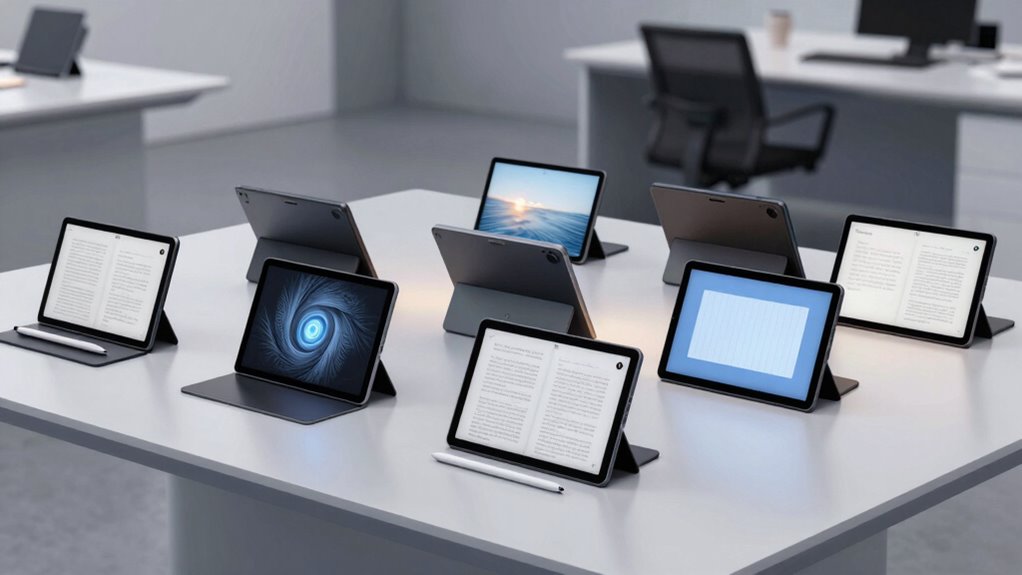

Finding an e ink tablet for reading and writing requires balancing display quality, writing experience, and overall versatility. The reMarkable Paper Pro stands out as the best overall choice, thanks to its natural writing feel and robust build. The VIWOODS AiPaper Mini offers a compact design perfect for portability, while the XPPen 3-in-1 Digital Notebook caters to those who want color and advanced features. With tradeoffs like price, size, and functionality, choosing the right device depends on your primary needs. Continue reading for a detailed comparison to find the perfect match for your reading and writing habits.

Get health and wellness essentials delivered free with Prime
- Fast, free delivery on millions of items
- Prime Video, Amazon Music and more included
- Member-only deals all year
Key Takeaways
- The best overall e ink tablet combines natural writing feel with long battery life and a clear display, as seen in the reMarkable Paper Pro.
- Size matters: smaller devices like the VIWOODS AiPaper Mini excel in portability but may sacrifice some screen real estate for detailed reading or sketching.
- Color e ink options, such as the Ocean C, open new creative possibilities but often come with tradeoffs in speed or resolution.
- Advanced features like pressure sensitivity and stylus support significantly enhance the writing experience, distinguishing premium models from basic ones.
- Price varies widely; investing in a higher-end model offers better durability, display quality, and features for dedicated users.
| reMarkable Paper Pro with Marker Plus |  | Best Overall for Versatile Reading and Writing | Display Size: 11.8 inches | Color Display: Yes | Included Accessories: Marker Plus, 6 spare tips | VIEW ON AMAZON | See Our Full Breakdown |
| VIWOODS AiPaper Mini 8.2″ AI E Ink Tablet, Digital Notebook Bundle with Pen |  | Best for Portability and On-the-Go Note Taking | Display Size: 8.2 inches | Resolution: 292 PPI | Storage: 128GB | VIEW ON AMAZON | See Our Full Breakdown |
| XPPen 3-in-1 Color Digital Notebook 10.95” Paper Note Taking Tablet with 16384 Pressure Levels |  | Best for High-Precision Creative and Professional Use | Display: 10.95-inch AG nano-etched LCD | Color Modes: Monochrome, Light, Nature | Refresh Rate: 90Hz | VIEW ON AMAZON | See Our Full Breakdown |
| Ocean 64GB + 4GB 7” eBook Reader with Handwriting Support and Long Battery Life |  | Best for Extended Reading and Basic Note-Taking | Display: 7-inch Color E Ink | Storage: 64GB | RAM: 4GB | VIEW ON AMAZON | See Our Full Breakdown |
| Ocean C 64GB 7” Color eBook Reader with Handwriting Support |  | Best for Color Reading and Note-Taking on a Compact Device | Display: 7-inch Color E Ink | Storage: 64GB | RAM: 4GB | VIEW ON AMAZON | See Our Full Breakdown |
| Geniatech Kloudnote Slim 10.3″ Digital Notebook and E Ink Tablet |  | Best for Office and Creative Productivity | Display: 10.3 inch, 1404×1872 resolution (227ppi) | Processor: 1.8GHz A55 quad-core | RAM: 2GB | VIEW ON AMAZON | See Our Full Breakdown |
| VIWOODS AiPaper 10.65″ AI E Ink Tablet, Digital Notebook Bundle with Pen |  | Best for Natural Handwriting and AI-Assisted Productivity | Display: 10.65″ Carta 1300 E Ink, 2560 x 1920 resolution | Stylus: W2 Stylus Pro, 4096 pressure levels, 750-micron pen gap | Storage: 128GB | VIEW ON AMAZON | See Our Full Breakdown |
| reMarkable Paper Pro with Marker Plus and Basalt Book Folio |  | Best for Creative and Professional Color Reading and Sketching | Display: 11.8” Canvas Color e-ink | Included Components: Marker Plus, Book Folio, USB-C cable | Generation: 2nd Generation | VIEW ON AMAZON | See Our Full Breakdown |
| e ink tablet for reading and writing | Storage | Display | Battery |
|---|---|---|---|
| reMarkable Paper Pro with Mark | — | — | — |
| VIWOODS AiPaper Mini 8.2" AI E | 128GB | — | — |
| XPPen 3-in-1 Color Digital Not | 6GB RAM + 128GB ROM | 10.95-inch AG nano-etched LCD | — |
| Ocean 64GB + 4GB 7” eBook Read | 64GB | 7-inch Color E Ink | Long battery life |
| Ocean C 64GB 7” Color eBook Re | 64GB | 7-inch Color E Ink | Long battery life |
| Geniatech Kloudnote Slim 10.3" | 64GB | 10.3 inch, 1404×1872 resolution (227ppi) | 3000mAh (up to 40 hours) |
| VIWOODS AiPaper 10.65" AI E In | 128GB | 10.65" Carta 1300 E Ink, 2560 x 1920 resolution | Not specified but ample for typical use |
| reMarkable Paper Pro with Mark | — | 11.8” Canvas Color e-ink | — |
More Details on Our Top Picks
reMarkable Paper Pro with Marker Plus
The reMarkable Paper Pro stands out for its large 11.8-inch color display, offering a more immersive experience than smaller, monochrome devices like the Ocean C. Its paper-like writing surface and organizational tools make it ideal for users who want a combination of note-taking, sketching, and reading in one device. However, this versatility comes with a higher price and a learning curve for new users, especially since it doesn’t support multimedia content beyond reading and writing. Compared to more specialized e-ink tablets, the Paper Pro’s color display enhances visual tasks but limits its use for casual reading or multimedia consumption. Best for professionals and students seeking a multi-purpose device. Not ideal for those looking primarily for a simple e-reader or multimedia tablet.
- Large 11.8-inch color display for versatile use
- Paper-like writing experience with precise control
- Adjustable reading light for comfort
- Organizational note features
- Limited to note-taking and reading, no multimedia
- Steeper learning curve for new users
- Display Size:11.8 inches
- Color Display:Yes
- Included Accessories:Marker Plus, 6 spare tips
- Features:Adjustable reading light, low-glare screen, handwriting conversion
Our verdict“Best Overall for Versatile Reading and Writing — a strong pick in this lineup.”
VIWOODS AiPaper Mini 8.2″ AI E Ink Tablet, Digital Notebook Bundle with Pen
The VIWOODS AiPaper Mini excels in portability with its compact 8.2-inch size, making it a prime choice for commuters and students. Its lightweight design and inclusion of a stylus with multiple nibs support precise writing and sketching, comparable to larger tablets like the XPPen but in a more pocket-friendly form. While the smaller screen limits multimedia use, its adjustable warm light and 128GB storage enable comfortable reading and extensive note storage. The E Ink display’s refresh latency may be noticeable during rapid page turns, which is a tradeoff for reduced eye strain. Best for travelers and students who need a portable device for reading and note-taking. Not ideal for multimedia enthusiasts or those requiring color content.
- Lightweight, portable design
- Adjustable warm light for comfort
- Includes stylus and high storage capacity
- Latency during fast page turns
- Limited to e-paper display, no color or video
- Display Size:8.2 inches
- Resolution:292 PPI
- Storage:128GB
- Included Accessories:Folio cover, stylus, replacement nibs
- Weight:230g
Our verdict“Best for Portability and On-the-Go Note Taking — a strong pick in this lineup.”
XPPen 3-in-1 Color Digital Notebook 10.95” Paper Note Taking Tablet with 16384 Pressure Levels
The XPPen 3-in-1 offers a high-refresh-rate 10.95-inch LCD with a paper-like texture, making it suitable for detailed sketching, note-taking, and reading. Its 16K pressure-sensitive stylus provides precision that surpasses typical E Ink styluses, making it ideal for artists and professionals who need detailed control. Compared to the monochrome options like the Ocean 64GB, this device’s color and texture support enhance creative tasks, but the higher weight and slightly thicker profile may hinder portability. Its AI-powered note management and cloud integration are added bonuses, yet performance may slow with multiple apps open, a common tradeoff for high-powered features. Best for creative professionals and detailed note-takers. Not ideal for casual readers seeking a lightweight, simple device.
- High-quality paper-like display reduces glare
- 16K stylus sensitivity for detailed work
- Supports AI note conversion and cloud sync
- Heavier and thicker than other e-paper devices
- Requires Android upgrade for full AI features
- Display:10.95-inch AG nano-etched LCD
- Color Modes:Monochrome, Light, Nature
- Refresh Rate:90Hz
- Stylus Sensitivity:16K levels
- Storage:6GB RAM + 128GB ROM
- Weight:495g
Our verdict“Best for High-Precision Creative and Professional Use — a strong pick in this lineup.”
Ocean 64GB + 4GB 7” eBook Reader with Handwriting Support and Long Battery Life
The Ocean 64GB eBook Reader provides a compact 7-inch glare-free display, making it suitable for long reading sessions without eye fatigue. Its octa-core processor and 64GB storage support a wide range of formats, comparable to the Ocean C but with slightly more storage. While it supports handwriting with a separate stylus, the pen must be purchased separately, adding an extra step for users. Its battery life is advertised as long-lasting, but specifics are limited, which could impact planning for extended use. This device trades advanced features like color and multimedia for a focus on simple, comfortable reading and note-taking. Best for casual readers and note-takers who need portability. Not ideal for multimedia use or users expecting integrated stylus support.
- Glare-free 7-inch display for easy reading
- Long battery life
- Supports various formats
- Stylus sold separately
- Limited info on actual battery duration
- Display:7-inch Color E Ink
- Storage:64GB
- RAM:4GB
- Processor:Octa-core 2.2GHz
- Battery:Long battery life
- Stylus Pen:Sold separately
Our verdict“Best for Extended Reading and Basic Note-Taking — a strong pick in this lineup.”
Ocean C 64GB 7” Color eBook Reader with Handwriting Support
The Ocean C provides a 7-inch high-resolution color E Ink display that enables vivid reading and writing experiences in a compact form. Its octa-core processor and 4GB RAM support smooth navigation and multitasking, similar to the Ocean 64GB but with added color capabilities. Its support for third-party apps and peripherals makes it versatile, but the stylus is sold separately, and battery life details remain sparse. This model favors users who want color content and note-taking in a portable size but are willing to compromise on built-in stylus convenience and ruggedness. Compared to larger tablets like the Paper Pro, the Ocean C sacrifices screen size for portability. Best for users seeking color reading and writing on the go. Not ideal for those needing a stylus included or extended battery life.
- Color high-resolution display
- Supports third-party apps
- Compact and portable
- Stylus sold separately
- Limited details on battery life
- Display:7-inch Color E Ink
- Storage:64GB
- RAM:4GB
- Processor:Octa-core 2.2GHz
- Battery:Long battery life
- Stylus Pen:Sold separately
Our verdict“Best for Color Reading and Note-Taking on a Compact Device — a strong pick in this lineup.”
Geniatech Kloudnote Slim 10.3″ Digital Notebook and E Ink Tablet
The Geniatech Kloudnote Slim stands out for its large, eye-protecting 10.3-inch display that balances reading and writing comfortably. Unlike the reMarkable Paper Pro with its vibrant color screen, the Kloudnote’s monochrome e-ink offers a true paper-like experience ideal for lengthy reading and note-taking. Its long battery life—up to 40 hours—means less frequent charging, which is advantageous for daily use. However, it falls short in multimedia capabilities, as it doesn’t support audiobook playback for PDFs, unlike the Ocean e-book readers. The device’s support for multiple cloud services and app downloads adds versatility, but the limited ecosystem compared to mainstream tablets is a tradeoff. Ideal for professionals seeking a stylish, durable device for daily note-taking and document review without distractions. The main limitation is the absence of audiobook support for PDFs, which could be a drawback for those who enjoy listening while reading.
Pros:- Large, eye-protecting 10.3-inch e-ink display ideal for extended reading and writing
- Long-lasting battery up to 40 hours reduces downtime
- Supports multiple cloud services and app downloads for enhanced versatility
- Stylish, lightweight design suitable for daily carry
Cons:- PDF books are not supported for audiobook listening, limiting multimedia use
- Limited app ecosystem compared to mainstream tablets
- Requires online updates for new features
Best for: Office workers, students, or creative professionals who need a stylish, long-lasting device for reading and handwritten notes, especially in professional or academic settings.
Not ideal for: Users who want multimedia features like audiobooks or full-color illustrations, as this device focuses solely on monochrome reading and writing.
- Display:10.3 inch, 1404×1872 resolution (227ppi)
- Processor:1.8GHz A55 quad-core
- RAM:2GB
- Storage:64GB
- Battery:3000mAh (up to 40 hours)
- Note Templates:39
Our verdict“This device suits professionals and students who prioritize a large, paper-like display with excellent battery life for reading and note-taking over multimedia capabilities.”
VIWOODS AiPaper 10.65″ AI E Ink Tablet, Digital Notebook Bundle with Pen
The VIWOODS AiPaper offers a larger, 10.65-inch high-resolution E Ink display that provides a more comfortable canvas for handwriting and sketches compared to the 10.3-inch Kloudnote. Its 2560 x 1920 resolution and responsive stylus with 4096 pressure levels make it more precise for detailed notes and illustrations, surpassing the Kloudnote’s basic stylus capabilities. AI-assisted features such as translation and note organization set it apart from more straightforward e-ink tablets. While its natural refresh latency can cause slight delays during fast writing, the included accessories—like a protective folio and extra pen nibs—add value. Its limited color options and need for initial charging are minor drawbacks when compared to the reMarkable Paper Pro’s larger size and color screen. Best suited for artists, students, and professionals who want a versatile, high-res device with AI tools for organizing ideas. Its primary limitation lies in the latency, which could affect fluidity during extensive writing sessions.
Pros:- High-resolution 10.65-inch Carta E Ink display reduces glare and eye strain
- Stylus with 4096 pressure levels offers precise writing and sketching
- Includes comprehensive accessories and ample 128GB storage
- AI tools for translating, organizing, and managing notes
Cons:- Natural E Ink refresh latency can cause slight delays during fast writing
- Limited color options due to E Ink technology
- Requires charging and setup before initial use
Best for: Students, artists, or planners who need a high-resolution device for detailed handwriting, sketches, and AI-assisted organization.
Not ideal for: Users seeking a full-color display or quick, lag-free writing experience, as the natural refresh latency may be noticeable during intensive use.
- Display:10.65″ Carta 1300 E Ink, 2560 x 1920 resolution
- Stylus:W2 Stylus Pro, 4096 pressure levels, 750-micron pen gap
- Storage:128GB
- Included Accessories:Protective folio, replacement pen nibs, USB-C cable
- Connectivity:Wi-Fi, USB-C
- Battery:Not specified but ample for typical use
Our verdict“This tablet is ideal for users who prioritize high-resolution, natural handwriting, and AI features over full-color display and latency-free writing.”
reMarkable Paper Pro with Marker Plus and Basalt Book Folio
The reMarkable Paper Pro distinguishes itself with an 11.8-inch color e-ink display that delivers vibrant visuals for reading and sketching, unlike the monochrome devices such as the Kloudnote or AiPaper. Its adjustable reading light enhances usability in various lighting conditions, and the stylus with an eraser provides a familiar, paper-like writing feel. Compared with the AiPaper’s high-resolution monochrome display, the Paper Pro’s color capability makes it better suited for media-rich content, though it remains limited to e-ink’s color palette rather than full-color LCDs. Its size and organizational tools cater well to creative professionals and digital artists. The main tradeoff is its potentially higher price and the learning curve for mastering digital note features. Ideal for those who want a larger, colorful, and versatile device for reading, sketching, and note organization, especially in professional or artistic workflows.
Pros:- Large 11.8-inch color display for vibrant reading and sketching
- Paper-like writing experience with responsive stylus and eraser
- Adjustable reading light for day and night use
- Organizational features for PDFs, notes, and handwriting conversion
Cons:- Limited to e-ink color, not full-color LCD
- Price may be high for casual users
- Requires familiarity with digital note-taking tools
Best for: Creative professionals and serious note-takers who benefit from color visuals and organizational tools in a larger format.
Not ideal for: Casual readers or users seeking fast, full-color multimedia experiences, as e-ink color is limited and the device may be on the pricier side.
- Display:11.8” Canvas Color e-ink
- Included Components:Marker Plus, Book Folio, USB-C cable
- Generation:2nd Generation
- Connectivity:USB Type C, Wi-Fi
- Wireless Compatibility:802.11a/b
- Warranty:1-Year Limited
Our verdict“This device excels for users needing a large, colorful, and versatile tablet for professional or artistic use, accepting some complexity and cost.”
How We Picked
In selecting these e ink tablets, I prioritized factors that directly impact reading and writing experiences. Performance aspects like display clarity, responsiveness, and stylus support were key. Usability features such as battery life, device size, and weight influenced practicality for daily use. Build quality and software stability were also considered, ensuring longevity and ease of use. Finally, value for money helped differentiate models that offer premium features at a reasonable price from those that are more specialized or premium-only options. The ranking reflects a balance of these elements, aiming to match different user priorities and budgets.Factors to Consider When Choosing E Ink Tablet For Reading And Writing
Choosing the right e ink tablet for reading and writing involves evaluating several key factors. Not all devices are created equal, and understanding which features matter most can prevent costly mistakes and ensure a satisfying experience. This guide highlights the main considerations to help you find a model that suits your specific needs, whether you prioritize portability, display quality, or advanced writing features.Display Quality and Size
Display clarity and size are fundamental for a comfortable reading and writing experience. Higher resolution screens provide sharper text and images, reducing eye strain over long periods. Larger screens are better for annotating documents or sketching, but they can compromise portability. Consider your typical use cases—if you mostly read on the go, a compact device might make more sense, whereas for detailed note-taking, a bigger screen could be worth the tradeoff.
Writing Experience and Stylus Support
The feel of writing on an e ink tablet can vary significantly. Devices with high pressure sensitivity and low latency offer a more natural pen-on-paper sensation. Stylus support, including battery-free pens or those with customizable buttons, can enhance productivity. Be cautious of models lacking responsive stylus systems, which may frustrate frequent writers or artists. A good stylus can make a noticeable difference in how smoothly your notes or sketches translate onto the screen.
Battery Life and Portability
Long battery life is essential for uninterrupted reading or note-taking sessions, especially when you’re away from power sources. Many e ink tablets excel here, sometimes lasting weeks on a single charge. Portability depends not just on size but also on weight; lighter devices reduce fatigue during extended use. Balance your need for a larger display with the convenience of a lightweight, portable design to match your typical usage patterns.
Software and Ecosystem
Robust, user-friendly software is vital for organizing notes, syncing across devices, and accessing ebooks or documents. Some models offer dedicated apps or cloud integrations, which can streamline workflows. Beware of devices with limited app support or clunky interfaces, as these can hamper productivity. A seamless ecosystem that supports your preferred formats and syncing habits will improve your overall experience and make your device more versatile.
Price and Value
Prices for e ink tablets span from budget-friendly options to premium devices with advanced features. Cheaper models often sacrifice display quality, durability, or stylus responsiveness, making them less suitable for intensive use. Investing in a higher-priced device can be worthwhile if you rely heavily on note-taking or detailed reading. On the other hand, if your needs are minimal, a more affordable model might suffice, provided it meets your core requirements.
Frequently Asked Questions
Can I use an e ink tablet for PDF annotations?
Yes, many e ink tablets support PDF annotation, especially those with stylus support and high-resolution screens. Devices like the reMarkable Paper Pro excel at this, allowing you to highlight, write notes, and markup documents directly. However, not all models handle PDFs equally well—some may have limited file compatibility or slow rendering, so check the device’s PDF support before purchasing if this feature is a priority.
Are color e ink tablets worth it for reading and writing?
Color e ink tablets open up creative possibilities, such as illustrating or reading color-coded content, but they often trade off in speed, contrast, or resolution compared to monochrome models. For purely reading and note-taking, monochrome screens typically offer better battery life and readability. If color differentiation or visual creativity is essential, a color e ink device could be beneficial, but for most writing-focused tasks, black-and-white screens remain more practical.
How durable are e ink tablets for everyday use?
E ink tablets are generally quite durable, with many designed to withstand daily handling and light bumps. Their screens are less prone to shattering compared to glass-heavy tablets, and the e ink technology doesn’t require backlighting, reducing wear. Still, avoiding harsh impacts or exposure to water is wise. Higher-end models often feature better build quality, making them a reliable choice for frequent use in various environments.
Do I need a special stylus for an e ink tablet?
Most high-quality e ink tablets support active styluses that do not require batteries, like the Marker Plus for reMarkable. These styluses often offer pressure sensitivity and palm rejection, improving the writing experience. Cheaper or basic models may come with a generic stylus or none at all, which can lead to frustration. Investing in a device with a dedicated stylus tailored for it generally enhances usability and accuracy.
Is it worth paying extra for a larger e ink tablet?
Paying more for a larger e ink tablet makes sense if your primary use involves detailed note-taking, drawing, or reading lengthy documents. Larger screens reduce the need to zoom or scroll constantly, making your workflow smoother. However, they tend to be heavier and less portable, which can be a drawback if you need a lightweight device for on-the-go use. Consider your typical environment and whether portability or screen real estate is more important for your needs.
Conclusion
For most users, the reMarkable Paper Pro offers the best balance of natural writing feel, durability, and versatile functionality, making it ideal as the top overall pick. Those seeking budget-friendly options will appreciate models like the Ocean 64GB eBook Reader for basic reading and handwriting. Creative users or professionals who want color and advanced features should consider the XPPen 3-in-1 Digital Notebook. Beginners or casual users might prefer more straightforward, portable models like the VIWOODS AiPaper Mini. Ultimately, your choice depends on how you prioritize size, features, and budget—match your needs to the right device for a satisfying reading and writing experience in 2026.
Halloween Picks
halloween
As an affiliate, we earn on qualifying purchases.