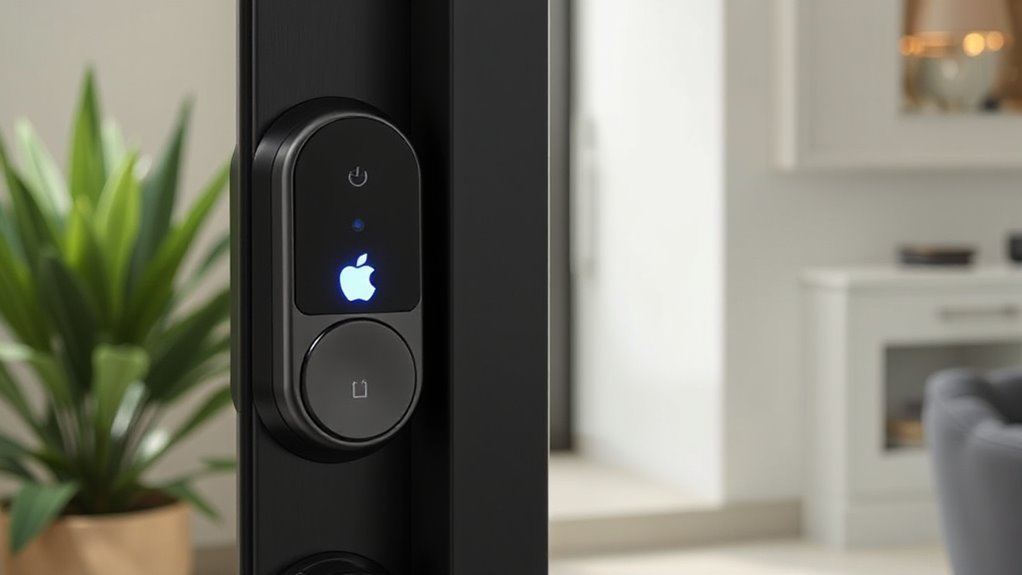

If you’re looking for the best smart locks with Apple Homekey support for 2026, I’ve found some top options that combine sleek design, advanced security, and seamless Apple ecosystem integration. These locks offer keyless entry, fingerprint authentication, and remote control features, all built to enhance convenience and security. Whether you want touchless access or easy management of multiple users, these choices are pad your home’s smart access solutions—continue to explore for detailed insights.
Key Takeaways
- The list features top smart locks supporting Apple Home Key for seamless, keyless access in 2026.
- These locks offer advanced security, multiple unlocking methods, and integration with Apple ecosystem and other smart home platforms.
- Designs are sleek, durable, weatherproof, and suitable for various door types, ensuring easy DIY installation.
- They provide remote management, activity logs, automation, and real-time notifications for enhanced home security.
- Long-lasting batteries, low-battery alerts, and emergency options ensure reliable operation and user convenience.
| X3 Apple Home Key Deadbolt Lock with Touchless Entry | 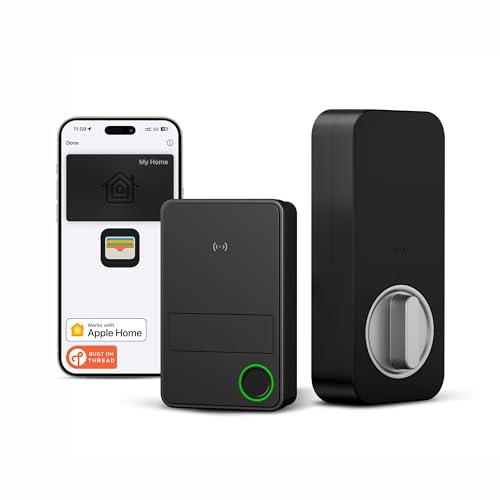 | Seamless Security | Connectivity Protocol: Thread, Bluetooth, Wi-Fi | Unlock Methods: Apple Home Key, Fingerprint, Siri, App, Key, Physical Key | Apple Home Key Support: Yes | VIEW LATEST PRICE | See Our Full Breakdown |
| Aqara Smart Lock U100 with Touchscreen and Keyless Entry |  | Customizable Convenience | Connectivity Protocol: Zigbee, Bluetooth, Wi-Fi | Unlock Methods: Apple Home Key, Fingerprint, Password, NFC, Mechanical Key | Apple Home Key Support: Yes | VIEW LATEST PRICE | See Our Full Breakdown |
| Level Lock+ WiFi Deadbolt Smart Lock with Home Key |  | Discreet Design | Connectivity Protocol: Wi-Fi, Bluetooth | Unlock Methods: Apple Home Key, App, Key Card, Mechanical Key | Apple Home Key Support: Yes | VIEW LATEST PRICE | See Our Full Breakdown |
| eufy E31 Smart Lock with Fingerprint & Home Support |  | Reliable Connectivity | Connectivity Protocol: Wi-Fi, Bluetooth | Unlock Methods: Apple Home Key, Fingerprint, App, Key, Mechanical Key | Apple Home Key Support: Yes | VIEW LATEST PRICE | See Our Full Breakdown |
| Aqara U300 Smart Lock with Fingerprint & Keyless Entry |  | Smart Integration | Connectivity Protocol: Thread, Wi-Fi, Bluetooth | Unlock Methods: Apple Home Key, Fingerprint, Guest Password, NFC (sold separately) | Apple Home Key Support: Yes | VIEW LATEST PRICE | See Our Full Breakdown |
| Schlage Encode Plus Smart Wi-Fi Deadbolt Lock |  | High Security | Connectivity Protocol: Wi-Fi, Bluetooth | Unlock Methods: Apple Home Key, Touchscreen PIN, Mechanical Key | Apple Home Key Support: Yes | VIEW LATEST PRICE | See Our Full Breakdown |
| ULTRALOQ Bolt NFC Smart Lock with WiFi and App |  | All-in-One Control | Connectivity Protocol: Wi-Fi, Bluetooth | Unlock Methods: Apple Home Key, Fingerprint, App, Key Fob, Mechanical Key | Apple Home Key Support: Yes | VIEW LATEST PRICE | See Our Full Breakdown |
| Level Smart Lock+ WiFi Deadbolt with Voice Control |  | Compact Powerhouse | Connectivity Protocol: Wi-Fi, Bluetooth | Unlock Methods: Apple Home Key, App, Key, Fingerprint, Voice | Apple Home Key Support: Yes | VIEW LATEST PRICE | See Our Full Breakdown |
| Kwikset Halo Touchscreen Smart Lock with Door Sensor |  | Advanced Features | Connectivity Protocol: Wi-Fi, Bluetooth | Unlock Methods: Apple Home Key, App, Key, Fingerprint, Key Fob | Apple Home Key Support: Yes | VIEW LATEST PRICE | See Our Full Breakdown |
| ULTRALOQ Bolt NFC Smart Lock with Wi-Fi and HomeKit |  | Ultimate Flexibility | Connectivity Protocol: Wi-Fi, Bluetooth | Unlock Methods: Apple Home Key, App, Key, Fingerprint, Mechanical Key | Apple Home Key Support: Yes | VIEW LATEST PRICE | See Our Full Breakdown |
| Smart Lock for Front Door with Apple HomeKit |  | Modern Minimalism | Connectivity Protocol: Bluetooth, Wi-Fi | Unlock Methods: Apple Home Key, Fingerprint, Passcode, Mechanical Key | Apple Home Key Support: Yes | VIEW LATEST PRICE | See Our Full Breakdown |
| X1 Apple Home Key Lock with Fingerprint & Keypad |  | User-Friendly | Connectivity Protocol: Thread, Bluetooth, Wi-Fi | Unlock Methods: Apple Home Key, Fingerprint, Passcode, App, Key | Apple Home Key Support: Yes | VIEW LATEST PRICE | See Our Full Breakdown |
| Apple Home Key Tap Lock with HomeKit Compatibility |  | Robust Performance | Connectivity Protocol: Thread, Wi-Fi, Bluetooth | Unlock Methods: Apple Home Key, Fingerprint, Passcode, App, Key | Apple Home Key Support: Yes | VIEW LATEST PRICE | See Our Full Breakdown |
| Level Lock+ Smart Lock with Apple Home Keys |  | Sleek and Secure | Connectivity Protocol: Wi-Fi, Bluetooth | Unlock Methods: Apple Home Key, App, Key, Fingerprint | Apple Home Key Support: Yes | VIEW LATEST PRICE | See Our Full Breakdown |
| Yale Assure Lock 2 Plus with Wi-Fi and Apple Keys |  | Next-Gen Access | Connectivity Protocol: Wi-Fi, Bluetooth | Unlock Methods: Apple Home Key, App, Key, Fingerprint, Passcode | Apple Home Key Support: Yes | VIEW LATEST PRICE | See Our Full Breakdown |
More Details on Our Top Picks
X3 Apple Home Key Deadbolt Lock with Touchless Entry
The X3 Apple Home Key Deadbolt Lock with Touchless Entry is ideal for anyone who wants seamless, keyless access using their iPhone or Apple Watch. I love how it integrates effortlessly with the Apple ecosystem, supporting Apple Home Key via Wallet for quick access, even if the battery is low or I’m out of network range. Its Thread technology ensures reliable, low-energy communication directly with the Home app without extra hubs. I can control it remotely, set automations, and manage up to 50 users with detailed activity logs. Installation is straightforward, weatherproof, and it boasts a year-long battery life, making it perfect for both indoor and outdoor use.
- Connectivity Protocol:Thread, Bluetooth, Wi-Fi
- Unlock Methods:Apple Home Key, Fingerprint, Siri, App, Key, Physical Key
- Apple Home Key Support:Yes
- Weather Resistance Rating:IP65
- Power Source:8 AA batteries, ~1 year
- Installation Type:DIY, standard deadbolt compatible
- Additional Feature:Biometric fingerprint storage (100 fingerprints)
- Additional Feature:Auto-Lock custom settings
- Additional Feature:IP65 weatherproof rating
Aqara Smart Lock U100 with Touchscreen and Keyless Entry
If you’re looking for a smart lock that seamlessly integrates with Apple’s ecosystem, the Aqara Smart Lock U100 stands out thanks to its support for Apple Home Key, allowing you to open your door effortlessly with your iPhone or Apple Watch—even during power outages. It features a touchscreen keypad, supporting PIN entry, and offers multiple unlocking options like fingerprint recognition for up to 50 users, remote password management, one-time codes, and a mechanical key backup. Built from zinc alloy with an IP65 rating, it’s durable outdoors. Plus, it connects with third-party systems via Aqara Zigbee 3.0 hub, enabling automation and smart home integration effortlessly.
- Connectivity Protocol:Zigbee, Bluetooth, Wi-Fi
- Unlock Methods:Apple Home Key, Fingerprint, Password, NFC, Mechanical Key
- Apple Home Key Support:Yes
- Weather Resistance Rating:IP65
- Power Source:4 AA batteries, ~8 months
- Installation Type:DIY, most standard doors
- Additional Feature:Emergency USB-C charging port
- Additional Feature:Tamper alerts and alarms
- Additional Feature:Supports guest one-time passwords
Level Lock+ WiFi Deadbolt Smart Lock with Home Key
For those seeking a sleek, discreet smart lock that seamlessly integrates with Apple’s ecosystem, the Level Lock+ WiFi Deadbolt with Home Key stands out. It’s designed to blend into your door without visible tech, available in elegant finishes, fitting most American exterior doors. With the Level Connect Wi-Fi bridge, you can control it remotely and view activity logs. It supports Apple Home Key for effortless access via iPhone or Apple Watch, plus key app control, key cards, and trusted users. Built from durable stainless steel, it’s highly secure and easy to install yourself. This lock combines style, security, and smart automation in a compact package.
- Connectivity Protocol:Wi-Fi, Bluetooth
- Unlock Methods:Apple Home Key, App, Key Card, Mechanical Key
- Apple Home Key Support:Yes
- Weather Resistance Rating:Not specified
- Power Source:4 AA batteries, ~12 months
- Installation Type:DIY, standard US doors
- Additional Feature:Discreet, hardware-only design
- Additional Feature:Supports sharing access codes
- Additional Feature:Built-in activity logs
eufy E31 Smart Lock with Fingerprint & Home Support
Designed for homeowners seeking quick, secure access, the eufy E31 Smart Lock with Fingerprint & Home Support offers seamless integration with Apple Homekit. It works with Google Home, Alexa, and SmartThings, providing versatile control options. Opening takes under 0.3 seconds via fingerprint, app, keypad, key, or voice command, thanks to advanced recognition that improves over time. Powered by rechargeable batteries lasting up to 14 months, it features low battery alerts and emergency power options. Setup is simple, taking about 15 minutes without drilling. With real-time notifications, event logs, and reliable customer support, the eufy E31 combines convenience and security effortlessly.
- Connectivity Protocol:Wi-Fi, Bluetooth
- Unlock Methods:Apple Home Key, Fingerprint, App, Key, Mechanical Key
- Apple Home Key Support:Yes
- Weather Resistance Rating:Not specified
- Power Source:8 AA batteries, ~14 months
- Installation Type:DIY, most standard doors
- Additional Feature:Rapid unlocking under 0.3s
- Additional Feature:Long 14-month battery life
- Additional Feature:Phone notifications and event logs
Aqara U300 Smart Lock with Fingerprint & Keyless Entry
The Aqara U300 Smart Lock with Fingerprint & Keyless Entry stands out as an excellent choice for those who want seamless integration with Apple devices. It supports Apple Home Keys, allowing effortless opening via iPhone or Apple Watch, even during power outages. The lock offers multiple unlocking methods, including a high-precision fingerprint reader supporting up to 25 fingerprints, one-time passwords, guest codes, and NFC cards (sold separately). Built from durable zinc alloy and rated IPX4, it withstands harsh weather. With smart automations, remote access, and AES-encrypted local data storage, the U300 combines security, convenience, and broad compatibility for a truly smart home experience.
- Connectivity Protocol:Thread, Wi-Fi, Bluetooth
- Unlock Methods:Apple Home Key, Fingerprint, Guest Password, NFC (sold separately)
- Apple Home Key Support:Yes
- Weather Resistance Rating:IPX4
- Power Source:4 AA batteries, up to 10 months
- Installation Type:DIY, standard deadbolt
- Additional Feature:Passage and Auto-Lock modes
- Additional Feature:Long 10-month battery life
- Additional Feature:Real-time lock status alerts
Schlage Encode Plus Smart Wi-Fi Deadbolt Lock
If you’re looking for a smart lock that seamlessly integrates with Apple’s ecosystem, the Schlage Encode Plus Smart Wi-Fi Deadbolt is an excellent choice. It offers keyless entry with built-in WiFi, allowing remote control and monitoring through the Schlage Home app. Compatible with Apple HomeKit, Apple Home Keys, Alexa, and Google Assistant, it provides multiple access options. Easy to install on standard doors, it features a fingerprint-resistant touchscreen and a sleek matte black finish. You can manage up to 100 access codes, view lock history, and receive customizable notifications. Its secure encryption, auto-lock feature, and tap-to-unlock with Apple devices make it a reliable, modern solution for smart home security.
- Connectivity Protocol:Wi-Fi, Bluetooth
- Unlock Methods:Apple Home Key, Touchscreen PIN, Mechanical Key
- Apple Home Key Support:Yes
- Weather Resistance Rating:Not specified
- Power Source:4 AA batteries, up to 10 months
- Installation Type:DIY, most US doors
- Additional Feature:Built-in alarm and door sensor
- Additional Feature:Manage 100 access codes
- Additional Feature:Touchscreen fingerprint-resistant finish
ULTRALOQ Bolt NFC Smart Lock with WiFi and App
For homeowners seeking a seamless, keyless entry experience, the ULTRALOQ Bolt NFC Smart Lock with WiFi and App stands out with its support for Apple Home Key and NFC technology. You can access instantly by tapping your iPhone, Apple Watch, or NFC-enabled Android phone—no app needed. It offers 8-in-1 keyless entry options, including voice control with Siri, Alexa, and Google Assistant, plus keypad, app, key fob, and mechanical keys. Certified for top security and weatherproof, it’s easy to install, manages up to 50 access codes, and integrates with popular smart home platforms. This lock combines convenience, durability, and advanced security features for modern living.
- Connectivity Protocol:Wi-Fi, Bluetooth
- Unlock Methods:Apple Home Key, Fingerprint, App, Key Fob, Mechanical Key
- Apple Home Key Support:Yes
- Weather Resistance Rating:IP65
- Power Source:8 AA batteries, approx. 1 year
- Installation Type:DIY, standard deadbolt
- Additional Feature:Supports multiple unlocking methods
- Additional Feature:IP65 weatherproof durability
- Additional Feature:Lifetime mechanical guarantee
Level Smart Lock+ WiFi Deadbolt with Voice Control
Designed for homeowners seeking seamless smart lock integration, the Level Smart Lock+ WiFi Deadbolt with Voice Control stands out with its support for Apple Home Key. It’s the world’s smallest smart lock, fitting discreetly on most American exterior doors, and boasts a sleek, stylish design. You can access it by tapping your iPhone or Apple Watch via Apple Wallet, making access quick and contactless. It also supports voice commands through Apple HomeKit, Google Home, and Amazon Alexa. With its durable stainless steel build, weather resistance, and Level Connect Wi-Fi bridge for remote control, it offers high security and convenience in one compact package.
- Connectivity Protocol:Wi-Fi, Bluetooth
- Unlock Methods:Apple Home Key, App, Key, Fingerprint, Voice
- Apple Home Key Support:Yes
- Weather Resistance Rating:IP65
- Power Source:4 AA batteries, up to 1 year
- Installation Type:DIY, most American doors
- Additional Feature:Sleek, minimal design
- Additional Feature:Compatible with Alexa/Google/Apple
- Additional Feature:Supports keyless entry via app
Kwikset Halo Touchscreen Smart Lock with Door Sensor
The Kwikset Halo Touchscreen Smart Lock with Door Sensor stands out as an ideal choice for homeowners seeking seamless, keyless access integrated with Apple’s ecosystem. It allows opening via NFC technology, including Apple Home Keys, so you can tap your iPhone or Apple Watch. You can control it remotely through the Kwikset app, manage guest access, and set automations. It supports Apple HomeKit, along with Alexa, Google, and Matter, making it versatile. The lock features a touchscreen, auto-lock, intrusion detection, and a door status sensor for added security. Easy to install, it combines modern convenience with reliable, secure access tailored for Apple users.
- Connectivity Protocol:Wi-Fi, Bluetooth
- Unlock Methods:Apple Home Key, App, Key, Fingerprint, Key Fob
- Apple Home Key Support:Yes
- Weather Resistance Rating:Not specified
- Power Source:4 AA batteries, approx. 6 months
- Installation Type:DIY, standard doors
- Additional Feature:Auto-Lock and geofencing
- Additional Feature:Intrusion and door status alerts
- Additional Feature:Compatible with Matter ecosystem
ULTRALOQ Bolt NFC Smart Lock with Wi-Fi and HomeKit
If you want a smart lock that seamlessly integrates with Apple’s ecosystem, the ULTRALOQ Bolt NFC Smart Lock with Wi-Fi and HomeKit is an excellent choice. It supports Apple Home Key and Android NFC, allowing instant opening by tapping your iPhone, Apple Watch, or NFC-enabled Android device—no app needed. It offers multiple access options, including keypad, app control, key fob, and mechanical keys, ensuring you’re never locked out. Compatible with third-party systems like Alexa, Google, and SmartThings, it also supports Siri voice commands. Easy to install and manage remotely, it combines security, convenience, and broad smart home compatibility for a versatile, reliable smart lock.
- Connectivity Protocol:Wi-Fi, Bluetooth
- Unlock Methods:Apple Home Key, App, Key, Fingerprint, Mechanical Key
- Apple Home Key Support:Yes
- Weather Resistance Rating:IP65
- Power Source:8 AA batteries, up to 1 year
- Installation Type:DIY, most American doors
- Additional Feature:Auto lock/unlock sensing
- Additional Feature:Supports 50 access codes
- Additional Feature:Durable zinc alloy construction
Smart Lock for Front Door with Apple HomeKit
For homeowners seeking seamless smart home integration, the LNDU HK01 smart lock with Apple HomeKit stands out by allowing effortless opening through Apple Home Keys, even if your phone’s battery is dead. It supports quick unlocking via tapping your iPhone or Apple Watch, with unlock times under 0.3 seconds. The lock offers multiple access options, including fingerprint, keypad, physical keys, key fobs, and the Home Key. Security features like anti-peep passcodes, auto-lock, real-time notifications, and impact-resistant zinc alloy bolt ensure safety. Easy to install in about 15 minutes, it runs on batteries lasting over 250 days, with an emergency USB-C port for power.
- Connectivity Protocol:Bluetooth, Wi-Fi
- Unlock Methods:Apple Home Key, Fingerprint, Passcode, Mechanical Key
- Apple Home Key Support:Yes
- Weather Resistance Rating:IP65
- Power Source:4 AA batteries, ~6 months
- Installation Type:DIY, standard doors
- Additional Feature:Anti-peep passcodes
- Additional Feature:External USB-C emergency port
- Additional Feature:Supports remote and app control
X1 Apple Home Key Lock with Fingerprint & Keypad
The X1 Apple Home Key Lock with Fingerprint & Keypad is an excellent choice for homeowners seeking a secure, keyless entry solution that integrates seamlessly with the Apple ecosystem. It offers quick, secure access via NFC sensing, allowing you to release or open by simply tapping your iPhone or Apple Watch, even without power or network. Compatible with Apple Home over Thread, it provides reliable, energy-efficient connectivity. You can control and monitor the lock through the Sleekpoint app, managing up to 50 users with fingerprints, passcodes, Siri commands, or physical keys. Its weatherproof, durable design makes it ideal for outdoor use, combining convenience with top-tier security.
- Connectivity Protocol:Thread, Bluetooth, Wi-Fi
- Unlock Methods:Apple Home Key, Fingerprint, Passcode, App, Key
- Apple Home Key Support:Yes
- Weather Resistance Rating:IP65
- Power Source:4 AA batteries, ~12 months
- Installation Type:DIY, standard deadbolt
- Additional Feature:IP65 weatherproof outdoor use
- Additional Feature:6 unlocking methods total
- Additional Feature:Up to 12 months battery life
Apple Home Key Tap Lock with HomeKit Compatibility
The Apple Home Key Tap Lock with HomeKit compatibility is an ideal choice for homeowners and smart home enthusiasts who want seamless, keyless access that integrates effortlessly with their Apple devices. It features a dedicated NFC sensing zone, allowing quick opening via Apple Wallet, iPhone, or Apple Watch, even if devices are out of power. Supporting protocols like Thread and HomeKit, it offers six opening methods, including fingerprint, Siri, passcodes, and traditional keys, with capacity for up to 50 users. Its sleek, minimalist design is IP65 weatherproof, ensuring durability outdoors, and it operates on batteries for up to 12 months, making it a reliable, modern security solution.
- Connectivity Protocol:Thread, Wi-Fi, Bluetooth
- Unlock Methods:Apple Home Key, Fingerprint, Passcode, App, Key
- Apple Home Key Support:Yes
- Weather Resistance Rating:IP65
- Power Source:4 AA batteries, ~6-12 months
- Installation Type:DIY, standard doors
- Additional Feature:Intelligent learning fingerprint system
- Additional Feature:Adjustable latch backset
- Additional Feature:Supports firmware updates
Level Lock+ Smart Lock with Apple Home Keys
If you’re looking for a sleek, highly secure smart lock that seamlessly integrates with your Apple ecosystem, the Level Lock+ with Apple Home Keys is an excellent choice. Its discreet design blends with your existing hardware, with no visible tech inside or out. Crafted from durable stainless steel and strengthened alloys, it’s rated AAA for security and durability. You can release it easily using Apple Wallet on your iPhone or Apple Watch, or through the Level Home app. It also supports Apple HomeKit for remote control, automations, and voice commands with Siri. Plus, you can share access, check activity logs, and enjoy a minimalist, stylish security solution.
- Connectivity Protocol:Wi-Fi, Bluetooth
- Unlock Methods:Apple Home Key, App, Key, Fingerprint
- Apple Home Key Support:Yes
- Weather Resistance Rating:Not specified
- Power Source:4 AA batteries, approx. 6-12 months
- Installation Type:DIY, most standard doors
- Additional Feature:Discreet, no visible tech
- Additional Feature:Supports Apple Wallet Keys
- Additional Feature:Stylish, minimalist aesthetic
Yale Assure Lock 2 Plus with Wi-Fi and Apple Keys
For homeowners who want seamless, keyless access using their Apple devices, the Yale Assure Lock 2 Plus with Wi-Fi and Apple Keys stands out as an ideal solution. It allows you to release your door with a tap on your iPhone or Apple Watch, thanks to Apple Home Keys integration. With features like Auto-Lock, DoorSense, and remote management via the Yale Access app, it offers security and convenience. The lock supports Bluetooth and Wi-Fi for versatile control, and a home hub enables remote sharing and notifications. Its sleek Satin Nickel finish and sturdy zinc build make it both functional and stylish for any front door.
- Connectivity Protocol:Wi-Fi, Bluetooth
- Unlock Methods:Apple Home Key, App, Key, Fingerprint, Passcode
- Apple Home Key Support:Yes
- Weather Resistance Rating:Not specified
- Power Source:4 AA batteries, up to 12 months
- Installation Type:DIY, standard deadbolt
- Additional Feature:DoorSense activity monitoring
- Additional Feature:Share access via app
- Additional Feature:Supports express mode for Apple Wallet
Factors to Consider When Choosing a Smart Lock With Apple Homekey
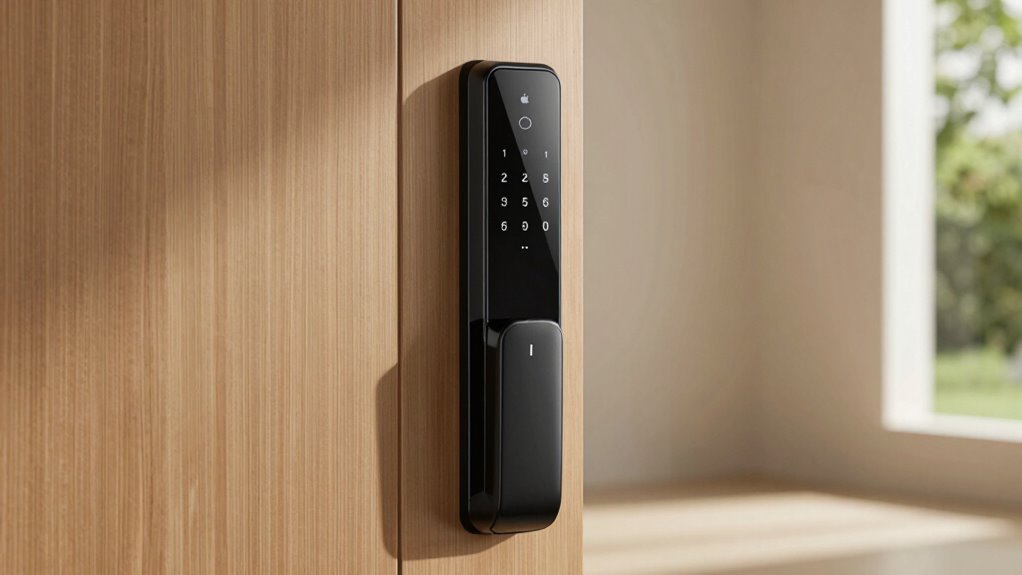
When choosing a smart lock with Apple Homekey, I consider how well it integrates with my existing ecosystem and the security features it offers. I also look at installation ease, battery life, and whether it supports automation options I want. These factors help make sure I select a lock that’s both reliable and easy to use.
Compatibility With Ecosystems
Choosing a smart lock with Apple HomeKey requires ensuring it seamlessly integrates into your existing Apple ecosystem. I look for locks that are compatible with Apple HomeKit and support Apple Home Key, so setup is straightforward. Reliable connectivity is essential, so I check if the lock uses Thread or Bluetooth protocols for consistent performance. App control and automation features that work with Apple’s Home app and Siri make managing access easier. I also verify that the lock offers secure access management and activity monitoring through Apple-compatible platforms to maintain security. Durability matters, especially for outdoor use, so I confirm it’s weatherproof and built to withstand the elements. Ensuring these compatibility factors guarantees my smart lock functions smoothly within my Apple ecosystem.
Security Features Offered
Security is the top priority when selecting a smart lock with Apple HomeKey, so I pay close attention to the security features it offers. First, I check for encryption of biometric data and access credentials to prevent hacking or unauthorized use. Multi-factor authentication, like combining fingerprint recognition with passcodes, adds an extra layer of protection. I also look for activity logs and real-time notifications, which help me monitor access and spot suspicious activity immediately. Advanced features like anti-peep keypads, auto-lock, and tamper alarms give me peace of mind that my home is well protected. Finally, I ensure the lock supports secure communication protocols such as Thread, Zigbee, or Wi-Fi with end-to-end encryption to safeguard data during transmission.
Installation Ease Level
Installing a smart lock with Apple HomeKey can be straightforward if you consider a few key factors beforehand. First, check if the lock can be installed without drilling or complex wiring—this makes DIY setup much easier. Make sure it supports standard door dimensions and backset measurements to ensure compatibility with your existing hardware. Look for models that provide clear, step-by-step instructions or video guides, which simplify the process further. Prefer locks that are designed for tool-free or minimal-tool installation to save time and effort. Additionally, verify that the lock’s components suit your door type and thickness to avoid needing extra modifications or professional help. Taking these factors into account will make your installation smooth and hassle-free.
Battery Life Duration
When selecting a smart lock with Apple HomeKey, battery life is a crucial factor because it directly impacts convenience and reliability. A longer battery life means fewer replacements and consistent performance. Many models support batteries lasting from six months to over a year on standard AA batteries, which helps reduce maintenance. Some smart locks also feature low-battery alerts, giving you a heads-up before power runs out. Rechargeable batteries are an option in certain models, offering several months of use per charge with proper management. Keep in mind that usage patterns, like frequent NFC unlocking or app control, can drain batteries faster. Ultimately, choosing a lock with dependable battery life ensures smooth operation and peace of mind.
Smart Automation Options
Smart automation options can substantially enhance your experience with a smart lock that supports Apple HomeKey. I look for features like auto-lock, auto-unlock, and scheduled locking to boost convenience and security. Compatibility with platforms like Apple HomeKit is essential, as it allows seamless integration with other smart devices and routines. I also check if the lock supports automation triggers based on door status, presence detection, or geofencing, which personalize my access experience. The ability to set up custom routines within the lock’s app or a smart home ecosystem helps automate locking and release actions effortlessly. Additionally, remote control capabilities are a must, enabling me to manage access and lock status from anywhere via smartphone or voice commands, providing peace of mind and flexibility.
Frequently Asked Questions
How Does Apple Homekey Enhance Smart Lock Security?
Apple HomeKey enhances smart lock security by using secure enclave technology and end-to-end encryption, ensuring your digital keys stay protected. When I use HomeKey, I love how it leverages my iPhone’s biometric authentication, like Face ID or Touch ID, adding an extra layer of security. Plus, it requires close proximity for access, making unauthorized use difficult. Overall, it offers a seamless yet highly secure way to control my home entry.
Are All Smart Locks With Homekey Compatible With Existing Door Hardware?
Imagine your door as a stage, and your hardware as the frame holding the spotlight. Not all smart locks with Homekey fit this setup perfectly. Some require specific, modern hardware, while others might need adapters or updates. I’ve found that compatibility varies, so it’s essential to check your existing door’s specs before choosing a lock. This way, you avoid surprises and guarantee your smart lock shines brightly on your current hardware.
Can I Control Homekey-Enabled Locks Remotely Without Internet?
You can’t control HomeKey-enabled locks remotely without internet. These locks rely on an internet connection for remote access through your iPhone or Apple ecosystem. If your internet goes out, you can still open them locally via Bluetooth or the lock’s physical key, but remote control won’t work. So, to manage your lock remotely, guarantee your internet connection is stable and your device stays connected online.
What Battery Life Can I Expect From These Apple Homekey Smart Locks?
I’ve found that Apple HomeKey-enabled smart locks typically last about six months to a year on a single set of batteries, depending on usage. I recommend checking the lock’s battery status regularly through your app to avoid surprises. Using high-quality batteries can extend this lifespan, so I suggest investing in good ones. When the batteries run low, most locks will notify you, making it easy to stay prepared.
Do These Locks Support Multiple User Access With Different Homekeys?
Did you know that most Apple HomeKey-compatible smart locks support multiple user access? I’ve found that many models allow you to assign different HomeKeys for family, friends, or service providers. This feature makes managing access simple and secure. I personally like how I can customize permissions for each user, ensuring everyone has the right level of access without compromising security. It’s a smart, convenient way to control who comes and goes.
Conclusion
Choosing the right smart lock with Apple HomeKey is like finding the perfect key to unseal your peace of mind. Each option on this list offers a unique blend of security and convenience, turning your door into a fortress that welcomes you home with a simple tap. Trust your instincts and select the one that feels right—because your home deserves a lock that’s as smart and reliable as the life you’re building inside.