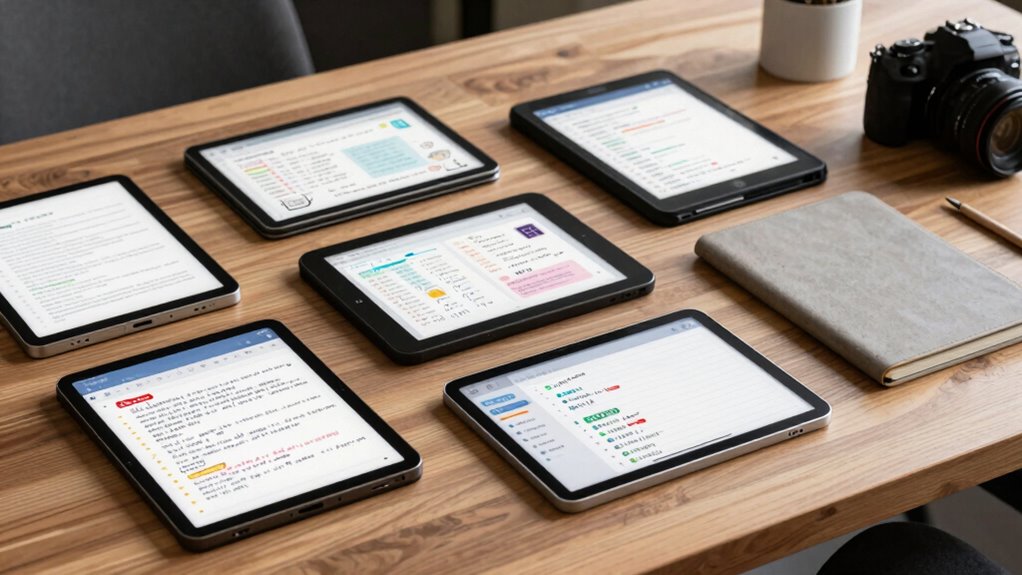

Finding the right smart notebook for digital notes depends on your specific needs, whether it’s seamless synchronization, ease of use, or a premium writing experience. The Rocketbook Core stands out as the overall best choice thanks to its versatility and reusability, making it ideal for both students and professionals. The Ophayapen Smart Pen & Digital Notebook offers real-time sync, perfect for quick note-taking and immediate access. Meanwhile, the Huion Note Digital Notebook appeals to users seeking offline functionality and a paper-like feel. Each option in this roundup balances features with tradeoffs, such as battery life, price, and compatibility. Keep reading for a detailed breakdown to help you choose the perfect smart notebook for your digital note-taking needs.

Get health and wellness essentials delivered free with Prime
- Fast, free delivery on millions of items
- Prime Video, Amazon Music and more included
- Member-only deals all year
Key Takeaways
- Top picks differentiate primarily by synchronization features—real-time vs. offline capabilities.
- Reusability and eco-friendliness are common advantages, but they often come with higher upfront costs.
- Device compatibility varies, with some notebooks working only with specific apps or brands.
- Build quality and paper-like feel are important for writers who prefer traditional handwriting experiences.
- Price range is broad, so balancing features with budget is key to making a satisfying purchase.
| Rocketbook Core Reusable Smart Notebook, Executive Size 6×8.8, Black |  | Best Overall for Eco-Friendly Digital Organization | Size: 6 x 8.8 inches | Cover: Scratch-resistant | Pages: Premium reusable paper | VIEW ON AMAZON | See Our Full Breakdown |
| Ophayapen Smart Pen & Digital Notebook with Real-Time Sync |  | Best for Seamless Mobile Note-Taking and Real-Time Sync | Compatibility: iOS and Android | Connectivity: Bluetooth | Included Items: Smart pen, PU notebook, writing board, refills, USB-C cable | VIEW ON AMAZON | See Our Full Breakdown |
| Smart Pen & Reusable Digital Notebook with Folio |  | Best for Natural Writing and Multi-Platform Integration | Power: Automatic on when uncapped | Battery Life: Weeks of writing on a single charge | Compatibility: Noteorius, Google Drive, OneNote, Evernote, Dropbox | VIEW ON AMAZON | See Our Full Breakdown |
| Ophaya Smart Digital Notebook with Smart Pen |  | Best for Multi-Format Sharing and Offline Storage | Includes: 1 smart pen, 5 notebooks, refills, USB cable | Pages: 124 pages / 62 sheets | Connectivity: Bluetooth, USB | VIEW ON AMAZON | See Our Full Breakdown |
| Ophaya Smart Pen Digital Notebook and Writing Set |  | Best for Searchable, Offline Digital Notes | Compatibility: iOS and Android | Features: Real-time digital recording, searchable notes, OCR, audio sync | Includes: Smart pen, digital notebook, writing set | VIEW ON AMAZON | See Our Full Breakdown |
| XPPen Note Plus Digital Notebook with Pen |  | Best Overall for Seamless Handwritten Digital Notes | Brand: XP-PEN | Model Name: CT860B | Built-In Media: Digital Pen | VIEW ON AMAZON | See Our Full Breakdown |
| Moleskine Smart Notebook, Extra Large, Black |  | Best for Traditionalists Who Want Digital Integration | Size: 19 x 25 cm | Color: Black | Page Type: Ruled | VIEW ON AMAZON | See Our Full Breakdown |
| Smart Digital Pen with A4 Paper – Yuan Smart Pen & Notebook Set |  | Best for Offline, Privacy-Focused Digital Note-Taking | Brand: Yuan | Size: 8.3 x 11.2 inches | Pages: 63 | VIEW ON AMAZON | See Our Full Breakdown |
| XNote Smart Pen & Notebook Starter Set – AI-Powered Digital Note Taking |  | Best for AI-Enhanced, All-Day Digital Notes | Battery Life: 17 hours | Charging Time: 90 minutes | Connectivity: Bluetooth 4.2 | VIEW ON AMAZON | See Our Full Breakdown |
| Rocketbook Core Reusable Smart Notebook, Letter Size 8.5×11, Black |  | Best for Eco-Conscious Reusability and Digital Organization | Size: 8.5 x 11 inches | Color: Black | Pages: Recyclable | VIEW ON AMAZON | See Our Full Breakdown |
| Yuan Digital Sync Pen with Notebook, Smart Writing Set for Note Taking |  | Best for Seamless Handwritten-Digital Synchronization | Battery Life: 8 hours | Standby Time: 110 days | Fast Charging: 1.5 hours | VIEW ON AMAZON | See Our Full Breakdown |
| Huion Note Digital Notebook with Real-Time & Offline Sync, Battery-Free Pen |  | Best for Versatile, All-Day Digital Notetaking | Brand: HUION | Model Name: Huion Note | Built-In Media: Digital Pen | VIEW ON AMAZON | See Our Full Breakdown |
| SyncPen Digital Notebook Smart Pen Set with Real Time Sync, OCR, and Audio Recording |  | Best for Advanced Digital Writing & Multi-Function Capture | Connectivity Technology: Bluetooth | Screen Size: 8.5 inches | Battery Life: 7 days | VIEW ON AMAZON | See Our Full Breakdown |
| Rocketbook Core Reusable Smart Notebook, Letter Size 8.5×11, Gray |  | Best for Eco-Friendly, Reusable Digital Notes | Size: Letter (8.5 x 11 inches) | Color: Gray | Binding: Spiral | VIEW ON AMAZON | See Our Full Breakdown |
More Details on Our Top Picks
Rocketbook Core Reusable Smart Notebook, Executive Size 6×8.8, Black
The Rocketbook Core stands out as the most versatile reusable smart notebook in this lineup, thanks to its high-quality, reusable pages and smart organization features like Smart Titles and Tags. Compared to the Ophaya Smart Digital Notebook, it offers a more portable size and a robust ecosystem for cloud storage, making it ideal for those who want a sustainable alternative to paper. However, the need for a damp cloth to erase pages can be less convenient than digital-only options, and setup for Smart Tags may involve a learning curve. Its spiral binding and premium pages make it easy to use repeatedly, reducing waste over time. This pick makes the most sense for users needing a compact, eco-conscious solution that integrates seamlessly with cloud services.
Pros:- Reusable and eco-friendly, reducing paper waste
- Compatible with cloud services for easy digital organization
- Portable size fits into backpacks and briefcases
- Includes a high-quality Pilot Frixion Pen
Cons:- Requires a damp cloth for erasing, which may be inconvenient
- Limited to compatible app and pen for full functionality
- Smart Tags and Titles may require some setup
Best for: Professionals and students seeking a reusable, eco-friendly notebook with easy digital integration
Not ideal for: Users who prefer completely digital, screen-based note-taking or need rapid page clearing without extra effort
- Size:6 x 8.8 inches
- Cover:Scratch-resistant
- Pages:Premium reusable paper
- Binding:Spiral
Our verdict“This is the best choice for users who want a sustainable, portable smart notebook that blends traditional writing with digital organization.”
Ophayapen Smart Pen & Digital Notebook with Real-Time Sync
The Ophayapen Smart Pen & Digital Notebook makes a compelling case for those who prioritize real-time digital capture directly from paper, offering smooth handwriting and instant Bluetooth syncing. Unlike the Smart Pen & Reusable Digital Notebook with Folio, this set includes a dedicated smart pen and a compact PU notebook, making it more portable for on-the-go use. Its OCR feature and audio recording enhance note clarity and context, although the app is only compatible with mobile devices, limiting desktop use. The need for proprietary paper and initial setup are minor tradeoffs for a highly integrated experience tailored to mobile users who want to digitize handwritten notes effortlessly.
Pros:- Seamless real-time digital sync with mobile devices
- OCR technology for converting handwritten notes to editable text
- Audio recording linked to notes for added context
- Offline note-taking with automatic backup
Cons:- App not compatible with computers
- Requires proprietary paper for optimal use
- Limited to mobile device use
Best for: Mobile professionals and students who need instant digital capture and sharing via their smartphones
Not ideal for: Users who prefer desktop or multi-device synchronization without app limitations
- Compatibility:iOS and Android
- Connectivity:Bluetooth
- Included Items:Smart pen, PU notebook, writing board, refills, USB-C cable
- Pages:60 sheets
Our verdict“Ideal for mobile users who want quick, real-time digitization and multimedia note options directly from their smartphone.”
Smart Pen & Reusable Digital Notebook with Folio
This Smart Pen & Reusable Digital Notebook with Folio offers a natural writing feel, mimicking traditional pen strokes with its smooth glide and automatic capture. Compared to the Ophayapen Smart Pen & Digital Notebook, it features a more extensive list of compatible apps, including Google Drive and Evernote, making it suitable for users who want a flexible digital ecosystem. Its reusable notepad reduces waste and costs, but it requires initial setup and Bluetooth pairing, which could slow down immediate use. Its lack of a built-in display means it relies on mobile or desktop apps, making it less standalone but highly versatile for everyday writing needs.
Pros:- Feels like writing on paper with smooth, responsive strokes
- Automatic note capture and easy app integration
- Reusable notepad reduces waste and costs
- No subscription required for app features
Cons:- Requires initial setup and app installation
- Limited to compatible devices with Bluetooth
- No built-in display or screen
Best for: Students and professionals who value a natural writing experience with versatile app integration
Not ideal for: Users seeking a device with a built-in screen or needing instant, on-device viewing without app dependence
- Power:Automatic on when uncapped
- Battery Life:Weeks of writing on a single charge
- Compatibility:Noteorius, Google Drive, OneNote, Evernote, Dropbox
- Notepad Reusability:Unlimited pages
Our verdict“Best suited for users who want a natural writing feel combined with flexible digital storage and sharing options.”
Ophaya Smart Digital Notebook with Smart Pen
The Ophaya Smart Digital Notebook combines traditional note-taking with digital convenience, offering real-time digitization and OCR text conversion. Compared to the Ophayapen set, it includes more pages per notebook and supports multiple sharing formats like PDF and Word, making it versatile for various workflows. Its ability to record audio synchronized with notes enhances comprehension, but it requires pairing and app installation, which could create a learning curve. Its offline storage feature is a plus, ensuring notes are safe even without internet. This device is well-suited for users who want a comprehensive, multi-format digital note solution in a compact form.
Pros:- Real-time digitization and synchronization
- OCR technology for converting handwriting to editable text
- Multiple sharing formats including PDF and Word
- Audio recording synchronized with notes
Cons:- Requires app installation and device pairing
- Limited to A5 notebook size
- Potential learning curve for new users
Best for: Academic or business users needing multi-format sharing and offline backup capabilities
Not ideal for: Those who prefer minimal setup or only need basic digital note capture on the go
- Includes:1 smart pen, 5 notebooks, refills, USB cable
- Pages:124 pages / 62 sheets
- Connectivity:Bluetooth, USB
- Compatibility:iOS and Android
Our verdict“Perfect for users who need versatile sharing options and offline note security in a portable package.”
Ophaya Smart Pen Digital Notebook and Writing Set
The Ophaya Smart Pen Digital Notebook Set is designed for users who need a comprehensive solution with offline capabilities, offering handwriting recognition, audio sync, and searchable notes. Compared to the Ophaya Smart Digital Notebook, this set includes a full writing kit with multiple notebooks and refills, making it a ready-to-use package. Its ability to store notes offline ensures data safety without constant internet, while its OCR feature makes notes easily searchable and editable. The main drawback is the need for a compatible smartphone and some learning curve in mastering the app’s features. It’s ideal for users who want a complete, portable, and searchable digital note-taking system.
Pros:- Allows seamless handwritten note digitization and syncing
- Searchable and editable digital notes with OCR
- Supports audio recording synchronized with notes
- Offline storage prevents data loss
Cons:- Requires compatible smartphone and app for full functionality
- Potential learning curve for new users
- Battery life details not specified
Best for: Students and professionals who need offline access and searchable, organized notes
Not ideal for: Users looking for a simple, minimal setup or those without a compatible smartphone
- Compatibility:iOS and Android
- Features:Real-time digital recording, searchable notes, OCR, audio sync
- Includes:Smart pen, digital notebook, writing set
Our verdict“Ideal for users who want a complete, offline-capable digital notebook with powerful search and audio features.”
XPPen Note Plus Digital Notebook with Pen
The XPPen Note Plus stands out for its reliable Bluetooth 5.3 connection, offering a stable, lag-free sync that’s essential for smooth note-taking and sketching. Its real paper experience, combined with a dedicated ink pen, appeals to users who prefer traditional writing but want digital storage. Compared to the Rocketbook Core, it provides a more consistent handwriting feel, though it’s limited to A5-sized cores, which might restrict flexibility. The device’s 14-hour battery life and offline note support make it suitable for long sessions, but heavy use could drain the battery quickly. The built-in editing tools and cloud backup streamline workflow, yet the need for Bluetooth can be a drawback in low-connectivity environments. Overall, this pick is ideal for those who need a dependable, paper-like digital note experience with minimal hassle.
Pros:- Seamless Bluetooth 5.3 connection for stable syncing
- Real paper experience with dedicated ink pen
- Compatible with any A5-sized core, reducing waste
- Supports offline writing with auto-sync
Cons:- Limited to A5-sized paper cores, restricting flexibility
- Requires Bluetooth for syncing, which may be problematic in poor connectivity
- Battery life can vary with intensive use
Best for: Business professionals, students, or teachers who want a reliable, paper-like digital note-taking device with strong offline capabilities.
Not ideal for: Users seeking a highly portable, compact option or those who prefer Wi-Fi only without Bluetooth dependency.
- Brand:XP-PEN
- Model Name:CT860B
- Built-In Media:Digital Pen
- Battery Capacity:1000mAh
- Battery Life:14 hours
- Dimensions:245×176×13mm
Our verdict“This device suits users who prioritize stability and a natural writing feel in a dedicated, mid-sized digital notebook.”
Moleskine Smart Notebook, Extra Large, Black
The Moleskine Smart Notebook excels at merging high-quality, traditional writing with digital digitization, making it ideal for those who love physical notebooks but want effortless conversion to digital. Its sturdy hard cover and large, ruled pages offer a premium feel and ample space, surpassing smaller or more casual options like the Rocketbook Core. While it doesn’t have a built-in digital pen, it relies on a compatible app to digitize handwritten notes, which can be less immediate than real-time options. Its limited info on pricing and ratings makes it less transparent, but the durability and size make it perfect for dedicated note-takers. The main tradeoff is that digitization requires an external app and device, so it’s better suited for users already comfortable with digital workflows.
Pros:- High-quality, durable hard cover
- Large size offers plenty of writing space
- Combines traditional writing with digital digitization
Cons:- No built-in digital pen, relies on external app
- Requires compatible device for digitization
- No instant sync or real-time capture
Best for: Professionals and students who value traditional writing experience combined with reliable digital digitization via an app.
Not ideal for: Users seeking instant, real-time digital notes or those who prefer smaller, more portable notebooks.
- Size:19 x 25 cm
- Color:Black
- Page Type:Ruled
- Cover:Hard cover
Our verdict“Ideal for users who favor classic note-taking with the convenience of digital conversion but don’t need instant sync.”
Smart Digital Pen with A4 Paper – Yuan Smart Pen & Notebook Set
The Yuan Smart Pen & Notebook Set provides a spacious A4 writing surface paired with local storage, making it highly suitable for users concerned about privacy and offline use. Its large pages and professional-grade paper support detailed notes and sketches, outperforming smaller options like the Rocketbook Core. The smart pen syncs in real-time with mobile apps, though it only works with Yuan notebooks, limiting flexibility. Its 63 pages per notebook and three-pack set make it versatile for multiple projects, but the need for a full initial charge and the inability to erase handwriting from the notebook itself are notable drawbacks. This set favors those who prioritize privacy and offline capability over instant cloud sync or erasing features.
Pros:- Real-time digital sync with mobile app
- Large A4 pages support detailed notes
- Portable 3-pack with durable covers
- Local storage ensures privacy
Cons:- Smart pen only works with Yuan notebooks
- Handwriting cannot be erased from the notebook
- Requires full initial charge before first use
Best for: Students and professionals who need large, private, offline note-taking options with real-time digital access.
Not ideal for: Users seeking a fully open ecosystem or those who prefer erasing and editing directly on paper.
- Brand:Yuan
- Size:8.3 x 11.2 inches
- Pages:63
- Compatibility:iOS and Android
- Included:Smart Pen, 3 Notebooks
Our verdict“This set is best for users valuing privacy, large-format notes, and offline functionality over erasing or universal compatibility.”
XNote Smart Pen & Notebook Starter Set – AI-Powered Digital Note Taking
The XNote Smart Pen & Notebook Starter Set delivers a natural handwriting experience with real paper, complemented by AI-powered features like transcription, organization, and translation. Its 17-hour battery life makes it suitable for all-day use, outperforming shorter-lived options like the Yuan Smart Pen. The included accessories and quick charging ensure immediate usability, but the absence of audio recording or microphone limits some functionalities for meeting notes. Its Bluetooth 4.2 connection, while reliable, isn’t as advanced as newer versions, which could affect latency. This set appeals most to professionals and students who want smart organization tools integrated seamlessly into their workflow without sacrificing the feel of writing on actual paper.
Pros:- Natural writing experience with real paper
- AI features for transcription, translation, and organization
- Long 17-hour battery life with fast charging
- Includes all necessary accessories for immediate use
Cons:- No microphone or audio recording capabilities
- Requires app for full functionality
- Limited offline storage capabilities
Best for: Students and professionals who want AI-powered organization and transcription features combined with real paper writing.
Not ideal for: Users who require audio note recording or need ultra-lightweight, compact notebooks.
- Battery Life:17 hours
- Charging Time:90 minutes
- Connectivity:Bluetooth 4.2
- Includes:Smart Pen, Notebook, 5 Ink Refills
Our verdict“Best suited for users seeking AI-enhanced note management with a natural writing feel and long battery life.”
Rocketbook Core Reusable Smart Notebook, Letter Size 8.5×11, Black
The Rocketbook Core offers a compelling eco-friendly approach to digital note-taking, featuring reusable, recyclable pages with smart organization tools. Its spiral binding and premium paper make it durable enough for daily use, and it easily digitizes notes via the Rocketbook app—more straightforward than the app-dependent digitization of the Moleskine. The ability to erase pages with a damp cloth makes it environmentally friendly, but it requires the Pilot Frixion Pen, which users must purchase separately. Erasing can be inconvenient if you prefer quick edits or note changes, and the digital organization depends heavily on app compatibility. This notebook is ideal for those who want to reduce paper waste without sacrificing digital access.
Pros:- Reusable and eco-friendly, reducing waste
- Easy digitization via app with smart tags
- Portable and versatile for various settings
- Writable with Pilot Frixion Pen
Cons:- Requires Pilot Frixion Pen for writing and erasing
- Pages only erasable with a damp cloth, which can be inconvenient
- Digital organization depends on app compatibility
Best for: Students and professionals committed to sustainability who need a reusable notebook with simple digital organization.
Not ideal for: Users who prefer inkless or erasable digital pens or need instant, real-time syncing on the go.
- Size:8.5 x 11 inches
- Color:Black
- Pages:Recyclable
- Binding:Spiral
Our verdict“This notebook suits environmentally conscious users seeking a reusable, organized digital note solution with minimal waste.”
Yuan Digital Sync Pen with Notebook, Smart Writing Set for Note Taking
This smart pen and notebook combo stands out for its smooth real-time digitization of handwritten notes, making it ideal for users who want a natural writing experience without sacrificing digital organization. Compared with the Rocketbook Core, it offers more immediate synchronization but is limited strictly to Yuan notebooks, which could restrict flexibility if you already own other smart notebooks. The long battery life and quick charging are strong points, but the inability to erase handwriting directly on the notebook might be frustrating for those who frequently edit their notes. The offline storage ensures data safety when offline, a feature not all digital notebooks offer. This pick suits those who prioritize seamless, quick digital capture of handwritten content with minimal fuss.
Pros:- Seamless real-time digital synchronization of handwritten notes
- Long battery life with quick 1.5-hour charging
- Offline storage safeguards data without internet
Cons:- Works exclusively with Yuan smart notebooks, limiting flexibility
- Requires initial full charge before first use
- Handwriting on the smart notebook cannot be erased
Best for: Creative professionals or students who prefer writing by hand but need their notes instantly on their devices, especially if they already use Yuan notebooks.
Not ideal for: Users seeking cross-brand compatibility or those who regularly erase and edit their handwritten notes directly on the notebook, as it lacks erasing capabilities.
- Battery Life:8 hours
- Standby Time:110 days
- Fast Charging:1.5 hours
- Compatibility:Yuan smart notebook only
Our verdict“Best suited for users who want reliable, real-time digitization of handwritten notes within a dedicated ecosystem.”
Huion Note Digital Notebook with Real-Time & Offline Sync, Battery-Free Pen
The Huion Note is perfect for those who want a combination of traditional writing and digital flexibility, with the added bonus of functioning as a graphics tablet when connected to a PC. Unlike the SyncPen, which leans heavily on app-based workflows, Huion’s device is more of a standalone solution with Bluetooth 5.0 for quick pairing and a remarkably long 18-hour battery life. Its limited 50-page notepad may be a drawback for heavy note-takers, but for casual or professional use, this is a versatile choice. The digital pen’s responsiveness is decent but might not satisfy users accustomed to traditional pens. This model is ideal for creatives and professionals who need a multi-purpose device without frequent recharging.
Pros:- Combines traditional notepad with digital features for versatile use
- Bluetooth 5.0 ensures quick pairing and stable connection
- Long 18-hour battery supports all-day work
Cons:- Limited to 50 pages in the included notepad
- Requires app for full functionality, with potential learning curve
- Digital pen may feel less responsive than traditional pens
Best for: Artists, designers, or professionals who want a hybrid device for notes, sketches, and creative work, especially if they prefer a long-lasting battery.
Not ideal for: Heavy note-takers or those who prefer large pages or extensive digital storage, as the included notepad is limited in capacity and app use requires some learning curve.
- Brand:HUION
- Model Name:Huion Note
- Built-In Media:Digital Pen
- Connectivity:Bluetooth 5.0
- Battery Life:18 hours
- Included:A5 Notepad, USB-C Cable, Magnetic Pen Sleeve, Replacement Nibs
Our verdict“Great for creative professionals and casual users who want a flexible, long-lasting digital notepad with sketching capabilities.”
SyncPen Digital Notebook Smart Pen Set with Real Time Sync, OCR, and Audio Recording
The SyncPen offers an advanced digital note-taking experience, blending real-time sync, AI handwriting recognition, and audio recordings. It’s particularly well-suited for students or professionals who need to capture detailed notes and spoken content simultaneously. Unlike the Huion Note, which functions as a standalone device, SyncPen integrates seamlessly with smartphones and tablets, enabling multi-format exports like DOC, JPEG, and PDF. Its AI recognition supports multiple languages, making it ideal for diverse users. However, reliance on Bluetooth may cause performance issues in low connectivity, and its battery life of about a week could require frequent charging during intensive use. This pick is best for users who want a feature-rich, multi-modal note-taking system with AI-powered recognition.
Pros:- Real-time synchronization of handwritten notes
- Advanced AI handwriting recognition supports multiple languages
- Includes real-time audio recording for comprehensive notes
- Supports multi-format export for versatile use
Cons:- Bluetooth dependency may cause connectivity issues
- Battery life, while decent, may require frequent charging during heavy use
- Limited to compatible devices with Bluetooth and specific file formats
Best for: Students, creators, or busy professionals who need instant, multi-format digital notes with voice and handwriting integration, especially in multi-language contexts.
Not ideal for: Users who prefer a simple, low-tech solution or those working in areas with unreliable Bluetooth connectivity, as the device depends heavily on Bluetooth stability.
- Connectivity Technology:Bluetooth
- Screen Size:8.5 inches
- Battery Life:7 days
- File Formats:DOC, JPEG, PDF
- Weight:0.88 kg
- Special Features:Handwriting recognition, OCR, Audio Recording
Our verdict“Ideal for users seeking a feature-packed, multi-modal note-taking tool with AI and audio capabilities, especially students and creators.”
Rocketbook Core Reusable Smart Notebook, Letter Size 8.5×11, Gray
The Rocketbook Core combines traditional note-taking with digital organization, making it an excellent choice for environmentally conscious users. Its reusable pages and app integration allow for digitizing notes, erasing, and reusing, which appeals to students and professionals on the go. Compared with dedicated digital pens, it relies on the Pilot Frixion Pen, which requires special cloth for erasing, and its digital organization depends heavily on app compatibility with services like Google Drive and OneNote. While the large letter-sized pages are great for extensive notes, the initial cost may be higher than traditional notebooks, and frequent erasing can wear out pages over time. This option is best for those prioritizing sustainability and easy digital access with minimal tech dependency.
Pros:- Reusable and eco-friendly, reducing paper waste
- App-enabled for easy digital organization
- Large letter-sized pages for comprehensive notes
- Includes a Pilot Frixion Pen for writing
Cons:- Requires special pens and cloth for erasing
- Initial cost may be higher than traditional notebooks
- Digital organization depends on app compatibility
Best for: Students or professionals who want an eco-friendly, reusable notebook with straightforward digital integration and are okay with using special pens and erasing cloth.
Not ideal for: Heavy note-takers or those needing extensive digital storage without reusing pages, as the notebook’s capacity is limited and erasing may degrade the pages over time.
- Size:Letter (8.5 x 11 inches)
- Color:Gray
- Binding:Spiral
- Pages:College-ruled with Smart Titles and Tags
- App Compatibility:Google Drive, Dropbox, OneNote
- Additional:Includes Pilot Frixion Pen
Our verdict“Best suited for environmentally conscious users who want a reusable, paper-saving way to digitize notes efficiently.”

How We Picked
These products were evaluated based on a combination of performance, usability, build quality, and compatibility. Priority was given to devices that seamlessly sync digital notes with popular platforms like Google Drive, Evernote, or proprietary apps. We also considered ease of use, durability, and whether the notebooks are truly reusable. Cost-effectiveness was another factor, ensuring that features justify the price. By focusing on these criteria, I aimed to identify options that serve different types of users—from casual note-takers to professionals—while providing a clear hierarchy of value and functionality.Factors to Consider When Choosing Smart Notebook For Digital Notes
Choosing the right smart notebook for digital notes involves weighing several important factors. The best device for one person may not suit another, depending on how you plan to use it, your preferred writing style, and your budget. Here are key considerations to keep in mind to make an informed decision and avoid common pitfalls.Compatibility and Ecosystem Integration
Assess whether the smart notebook works well with your existing devices and preferred apps. Some notebooks sync exclusively with specific platforms, which can limit flexibility. If you rely heavily on cloud storage or note apps, prioritize options that integrate smoothly into your workflow. Choosing a device that ties you to a single ecosystem might offer better support but can also restrict future flexibility.
Syncing Speed and Reliability
Fast, reliable synchronization prevents frustration and keeps your notes accessible across devices. Real-time sync is ideal for those who need instant access, but it often requires a stable internet connection and may drain batteries faster. Offline options can be more dependable in certain environments but might delay note transfer until manually synced. Consider your typical working environment when evaluating this feature.
Build Quality and Writing Experience
For users who enjoy handwriting, the feel of the paper-like surface and the quality of the pen are important. Some notebooks use special paper or screen textures to mimic traditional writing, while others rely on digital displays that may feel less natural. Durability and reusability are additional factors—look for sturdy binding and screens that resist scratches and smudges.
Battery Life and Power Management
Long-lasting battery life reduces interruptions, especially if you plan to use the notebook intensively. Devices with rechargeable batteries require regular charging, while some models feature battery-free pens or low-power displays to extend usage. Weigh the convenience of battery life against the device’s size and weight—longer battery life often means larger or heavier units.
Price and Long-term Value
Balance your budget with the features you need most. Premium models may offer superior build quality and advanced features like OCR or audio recording, but they come at higher costs. Budget-friendly options can be effective for casual use but might sacrifice some features or durability. Consider future-proofing your investment by choosing a device with software updates and good customer support.
Frequently Asked Questions
Can I use a smart notebook without an internet connection?
Many smart notebooks offer offline functionality, allowing you to write and store notes locally. However, syncing with cloud services, OCR, or advanced features like audio recording typically require an internet connection. If offline access is a priority, look for models explicitly designed to work without constant connectivity, but be aware that some features may be limited until you reconnect.
Are smart notebooks compatible with all note-taking apps?
Compatibility varies widely among devices. Some notebooks work exclusively with their manufacturer’s app, while others support popular platforms like Evernote, OneNote, or Google Drive. It’s important to verify app support before purchasing, especially if you rely on specific workflows or integrations. Devices with open API support tend to offer greater flexibility in app choices.
How durable are these notebooks for everyday use?
Durability depends on the build quality and materials used. Reusable digital notebooks with sturdy covers and scratch-resistant screens typically withstand daily handling better. Cheaper models or those with fragile screens may be prone to damage if carried around frequently. Consider notebooks with reinforced edges or protective covers if you plan to use them regularly on the go.
Is there a significant difference in writing feel between digital and traditional notebooks?
Yes, the tactile experience can vary significantly. Some digital notebooks mimic paper closely, offering textured surfaces and smooth pen strokes, while others feel more like using a touchscreen tablet. If natural handwriting feel matters to you, prioritize models with high-quality, textured screens or specialized pens. Keep in mind that a more authentic writing experience often comes at a higher price.
Should I prioritize a more affordable or a more feature-rich smart notebook?
This depends on how you plan to use the device. Budget options are suitable for light, occasional note-taking, but they may lack advanced features like quick sync or OCR. More expensive models generally provide better build quality, faster synchronization, and extra functionalities, making them worthwhile for frequent, professional, or creative use. Consider your long-term needs and how much you’re willing to invest for added convenience and durability.
Conclusion
For casual users or students, a budget-friendly option like the Rocketbook Core offers excellent reusability and basic functionality. Professionals seeking seamless integration and real-time sync will find the Ophayapen Smart Pen & Digital Notebook a compelling choice. Those who prioritize premium build quality and advanced features should consider higher-end models like the Huion Note Digital Notebook. If you’re just starting and want an easy-to-learn device, look for models with intuitive interfaces and good customer support. Regardless of your needs, matching the device’s features to your specific workflow will maximize your satisfaction and productivity in digital note-taking in 2026.
Halloween Picks
halloween
As an affiliate, we earn on qualifying purchases.