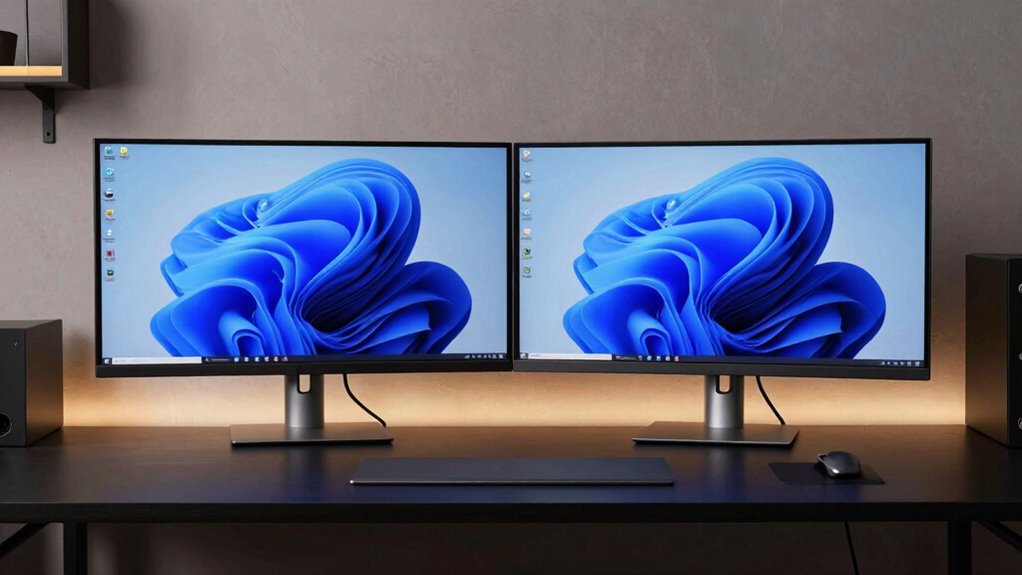

A premium dual monitor setup kit can mean a sturdy pair of arms, a mount with useful extras, or a complete monitor-and-mount bundle. My best overall pick is the Ergotron LX Dual Monitor Arm for its established two-screen format and clear per-arm weight range. The BenQ ErgoArm BDH01 stands out for larger, heavier displays, while the HUANUO mount with power outlet adds a handy desk-side connection. The main tradeoffs are screen compatibility, desk space, adjustment needs, and whether you need monitors included or only a mount. Read on for how these 12 options differ and which setup suits your workspace.
Key Takeaways
The Ergotron LX Dual Monitor Arm is the strongest all-around match for buyers seeking a dedicated two-arm mount for screens up to 27 inches, but it is not the widest-size option in this lineup.
The BenQ ErgoArm BDH01 has the highest stated capacity and largest screen limit listed here, making it the standout for heavier displays rather than a default choice for every desk.
HUANUO’s power-outlet and USB-port models add workspace convenience, but buyers should choose between those extras based on what they actually need at the desk.
The Dell Pro P2726H two-pack is the only listed option that bundles monitors, so it addresses a different need from the arms-only products.
Screen size alone is not enough to pick a mount. The lineup’s weight limits, VESA compatibility, mounting base, and desk clearance can matter just as much.
| Ergotron LX Dual Monitor Arm, VESA Desk Mount for 2 Monitors up to 27 Inches, 7-20 lbs Each, Matte Black |  | Best Overall for Long-Term Ergonomic Use | Monitor compatibility: Up to 27 inches; 7–20 lbs per monitor | VESA patterns: 75 x 75 mm and 100 x 100 mm | Mounting options: Desk clamp or grommet mount | VIEW ON AMAZON | See Our Full Breakdown |
| EVEO Premium Dual Monitor Mount 14″-32” Dual Monitor Arm VESA Bracket Adjustable Height Gas Spring Dual Monitor Stand, Screen Full Motion Dual Monitor Arm-Computer Monitor Stand for 2 Screens – Black |  | Best for Larger Screens and Flexible Viewing | Monitor size range: 14–32 inches | VESA patterns: 75 x 75 mm and 100 x 100 mm | Mounting options: Desk clamp or grommet mount | VIEW ON AMAZON | See Our Full Breakdown |
| HUANUO Dual Monitor Mount with Power Outlet, Adjustable Full Motion Stand for 13-32″ Monitors |  | Best for Built-In Desk Power | Monitor size support: 13–32 inches | Maximum load: 22 lbs per monitor | VESA compatibility: 75 x 75 mm and 100 x 100 mm | VIEW ON AMAZON | See Our Full Breakdown |
| ErGear Dual Monitor Stand for 17-33 inch Screens, Max 22 lbs per Arm, Adjustable VESA Mount |  | Best for Large Displays and Desk-Clamp Setups | Monitor size range: 17–33 inches | Weight capacity: 4.4–22 lbs per monitor | VESA compatibility: 75 x 75 mm and 100 x 100 mm | VIEW ON AMAZON | See Our Full Breakdown |
| Mount-It! Dual Monitor Desk Mount, 13-32″, Supports Monitors up to 17.6 lbs Each |  | Best for Independent Gas-Spring Positioning | Monitor size range: 13–32 inches | Maximum monitor weight: 17.6 lbs per monitor | VESA compatibility: 75 x 75 mm and 100 x 100 mm | VIEW ON AMAZON | See Our Full Breakdown |
| ErGear Dual Monitor Stand, Heavy Duty Adjustable Desk Mount for 2 Screens up to 32 Inches |  | Best for Straightforward Ergonomic Flexibility | Screen compatibility: 13–32 inches | Weight limit: 17.6 lb per monitor | VESA compatibility: 75×75 mm or 100×100 mm | VIEW ON AMAZON | See Our Full Breakdown |
| BenQ ErgoArm BDH01 Dual Monitor Arm for 2 Screens Up to 35” & 44lbs, Black |  | Best for Heavy Monitors | Screen compatibility: Up to 35 inches | Weight limit: 44 lb per monitor | VESA compatibility: 75×75 mm or 100×100 mm | VIEW ON AMAZON | See Our Full Breakdown |
| Dell Pro P2726H 27″ Full HD LED Business Monitor (2-Pack Bundle) |  | Best Complete Dual-Screen Bundle | Included monitors: 2 | Screen size: 27 inches each | Resolution: 1920×1080 | VIEW ON AMAZON | See Our Full Breakdown |
| MSI MPG MT201DR V2 Dual Monitor Stand Arms, RGB, VESA Compatible, Adjustable, Heavy Duty, Supports 17-35″ Monitors |  | Best Premium Gaming-Style Arm | Screen compatibility: 17–35 inches | Weight limit: 44 lb per monitor | VESA compatibility: 75×75 mm or 100×100 mm | VIEW ON AMAZON | See Our Full Breakdown |
| HUANUO FlowLift™ Dual Monitor Stand, Fully Adjustable Gaming Monitor Desk Mount for 13–32″ Computer Screens, Full Motion VESA 75×75/100×100 with C-Clamp & Grommet Base, Each Arm Holds 4.4 to 19.8 lbs |  | Best for Fine-Tuned Repositioning | Screen compatibility: 13–32 inches | Weight range: 4.4–19.8 lb per monitor | VESA compatibility: 75×75 mm or 100×100 mm | VIEW ON AMAZON | See Our Full Breakdown |
| Ergotron LX Pro Premium Dual Monitor Arm VESA Desk Mount for 2 Monitors up to 27 Inches, 4-20 lbs Each, Matte Black |  | Best Premium Pick for Compact Dual Screens | Monitor compatibility: Up to 27 inches; 4–20 lb per monitor | VESA patterns: 75 × 75 mm and 100 × 100 mm | Mounting: Desk clamp for 0.4–2.4-inch desk thickness; grommet mount available as a separate accessory | VIEW ON AMAZON | See Our Full Breakdown |
| HUANUO Dual Monitor Stand – Adjustable VESA Mount for Two 13‑40″ Monitors with USB Ports, Clamp/Grommet Base |  | Best for Large and Heavy Monitors | Screen compatibility: 13–40 inches | Weight capacity: Up to 26.4 pounds per arm | VESA compatibility: 75 × 75 mm and 100 × 100 mm | VIEW ON AMAZON | See Our Full Breakdown |
| dual monitor setup kit premium | VESA compatibility |
|---|---|
| Ergotron LX Dual Monitor Arm | — |
| EVEO Premium Dual Monitor Moun | — |
| HUANUO Dual Monitor Mount with | 75 x 75 mm and 100 x 100 mm |
| ErGear Dual Monitor Stand for | 75 x 75 mm and 100 x 100 mm |
| Mount-It! Dual Monitor Desk Mo | 75 x 75 mm and 100 x 100 mm |
| ErGear Dual Monitor Stand | 75×75 mm or 100×100 mm |
| BenQ ErgoArm BDH01 Dual Monito | 75×75 mm or 100×100 mm |
| Dell Pro P2726H 27" Full HD LE | — |
| MSI MPG MT201DR V2 Dual Monito | 75×75 mm or 100×100 mm |
| HUANUO FlowLift™ Dual Monitor | 75×75 mm or 100×100 mm |
| Ergotron LX Pro Premium Dual M | — |
| HUANUO Dual Monitor Stand | 75 × 75 mm and 100 × 100 mm |
More Details on Our Top Picks
Ergotron LX Dual Monitor Arm, VESA Desk Mount for 2 Monitors up to 27 Inches, 7-20 lbs Each, Matte Black
The Ergotron LX Dual Monitor Arm is my strongest pick for buyers who value durable construction and broad, precise positioning over accommodating the largest screens. Its 10-year warranty, aluminum build, and full rotation make it a more longevity-focused choice than the feature-packed HUANUO stand, which adds desk power but relies on a heavy glass base. The LX’s 13-inch lift range and 15.6-inch height adjustment offer useful scope for aligning two displays, while cable management helps keep the desk tidy. The main compromise is its 27-inch screen limit; the EVEO and ErGear mounts support larger displays. Its 7-pound minimum per monitor also rules out some lighter screens, and a sturdy desk is a sensible match for this substantial mount.
Pros:- Aluminum construction and a 10-year warranty support long-term ownership.
- Height, tilt, and 360-degree rotation allow detailed screen positioning.
- Cable management and desk mounting free up workspace.
- Supports two monitors weighing up to 20 pounds each.
Cons:- Limited to monitors up to 27 inches, unlike the EVEO and ErGear options.
- The 7-pound minimum per monitor excludes some lightweight displays.
- Assembly and positioning may take adjustment, and the mount needs a sturdy desk.
Best for: Professionals building a long-term dual-screen workstation with VESA-compatible monitors up to 27 inches and a sturdy desk.
Not ideal for: Owners of larger displays, monitors under 7 pounds, or desks that cannot support a substantial clamp-mounted arm.
- Monitor compatibility:Up to 27 inches; 7–20 lbs per monitor
- VESA patterns:75 x 75 mm and 100 x 100 mm
- Mounting options:Desk clamp or grommet mount
- Lift range:13 inches
- Height adjustment:15.6 inches from desktop
- Movement:360-degree rotation; 75-degree tilt
- Material and finish:Aluminum; matte black
- Warranty:10 years
Our verdict“Choose the Ergotron LX for a durable, ergonomic dual setup with monitors no larger than 27 inches.”
The EVEO Premium Dual Monitor Mount suits buyers who want a wide screen-size range and frequent angle changes without committing to a stand with a heavy freestanding base. It accommodates 14- to 32-inch displays and offers 360-degree rotation plus a broad swivel range, making it a more flexible fit for mixed work-and-call setups than the Ergotron LX, which tops out at 27 inches. Desk-clamp and grommet installation give it placement options, and the product information describes setup as quick and straightforward. However, the listed details do not provide a weight capacity or a specific height-adjustment range, so buyers with heavier screens or exact ergonomic requirements have less to verify than with the ErGear or HUANUO models. I’d confirm monitor weight and arm clearance before choosing it.
Pros:- Supports a broad 14- to 32-inch screen-size range.
- 360-degree rotation and broad swivel movement support varied viewing positions.
- Offers desk-clamp and grommet mounting options.
- Raises screens to clear desk space and includes an organized installation approach.
Cons:- The supplied product details do not state a per-monitor weight capacity.
- A precise height-adjustment range is not provided.
- The available information offers less durability and warranty detail than the Ergotron LX.
Best for: Home-office users with VESA-compatible 14- to 32-inch screens who regularly reposition their monitors and want clamp or grommet mounting.
Not ideal for: Buyers with heavy displays or strict height-positioning needs who require a clearly specified load limit and adjustment range.
- Monitor size range:14–32 inches
- VESA patterns:75 x 75 mm and 100 x 100 mm
- Mounting options:Desk clamp or grommet mount
- Clamp desk thickness:0.39–1.97 inches
- Grommet desk thickness:0.39–1.56 inches
- Rotation:360 degrees
- Swivel:+90 to -90 degrees
- Movement type:Articulating gas-spring arms
Our verdict“Pick the EVEO when broad screen compatibility and flexible viewing matter more than fully documented load and height specifications.”
HUANUO Dual Monitor Mount with Power Outlet, Adjustable Full Motion Stand for 13-32″ Monitors
The HUANUO Dual Monitor Mount with Power Outlet is the most convenience-oriented option here: its tempered-glass base combines a monitor stand with three AC outlets, USB-A, and USB-C. That makes it a practical choice when desk access to power is limited or chargers are crowding the work surface. Unlike the clamp-mounted ErGear, it does not require a desk-edge installation, and its 13- to 32-inch compatibility covers a wider size span than the Ergotron LX. The tradeoff is footprint and mobility: a glass base sits on the desk and is heavy to move, while clamp arms leave more surface open. Its height range tops out at 16.9 inches, so very tall positioning needs may be better served by another mount. Check that the base suits your available desk space.
Pros:- Built-in three AC outlets, USB-A, and USB-C reduce the need for separate desk power accessories.
- Tempered-glass base avoids clamp compatibility concerns at the desk edge.
- Supports 13- to 32-inch monitors up to 22 pounds each.
- Full motion includes tilt, swivel, and 360-degree rotation.
Cons:- The heavy glass base occupies desk space and is awkward to reposition.
- The 16.9-inch maximum height may not suit users who need a taller screen position.
- Each monitor must weigh no more than 22 pounds.
Best for: Desk users who need accessible charging and power alongside two VESA-compatible monitors from 13 to 32 inches.
Not ideal for: People with limited desktop space, a preference for a clamp-mounted setup, or monitors heavier than 22 pounds each.
- Monitor size support:13–32 inches
- Maximum load:22 lbs per monitor
- VESA compatibility:75 x 75 mm and 100 x 100 mm
- Height adjustment:9.27–16.9 inches
- Arm extension:31.5 inches
- Movement:±45-degree tilt, ±90-degree swivel, 360-degree rotation
- Base material:Tempered glass
- Power ports:Three AC outlets, one USB-A, one USB-C
- Power cord:6.5 feet
Our verdict“Choose this HUANUO if built-in charging and desk power are worth giving up some surface area to a freestanding base.”
ErGear Dual Monitor Stand for 17-33 inch Screens, Max 22 lbs per Arm, Adjustable VESA Mount
The ErGear Dual Monitor Stand earns its place for buyers whose screens are too large for the Ergotron LX: it supports displays up to 33 inches and 22 pounds per arm. Its 17.5-inch maximum height adjustment and extension give you more room to position larger panels than the HUANUO glass-base model’s stated 16.9-inch height ceiling. The steel construction and 20,000-cycle adjustment testing also point to a mount intended for regular repositioning. It is a more straightforward desk-mount choice than HUANUO’s power-equipped stand, but it does not add outlets or USB ports. Desk fit needs checking: clamp and grommet thickness limits are specified, and the product is described as best suited to wooden desks. Monitors also need VESA mounting holes.
Pros:- Supports larger screens up to 33 inches and 22 pounds per arm.
- 17.5-inch height adjustment and extension help position bigger displays.
- Steel construction is tested for 20,000 adjustment cycles.
- C-clamp and grommet mounting accommodate different desk layouts.
Cons:- Requires monitors with 75 x 75 mm or 100 x 100 mm VESA holes.
- Desk thickness and material can limit installation compatibility.
- Does not include the power and USB connections built into the HUANUO glass-base model.
Best for: Users with VESA-compatible 17- to 33-inch monitors who want a clamp- or grommet-mounted arm and useful height reach.
Not ideal for: Owners of non-VESA displays, desks outside its mounting thickness limits, or buyers seeking built-in charging ports.
- Monitor size range:17–33 inches
- Weight capacity:4.4–22 lbs per monitor
- VESA compatibility:75 x 75 mm and 100 x 100 mm
- Maximum height adjustment:17.5 inches
- Extension range:17.5 inches
- Material:Steel
- Mounting options:C-clamp or grommet mount
- C-clamp desk thickness:0.39–2.56 inches
- Grommet desk thickness:0.39–2.17 inches
Our verdict“Pick the ErGear for larger VESA displays and a desk-mounted design, provided your desk fits its clamp or grommet limits.”
Mount-It! Dual Monitor Desk Mount, 13-32″, Supports Monitors up to 17.6 lbs Each
The Mount-It! Dual Monitor Desk Mount is a good fit when each screen needs its own positioning rather than a fixed side-by-side arrangement. Its independent gas-spring arms support separate tilt, swivel, and rotation adjustments, making it more adaptable to mismatched viewing angles than the HUANUO stand’s shared freestanding base. It also covers 13- to 32-inch monitors and offers both C-clamp and grommet installation, much like the EVEO, while listing a clear 17.6-pound limit per screen. That capacity is the main constraint: the ErGear supports up to 22 pounds per arm, so heavier displays are better matched there. Assembly may take more effort, and the VESA requirement excludes monitors without compatible mounting holes. Check each display’s weight, including any accessories.
Pros:- Independent gas-spring arms let each monitor move to its own viewing position.
- Supports a broad 13- to 32-inch screen range.
- C-clamp and grommet mounting options suit different desk layouts.
- Cable management helps keep the desk neater.
Cons:- 17.6-pound per-monitor limit is lower than the ErGear’s 22-pound capacity.
- Assembly may be complex for some buyers.
- Requires compatible 75 x 75 mm or 100 x 100 mm VESA mounting holes.
Best for: Users with two lighter VESA-compatible monitors who want independent gas-spring positioning and a desk-clamp or grommet mount.
Not ideal for: Owners of monitors over 17.6 pounds each, non-VESA screens, or buyers who want a setup requiring minimal assembly.
- Monitor size range:13–32 inches
- Maximum monitor weight:17.6 lbs per monitor
- VESA compatibility:75 x 75 mm and 100 x 100 mm
- Number of arms:Two
- Mounting options:C-clamp or grommet base
- Arm movement:Tilt, swivel, and rotation
- Arm mechanism:Independent gas-spring arms
- Cable management:Included
Our verdict“Choose Mount-It! for independently adjustable arms with lighter monitors, but opt for ErGear if your screens approach the 22-pound limit.”
ErGear Dual Monitor Stand, Heavy Duty Adjustable Desk Mount for 2 Screens up to 32 Inches
The ErGear is a practical premium-kit pick for buyers who want full positioning control without needing unusually high weight capacity. It supports two screens up to 32 inches and 17.6 pounds each, with tilt, swivel, and rotation to help align mixed work tasks or turn a display to portrait. Compared with the BenQ ErgoArm BDH01 and MSI MPG MT201DR V2, its per-arm limit is much lower, so it is a weaker match for heavier large-format monitors. Its stated reach of 31.22 inches gives the arms room to spread across a desk, while cable clips help keep the setup tidy. The tradeoff is desk compatibility: the listing recommends wooden desks, and installation may take more effort than buyers expect. Choose it for a conventional two-screen workstation, not a high-capacity display rig.
Pros:- Supports two monitors up to 32 inches and 17.6 pounds each
- Tilt, swivel, and 360-degree rotation support varied viewing positions
- C-clamp and grommet mounting options
- Cable management clips help clear the desktop
Cons:- Lower weight capacity than the BenQ BDH01 and MSI MT201DR V2
- Requires VESA mounting holes and strict screen size and weight compatibility
- Wooden desks are recommended, and installation may be involved
Best for: Home-office users with two VESA-compatible monitors under 32 inches and 17.6 pounds each who want adjustable positioning and reclaimed desk space.
Not ideal for: Owners of heavy monitors or desks made from glass, plastic, or other surfaces outside the stated wooden-desk recommendation.
- Screen compatibility:13–32 inches
- Weight limit:17.6 lb per monitor
- VESA compatibility:75×75 mm or 100×100 mm
- Tilt:±45°
- Swivel:±90°
- Rotation:360°
- Mounting:C-clamp or grommet
- Maximum arm span:31.22 inches
Our verdict“Pick the ErGear for a flexible, space-saving dual-screen setup with standard-weight monitors, but choose the BenQ or MSI for heavier displays.”
BenQ ErgoArm BDH01 Dual Monitor Arm for 2 Screens Up to 35” & 44lbs, Black
The BenQ ErgoArm BDH01 earns its place for buyers whose screens exceed the load limits of more conventional arms. Its stated capacity of 44 pounds per monitor and support for displays up to 35 inches put it ahead of the ErGear 32-inch stand when heavy panels are the deciding factor. A gas spring mechanism is intended to make height changes smoother, which helps when several people share a workstation or screens need regular repositioning. The listing includes both clamp and grommet mounting and specifies a desk-thickness range, but it gives fewer motion details than the MSI MT201DR V2, whose tilt, swivel, and rotation ranges are spelled out. BenQ also does not mention cable management, a notable omission in a premium dual-monitor setup. This is a capacity-first choice, not the most fully documented or feature-rich option here.
Pros:- High stated capacity of 44 pounds per monitor
- Supports screens up to 35 inches
- Gas spring mechanism supports smoother height adjustment
- Clamp and grommet mounting options with a stated desk-thickness range
Cons:- No cable management feature is listed
- Published details do not specify tilt, swivel, or rotation ranges
- Installation through clamp or grommet mounting may take effort
Best for: Designers, analysts, and other users with two heavier monitors up to 35 inches who need a robust desk-mounted arm.
Not ideal for: Buyers prioritizing explicit cable-routing features or detailed published motion ranges, or anyone with screens larger than 35 inches.
- Screen compatibility:Up to 35 inches
- Weight limit:44 lb per monitor
- VESA compatibility:75×75 mm or 100×100 mm
- Adjustment mechanism:Gas spring
- Desk thickness:12–45 mm
- Mounting:Clamp or grommet
- Warranty:2 years
Our verdict“Choose the BenQ BDH01 when monitor weight is the main constraint; the MSI MT201DR V2 is a stronger alternative if documented motion ranges and RGB matter more.”
Dell Pro P2726H 27″ Full HD LED Business Monitor (2-Pack Bundle)
Unlike the other picks, the Dell Pro P2726H bundle supplies the two monitors as well as a desk mount stand and cables, making it the most direct route to a matched dual-screen workstation. Its 27-inch IPS displays offer wide viewing angles, while the 120 Hz refresh rate can make scrolling and moving windows feel smoother than on a basic office display. The Full HD resolution is the main compromise: compared with buying higher-resolution monitors and pairing them with a separate arm, fine text and dense creative work may feel less spacious at this screen size. The bundle lists USB-C, HDMI, and DisplayPort connectivity, though the exact role and number of each connection should be checked against the intended computer setup. It also lacks built-in speakers. This is a convenience-first kit, rather than the best route for buyers who already own monitors or want a premium standalone arm.
Pros:- Includes two matched 27-inch monitors, a desk mount stand, and cables
- IPS panels provide 178-degree horizontal and vertical viewing angles
- 120 Hz refresh rate supports smoother motion
- Lists USB-C, HDMI, and DisplayPort connectivity
Cons:- 1920×1080 resolution may feel limited for detailed creative work or dense layouts
- No built-in speakers
- Two monitors and accessories require substantial desk space
Best for: Office buyers starting from scratch who want two matching 27-inch displays and included mounting accessories in one bundle.
Not ideal for: Users who already own monitors, need sharper-than-1080p detail, or require built-in speakers.
- Included monitors:2
- Screen size:27 inches each
- Resolution:1920×1080
- Panel:IPS
- Refresh rate:120 Hz
- Response time:5 ms
- Brightness:300 cd/m²
- Mount compatibility:100×100 mm
- Included accessories:Desk mount stand, cables, and LCD cleaning kit
Our verdict“Choose the Dell bundle to build a matched two-screen workstation in one purchase, but favor separate higher-resolution displays and an arm if image detail is your priority.”
MSI MPG MT201DR V2 Dual Monitor Stand Arms, RGB, VESA Compatible, Adjustable, Heavy Duty, Supports 17-35″ Monitors
The MSI MPG MT201DR V2 pairs high monitor capacity with a distinct visual feature: RGB lighting. It supports screens from 17 to 35 inches and up to 44 pounds per arm, placing it alongside the BenQ BDH01 for heavy displays while offering more explicit adjustment details. The listed tilt, swivel, and rotation ranges make it easier to plan portrait layouts or angle screens toward different seating positions. Clamp and grommet mounts accommodate a broad range of desk thicknesses, though the allowable range differs by mounting method. Compared with the ErGear stand, MSI is the better fit for larger, heavier displays and a gaming-oriented desk; the ErGear is a simpler match for lighter monitors. RGB adds personality, but it may be wasted on a subdued office setup, and the heavy-duty capacity can be unnecessary for compact screens.
Pros:- Supports monitors from 17 to 35 inches and up to 44 pounds per arm
- Published tilt, swivel, and rotation ranges support flexible positioning
- Clamp and grommet mounting options
- RGB lighting adds a gaming-focused visual accent
Cons:- RGB may be unwanted in a restrained office environment
- Heavy-duty capacity may be excessive for smaller monitors
- Clamp and grommet mounts have different desk-thickness limits
Best for: Gaming and enthusiast workstation owners with heavier monitors up to 35 inches who want broad adjustability and RGB lighting.
Not ideal for: Minimalist office users who do not want lighting, or owners of light, compact screens who have no need for a heavy-duty arm.
- Screen compatibility:17–35 inches
- Weight limit:44 lb per monitor
- VESA compatibility:75×75 mm or 100×100 mm
- Tilt:+50°/−20°
- Swivel:±90°
- Rotation:±180°
- Clamp desk thickness:10–85 mm
- Grommet desk thickness:10–48 mm
- Lighting:RGB
Our verdict“Pick the MSI for a high-capacity dual-monitor arm with gaming-focused styling; choose the BenQ BDH01 if you prefer a less decorative option.”
HUANUO FlowLift™ Dual Monitor Stand, Fully Adjustable Gaming Monitor Desk Mount for 13–32″ Computer Screens, Full Motion VESA 75×75/100×100 with C-Clamp & Grommet Base, Each Arm Holds 4.4 to 19.8 lbs
The HUANUO FlowLift stands out for its wide motion range and clear fit requirements, making it a strong choice for users who frequently reposition both screens. Its arms tilt from +85° to −50°, swivel ±90°, and rotate 360°, with up to 15.75 inches of height adjustment. That gives it more specifically documented movement than the ErGear stand, while its 19.8-pound limit per arm is only modestly higher and remains well below the BenQ and MSI 44-pound capacity. The dual C-clamp base is designed to hold the assembly securely, and cable guides help keep wires organized. Compatibility is less forgiving: the listing recommends wooden desks, sets a defined thickness range, and rules out desks with interfering underside beams or panels. Check those conditions before choosing this mount.
Pros:- Wide listed tilt, swivel, and 360-degree rotation ranges
- Height adjustment reaches up to 15.75 inches
- Dual C-clamp and grommet installation options
- Built-in cable management guides help keep cords orderly
Cons:- Desk compatibility is restrictive, with wooden desks recommended and underside clearance required
- Each monitor must weigh between 4.4 and 19.8 pounds
- Does not support screens larger than 32 inches
Best for: Work-from-home users and gamers with two VESA-compatible monitors weighing 4.4–19.8 pounds who regularly switch between landscape and portrait or adjust screen positions.
Not ideal for: Owners of glass or plastic desks, desks with obstructing underside supports, monitors outside the specified weight range, or heavy screens better suited to the BenQ or MSI.
- Screen compatibility:13–32 inches
- Weight range:4.4–19.8 lb per monitor
- VESA compatibility:75×75 mm or 100×100 mm
- Tilt:+85°/−50°
- Swivel:±90°
- Rotation:360°
- Maximum height adjustment:15.75 inches
- Desk thickness:0.59–3.54 inches
- Mounting:Dual C-clamp or grommet
Our verdict“Choose the FlowLift for frequently repositioned, moderate-weight screens on a compatible wooden desk, but step up to the BenQ or MSI for heavier monitors.”
Ergotron LX Pro Premium Dual Monitor Arm VESA Desk Mount for 2 Monitors up to 27 Inches, 4-20 lbs Each, Matte Black
The Ergotron LX Pro suits buyers prioritizing a polished, ergonomic setup for two monitors up to 27 inches. Its 19.9-inch lift range, 360-degree rotation, and 85-degree tilt offer broad positioning flexibility, while integrated cable management keeps the desk orderly. Compared with the HUANUO Dual Monitor Stand, it has a narrower screen-size and weight range, so it is less suited to large or heavy displays; in return, its compact monitor limit may fit a conventional office pair neatly. The 10-year warranty is a notable commitment for a premium arm. The tradeoffs are its 13.7-pound installation weight and the fact that a grommet mount requires a separate accessory. Buyers should also check their desk and monitor fit before installation, since stability concerns have been reported by some users.
Pros:- Supports two monitors up to 27 inches and 20 pounds each
- Height adjustment, 360-degree rotation, and 85-degree tilt allow flexible positioning
- Integrated cable management helps keep the desk tidy
- Backed by a 10-year warranty
Cons:- At 13.7 pounds, the arm may be cumbersome to install
- Grommet mounting requires a separately purchased accessory
- Some users report stability issues
Best for: Office professionals building a premium two-screen setup with monitors no larger than 27 inches and valuing ergonomic adjustment and a long warranty.
Not ideal for: Users with large or heavy displays, or anyone who needs a grommet mount included rather than purchased separately.
- Monitor compatibility:Up to 27 inches; 4–20 lb per monitor
- VESA patterns:75 × 75 mm and 100 × 100 mm
- Mounting:Desk clamp for 0.4–2.4-inch desk thickness; grommet mount available as a separate accessory
- Lift height:Up to 19.9 inches
- Rotation:360 degrees
- Tilt:85 degrees
- Finish:Matte black
- Warranty:10 years
- Item weight:13.7 pounds
Our verdict“Choose the LX Pro for a premium, adjustable arm for two conventional-size monitors, but look to the HUANUO if you need greater screen capacity.”
HUANUO Dual Monitor Stand – Adjustable VESA Mount for Two 13‑40″ Monitors with USB Ports, Clamp/Grommet Base
The HUANUO Dual Monitor Stand is the more adaptable choice for a premium workstation built around bigger displays: it supports screens from 13 to 40 inches and up to 26.4 pounds per arm. Its 21.1-inch height range and 25.59-inch extension give more reach than the Ergotron LX Pro, which is limited to monitors up to 27 inches. Two built-in USB ports add convenient access at the desk, though their 5.25-foot cable may affect where the stand can sit relative to a connection point. Clamp and grommet mounting provide flexibility, but the desk must fit the stated thickness limit and grommet-hole range. The broader capacity is useful for mixed or larger monitor setups; buyers with modest displays may prefer a more compact arm rather than choosing this one for capacity they do not need.
Pros:- Supports 13–40-inch monitors up to 26.4 pounds per arm
- Height adjustment up to 21.1 inches and extension up to 25.59 inches
- Clamp and grommet mounting options accommodate different desk setups
- Two built-in USB ports and integrated cable management
Cons:- Mounting is limited to desks up to 3.54 inches thick
- Grommet mounting requires a hole between 0.39 and 1.97 inches in diameter
- The 5.25-foot USB cable may limit placement relative to a USB connection
Best for: Designers, video editors, and workstation builders using two large or heavier monitors who want extended reach and USB ports at the desk.
Not ideal for: Users with desks thicker than 3.54 inches, incompatible grommet holes, or smaller monitors who do not need the stand’s added capacity.
- Screen compatibility:13–40 inches
- Weight capacity:Up to 26.4 pounds per arm
- VESA compatibility:75 × 75 mm and 100 × 100 mm
- Height adjustment:Up to 21.1 inches
- Extension length:Up to 25.59 inches
- Mounting options:Clamp or grommet; desk thickness up to 3.54 inches
- Grommet hole diameter:0.39–1.97 inches
- USB ports:2 built-in ports; 5.25-foot USB cable
Our verdict“Pick the HUANUO when your dual-monitor setup needs higher weight capacity, larger screens, and added reach; the Ergotron LX Pro is a better fit for a smaller display pair.”

How We Picked
I ranked these products around the needs of someone building a premium two-monitor workspace: fit for the screens, useful adjustability, stated per-arm capacity, mounting options, and practical extras. A clearly stated range for screen size and weight gives buyers a better starting point than a broad claim of compatibility; I also gave the BenQ model credit for its stated support for larger, heavier displays. Convenience features such as power outlets, USB ports, and included monitors count when they solve a real setup need, but they do not replace checking fit and desk compatibility.
The order reflects how broadly useful each product appears from its listed specifications, not a claim of hands-on testing. The Ergotron LX leads as a purpose-built two-monitor arm with a defined size and weight range; the BenQ is a better specialist fit for larger screens. Models with less detailed specifications or narrower distinctions rank below clearer fits, while the Dell bundle is included for buyers who need displays as well as a mounting solution. Before choosing, confirm each monitor’s weight without its stand, VESA pattern, and the desk’s suitability for a clamp or grommet mount.
Factors to Consider When Choosing Dual Monitor Setup Kit Premium
A premium setup is less about having the longest feature list and more about matching the mount to your screens, desk, and daily adjustments. I would settle those fit questions before comparing convenience extras or styling.
Match Arm Capacity to the Monitor Without Its Stand
Check the weight of each display after removing its original stand, since the mount supports the screen itself rather than the full boxed weight. A monitor near an arm’s stated limit may leave less room for stable adjustment, so avoid treating maximum capacity as a target. Compare the weight of both screens separately; a pair of mismatched displays can call for different arm positions even on the same mount. Screen size figures are useful, but they do not reveal how a monitor’s weight is distributed or whether its rear housing will fit the arm head. If your displays are large or heavy, the BenQ’s stated 44-pound total capacity and support for screens up to 35 inches make it a relevant candidate to investigate. Confirm the manufacturer’s per-arm limits before buying, since a total figure does not always explain the load allowed on each side.
Check VESA Fit and Monitor Shape
Most desk arms attach through a VESA plate, so check the monitor manual or rear panel for the mounting pattern before choosing a product. A screen without compatible mounting holes may need an adapter, which adds cost, bulk, and another point to verify. Also look at the back of the display: recessed mounts, uneven surfaces, and large housings can interfere with the plate or tilt joint. Curved screens deserve extra attention because their depth and weight can affect how closely two displays sit together. Do not assume a mount’s maximum screen-size claim confirms physical clearance for every monitor in that size class. Measure the screen width and the desired gap between displays to see whether the arms can place them comfortably.
Choose a Base That Works With Your Desk
A clamp mount needs a desk edge with enough clearance and a sturdy surface that can handle pressure from the clamp. Grommet mounting can provide a firm alternative, but only if the desk has a usable hole in the right location and enough room below it for the hardware. Avoid clamping onto fragile edges, hollow sections, or surfaces that can compress under sustained load. Before buying, check desk thickness limits and inspect for drawers, crossbars, cable trays, or a raised lip that could block installation. A wall-facing desk may also need extra space behind it for the arms to move. These checks can rule out an otherwise suitable mount before it arrives.
Plan the Range of Motion You Actually Need
Full-motion arms are helpful when you regularly switch between focused work, collaboration, and different sitting positions. If the monitors will stay side by side in one fixed arrangement, paying extra for a wide range of movement may bring little day-to-day benefit. Consider how far you need to pull each screen forward, raise it, or angle it inward, and check whether the desk and wall leave room for that movement. Two arms can also compete for space when pushed back or folded in, especially on shallow desks. Buyers comparing gas-spring designs should think about how often they reposition screens rather than treating the mechanism as a status feature. A stable setup that reaches your normal viewing position matters more than motion you rarely use.
Decide Whether Desk Extras Earn Their Space
Power outlets and USB ports can reduce the need to reach under a desk, but they are useful only when their placement and connection method suit your existing setup. Check whether the product’s ports meet your device needs and whether power still has to come from a separate wall connection. The HUANUO models with power or USB features offer a different kind of convenience from the Ergotron and BenQ arms, which focus more directly on monitor positioning. Cable routing can also make a cleaner desk, though it will not solve poor cable lengths or a crowded power strip. RGB lighting, as on the MSI stand, is a styling choice rather than a substitute for fit or adjustment range. Prioritize extras after confirming screen compatibility and mounting stability.
Separate an Arms-Only Kit From a Complete Display Bundle
The Dell Pro P2726H two-pack is the outlier here because it includes two monitors, while most of the lineup consists of mounting hardware. That can suit someone starting from scratch, but it is not the same kind of purchase as upgrading an existing pair of screens. Before choosing a bundle, compare the included monitors’ size, resolution, inputs, and ergonomics with the displays you actually need. If you already own suitable monitors, an arms-only product avoids paying for equipment you will not use. If you are replacing an entire workstation, bundling may simplify matching two displays, but it can limit your choice of screen features. Treat the kit’s scope as a first decision, then compare the mount or monitors within that scope.
Frequently Asked Questions
Can I use one of these mounts if my two monitors have different sizes?
Often, yes, provided each screen fits its arm’s stated size and weight limits and both have compatible VESA mounting points. Check each monitor independently rather than relying on the pair’s combined weight. Differences in width, depth, and bezel size can make alignment awkward even when the arms support both displays. Before ordering, measure the screens and plan where their centers should sit relative to your chair. The BenQ model’s stated support for screens up to 35 inches may suit larger displays, while several other listed arms specify limits around 27 or 32 inches.
Should I choose a mount with a power outlet or USB ports?
Choose those extras when they solve a specific desk problem, such as keeping a frequently used connection within reach or reducing cable clutter. They are not a reason to overlook arm capacity, VESA fit, or desk mounting compatibility. Check what ports are provided and how the unit receives power, then compare that with the devices you plan to connect. The HUANUO models with power or USB features make this choice especially relevant in this lineup. If your desk already has convenient access to outlets and hubs, a simpler arm may be a better fit.
Is the Dell two-monitor bundle a better choice than buying a dual arm?
It depends on whether you need displays as well as mounting hardware. The Dell Pro P2726H bundle is the only listed option that includes two monitors, so it may suit a new workstation or a coordinated replacement. An arms-only kit makes more sense if you already own screens that meet your needs. Compare the bundle’s monitor specifications and connections with your intended work before treating it as a complete solution. You may still need to confirm how the displays attach to a compatible mount and whether that mount is included as part of the bundle.
How do I know whether my desk can support a clamp or grommet mount?
Check the desk’s thickness, edge shape, underside clearance, and construction before selecting a base. A clamp may not fit around a beveled edge or clear a drawer, rail, or cable tray, and a weak or hollow surface may not be suitable for sustained clamping pressure. A grommet base needs an existing hole in a usable position and room underneath for its fastening hardware. Compare those measurements with the mount’s installation requirements rather than assuming either style fits every desk. If the desktop is fragile or unusually constructed, ask the desk maker about mounting limits before attaching two loaded arms.
When is it worth choosing a higher-capacity premium arm?
A higher-capacity arm is most relevant when your monitors approach the limits of standard models, or when you need room for larger screens and frequent repositioning. The BenQ ErgoArm BDH01 stands apart here with a stated 44-pound capacity and support for displays up to 35 inches. That specification does not automatically make it the right pick for lighter screens; the mount still needs to fit your desk, VESA pattern, and desired placement. If your displays are well within another arm’s stated range, compare adjustment needs and mounting details before paying for unused capacity. Always confirm the allowed load per arm, not just a total capacity figure.
Conclusion
For most buyers seeking a dedicated two-screen mount, I would start with the Ergotron LX Dual Monitor Arm as the best overall choice in this lineup. The ErGear dual monitor stands are the value-minded alternatives to compare when their stated screen and weight limits match your displays, while the Ergotron LX Pro is the premium-focused option for shoppers who want to compare two Ergotron models closely. For beginners, the Mount-It! Dual Monitor Desk Mount is a straightforward arms-only starting point, provided its 17.6-pound-per-screen limit and 13–32-inch range suit your monitors. Pick the BenQ ErgoArm BDH01 for larger, heavier screens, a HUANUO model when desk-side power or USB access matters, and the Dell two-pack if you need monitors as well as a setup kit. My final check would be compatibility: verify screen weight, VESA pattern, and desk mounting clearance before choosing between features.