
TL;DR

Get health and wellness essentials delivered free with Prime
- Fast, free delivery on millions of items
- Prime Video, Amazon Music and more included
- Member-only deals all year
Prebuilt AI workstations now match or beat DIY on price thanks to component shortages and bulk buying. Your decision hinges on how much control, customization, and support you want versus speed and convenience.
Imagine you’re racing against the clock to start training a new AI model. Your choice: spend hours sourcing parts and building your own machine, or click ‘order’ on a prebuilt that’s ready to go. The landscape has shifted. Building used to be cheaper, but today, the real question is which approach saves you time, reduces risk, and offers the best performance for your money. You might want to consider building vs buying a prebuilt AI workstation.
In this article, you’ll learn how recent market changes impact the build-vs-buy decision, what each option actually offers in terms of control and convenience, and which approach suits different types of AI workloads. Whether you’re a hobbyist, researcher, or business owner, understanding these core differences will help you make a smarter choice.
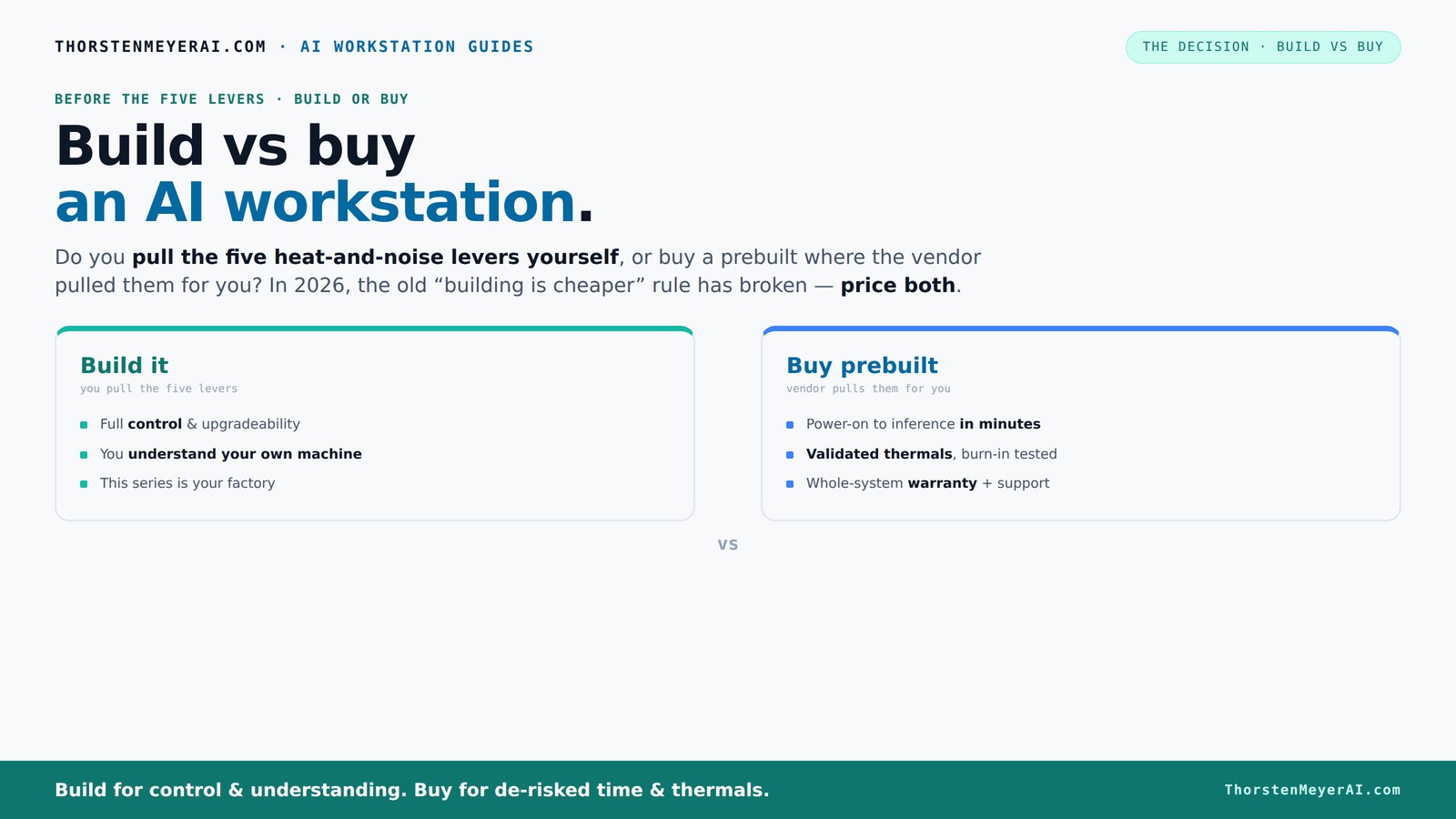
Build vs buy
an AI workstation.
The real question behind this whole series: do you pull the five heat-and-noise levers yourself, or buy a prebuilt where the vendor pulled them for you? And in 2026, the old “building is cheaper” rule has broken. Match your situation in Part 3.
Key Takeaways
- Component shortages and bulk buying have made prebuilt systems often as affordable as DIY builds in 2026.
- Choosing build or buy depends heavily on workload—multi-GPU training favors DIY, inference favors prebuilt for quick start.
- GPU VRAM (24GB+) is essential for large AI models—don't skimp here.
- Prebuilt vendors validate thermals and support, reducing setup risk and downtime.
- Upgrade paths are clearer in custom builds, but some prebuilts now allow modular upgrades.
As an affiliate, we earn on qualifying purchases.
Why 2026 Changes the Build vs Buy Game
The old rule—build cheaper, buy faster—no longer holds. Component shortages and rising prices, especially for GPUs and high-speed RAM, have pushed the cost of DIY builds up. Surprisingly, many prebuilt systems now come in at similar or even lower prices thanks to bulk buying and optimized manufacturing. So, your decision isn't just about dollars anymore—it’s about time, reliability, and future-proofing.
For example, a top-tier AI workstation with a 4090 GPU, 128GB RAM, and fast NVMe storage used to cost around $2,000 to assemble. Today, a prebuilt from a boutique vendor offers the same specs for roughly the same price, with the added benefit of validated thermals and warranty support.
This shift means that the traditional cost advantage of building your own machine is diminishing. As component prices fluctuate and supply chain issues persist, the time and effort spent on sourcing parts, assembling, and troubleshooting might outweigh the savings. The implication is that, for many, prebuilt systems now offer a more predictable, reliable, and cost-effective solution—especially when factoring in the value of support and warranty services.
As an affiliate, we earn on qualifying purchases.
What an AI Workstation Needs to Succeed
Clear performance starts with the GPU, CPU, RAM, and cooling. For AI workloads, a powerful GPU with ample VRAM—think 24GB or more—can make or break your experience. Pair that with a multi-core CPU, fast SSDs, and a cooling system that keeps everything whisper-quiet during long training runs.
For instance, if you’re doing local inference with models like GPT-4 or Stable Diffusion, a GPU like the NVIDIA A6000 or 4090 can cut processing time by half compared to older cards. But it’s not just raw power—thermal management and noise levels matter. A machine that throttles or sounds like a jet engine hampers productivity.
Understanding these hardware needs is crucial because bottlenecks in one component can negate gains in others. For more insights, see build vs buy a prebuilt AI workstation. For example, a high-end GPU without sufficient cooling or power delivery can lead to thermal throttling, reducing performance. Similarly, choosing a CPU that doesn’t match your data pipeline’s demands can cause data bottlenecks. The optimal setup balances all these elements, ensuring sustained performance without overheating or excessive noise, ultimately saving time and reducing frustration during intensive AI training sessions.
As an affiliate, we earn on qualifying purchases.
Build vs Buy: Which Fits Your Use Case?
Choosing between building and buying hinges on your workload. If you’re interested in the pros and cons, check out build vs buy a prebuilt AI workstation. For heavy training, multi-GPU systems, or custom setups, a DIY build offers tailored control—allowing you to select specific components, optimize cooling, and upgrade as needed. But if you’re running inference, experimenting with models, or need quick deployment, a prebuilt can save days or weeks, providing a ready-to-use, tested solution.
Let’s compare common scenarios:
As an affiliate, we earn on qualifying purchases.
Cost Breakdown: Parts, Support, and Hidden Expenses
| Aspect | Build |
|---|---|
| Parts | Cheaper if sourced during sales, but subject to shortages and price spikes. The tradeoff is the time and effort spent on sourcing and verifying compatibility, which can lead to delays or additional costs if parts are unavailable or incompatible. |
| Assembly & Testing | Time-consuming; risk of compatibility issues that require troubleshooting. This process can extend project timelines and introduce unexpected expenses, especially if components are faulty or do not work together seamlessly. |
| Support & Warranty | Limited; depends on individual component warranties. Troubleshooting hardware issues can be complex and time-consuming, often requiring technical expertise, which can delay project progress. |
Prebuilts include assembly, validation, and support—costs baked into the price. For more details, visit build vs buy a prebuilt AI workstation. While they might seem pricier upfront, they often save money and headaches in troubleshooting and downtime, especially with complex multi-GPU setups. The integrated support minimizes the risk of extended downtime during failures, which is critical for professional workflows where time is money.
GPU Power & VRAM: Why They Matter More Than Ever
The GPU is the heart of your AI workstation. In 2026, a GPU with at least 24GB VRAM—like the RTX 4090 or A6000—is becoming standard for training large models. More VRAM means fewer bottlenecks, faster inference, and smoother multitasking. This is especially critical as models grow larger and datasets become more complex, requiring higher memory capacities to process efficiently.
For example, running a 13-billion parameter language model locally requires at least 24GB VRAM. Less than that, and you’re forced to use lower batch sizes or split workloads, which results in increased training time and decreased efficiency. The tradeoff is clear: investing in high VRAM GPUs now can significantly reduce the time-to-result, which is vital for research timelines and production deployments.
Thermals, Noise, and Power—Your Silent, Cool Warrior
Keeping your machine cool isn’t just about temperature; it’s about noise, power efficiency, and longevity. Prebuilt vendors often optimize thermal design, tuning fans to keep noise under 40dB during intensive tasks. DIYers can do the same, but it takes expertise and time—balancing airflow, selecting quiet fans, and undervolting components to achieve a silent yet effective system.
Proper thermal management extends component lifespan, maintains peak performance, and enhances user comfort. For example, a well-cooled system prevents thermal throttling, which can cause performance dips during long training sessions. Achieving near-silent operation allows you to work without distraction, especially in shared or quiet environments. Investing in quality cooling not only preserves hardware but also ensures consistent performance over time, reducing the likelihood of costly replacements or repairs.
Upgradeability & Future-Proofing: Can You Keep It Long-Term?
DIY builds excel here. You see every component, and upgrading is often as simple as swapping out a GPU or adding RAM. This transparency allows you to adapt your system as AI models and hardware evolve. Conversely, many prebuilt systems lock you into proprietary connectors or limited expansion slots, making future upgrades more challenging and costly.
For instance, a custom build with a standard ATX motherboard, ample PCIe slots, and open architecture enables you to upgrade to the latest GPU or CPU years later without significant overhaul. Some OEM prebuilts, however, may restrict upgrades to certain parts or require replacing the entire system, which can negate initial cost savings and hinder long-term flexibility. Recognizing these differences helps in planning for future needs and avoiding obsolescence.
Support, Support, Support: Why It Matters
When your AI training stalls or crashes during a critical project, support makes all the difference. Prebuilt vendors often offer on-site or rapid replacement options, with warranties up to 5 years. This ensures minimal downtime and quick resolution of issues, which is vital for professional workflows. DIYers rely on individual warranties and their own troubleshooting skills—this can be cost-effective but also time-consuming and stressful during emergencies.
For example, Lambda’s systems undergo 48 hours of stress testing before shipping, and their support team guides you through fixes—saving days of downtime. DIY builds might save money upfront but can cost hours troubleshooting hardware conflicts or driver issues, especially if you lack technical expertise or face obscure compatibility problems. Reliable support can be the difference between a minor hiccup and a costly project delay, underscoring its importance in professional settings.
When Does a Hybrid Approach Make Sense?
Sometimes, the best move isn’t purely build or buy. Hybrid strategies—buy a high-quality prebuilt and upgrade certain parts—offer a middle ground. For example, purchase a prebuilt with a solid chassis and PSU, then add your own GPU or faster SSD later. This approach allows you to deploy quickly with reliable components while maintaining the flexibility to upgrade as your needs grow.
It balances the convenience of pre-assembly with the control of customization. This is particularly useful if you need a system now but anticipate future upgrades. The key is choosing a prebuilt that supports modular upgrades, ensuring compatibility and ease of expansion. This strategy can save time and money over the long term, especially if you stay informed about component compatibility and upgrade paths.
Frequently Asked Questions
Is it cheaper to build or buy a prebuilt AI workstation?
In 2026, component shortages and bulk discounts mean prebuilts often match or beat DIY costs, especially when factoring in assembly, testing, and support. Always compare prices for your exact specs before deciding.Which option offers better performance for AI workloads?
Performance depends on your hardware choices. DIY allows tailored configurations, but reputable prebuilts validate thermals and optimize cooling, often matching high-end specs for intense AI tasks.Will a prebuilt workstation be easy to upgrade later?
Many prebuilts limit upgrade options due to proprietary parts, but boutique vendors and some brands now offer modular designs that support future upgrades. DIY remains the easiest for future flexibility.Are prebuilts reliable enough for professional use?
Top-tier prebuilt vendors rigorously test systems and provide warranties, making them a reliable choice for professional workloads. Cheaper OEMs may vary in quality, so check reviews and support options.What hidden costs come with building my own AI workstation?
Time spent sourcing parts, troubleshooting compatibility issues, and learning setup processes adds up. Plus, you might face unexpected delays or costs if parts are out of stock or incompatible.Conclusion
In 2026, the choice between building and buying an AI workstation isn’t clear-cut. It hinges on your need for control, speed, and support. If time is scarce or you’re new to hardware tuning, a prebuilt offers peace of mind. But if you’re comfortable with assembly and want long-term flexibility, building your own can still be rewarding.
Remember, the best machine is the one that fits your workload today and adapts to your needs tomorrow. Sometimes, a hybrid approach balances both worlds—saving time while keeping some control.
Cold & flu season Picks
humidifiers
As an affiliate, we earn on qualifying purchases.